NewWordPress Themes Original License & Live Updates

Mergen WordPress Theme

Updated: v2.1.6 · November 16, 2026
1 sales

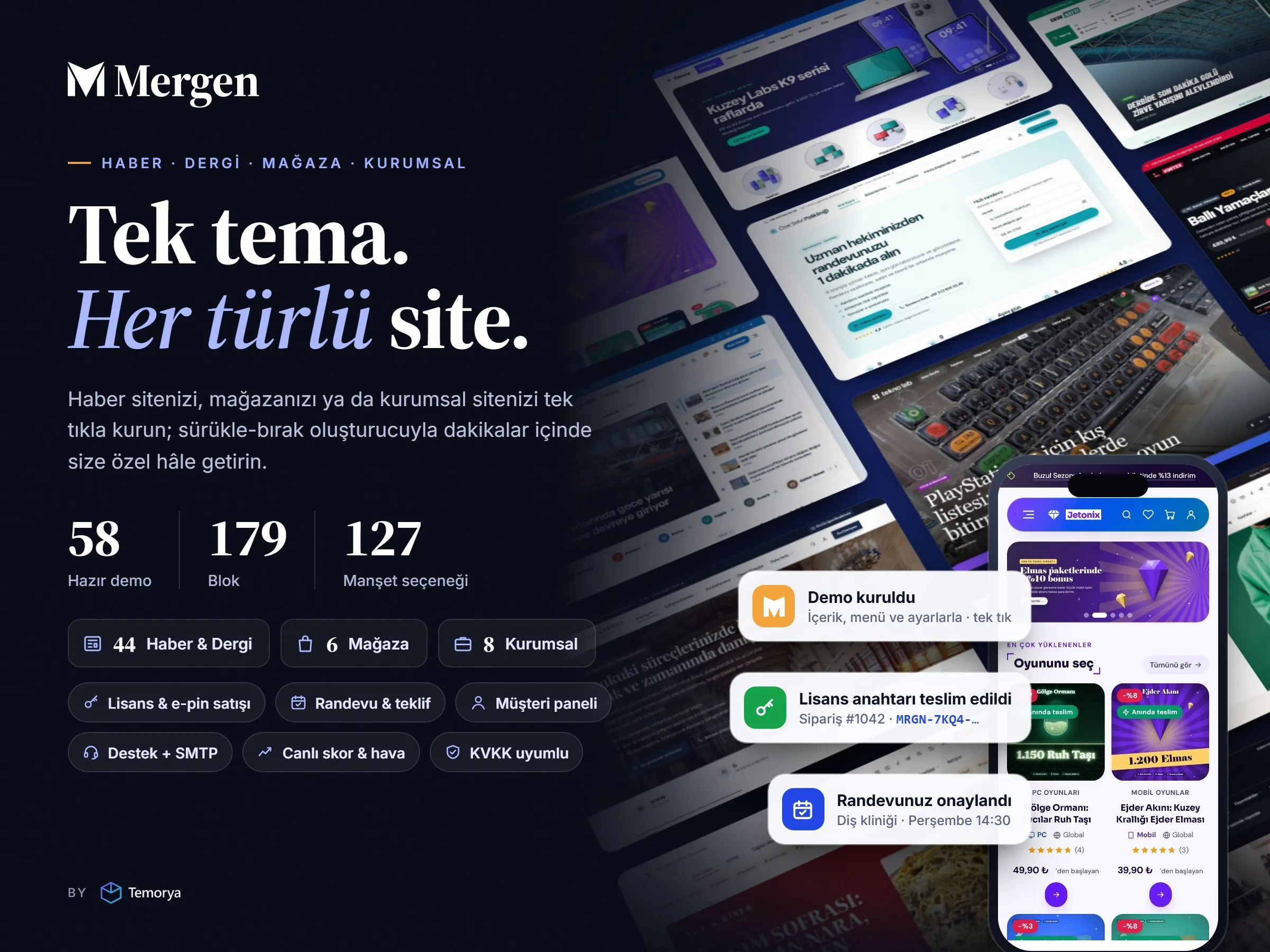
Turkish WordPress theme for news, magazine, store and corporate sites: 60 ready-made demos, a drag-and-drop builder with 190 blocks and one-click setup.

14-day refund guarantee Changed your mind? Request a refund from your account within 14 days.

  • Lifetime use
  • 12 months of updates and support
  • Detailed documentation
  • Source code included

Choose a License Type

Add-on Services

$54.00$59.008% Off
One-time payment
Live Demo
Pairs with this productMergen Speed ProPage cache, WebP/AVIF, delayed JS and Gzip/Brotli for the Mergen theme: green Core Web Vitals without an extra plugin. Yearly license. $9.74/ year
Live demoTry the product and its admin panel before you buy.
Panel demosu: şifre gerekmez · değişiklikler kaydedilmez.
Instant DeliveryDownload after payment
100% OriginalLicensed product
LifetimeRight of use
12 MonthsUpdates and support

Product Description

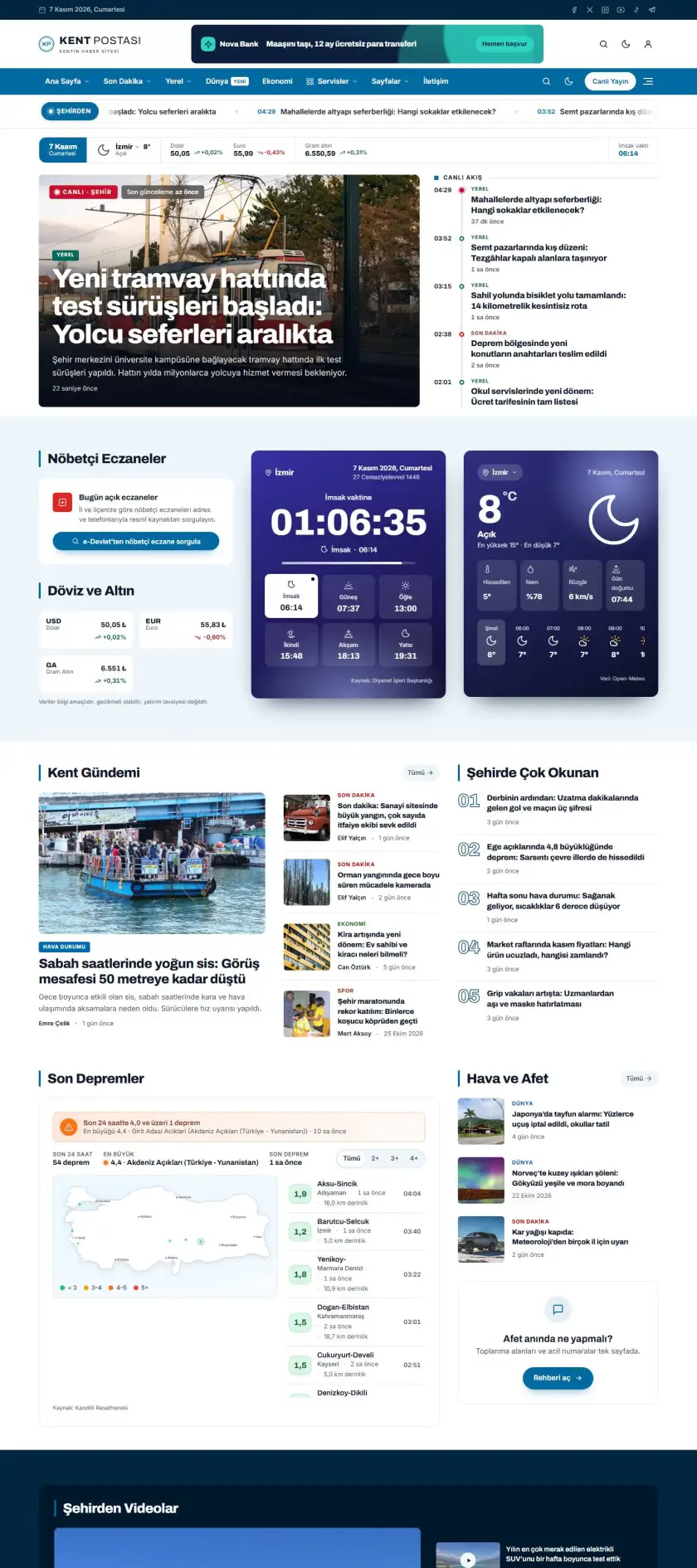
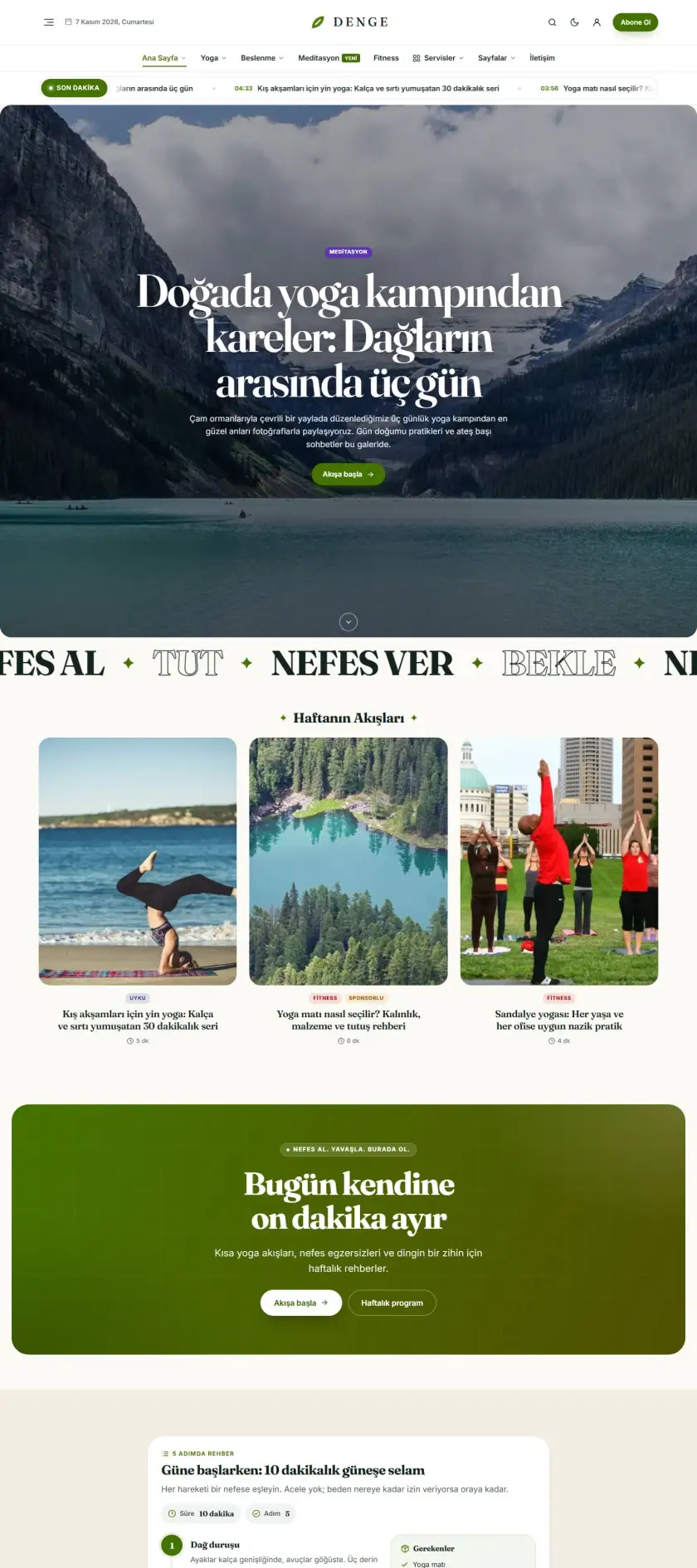
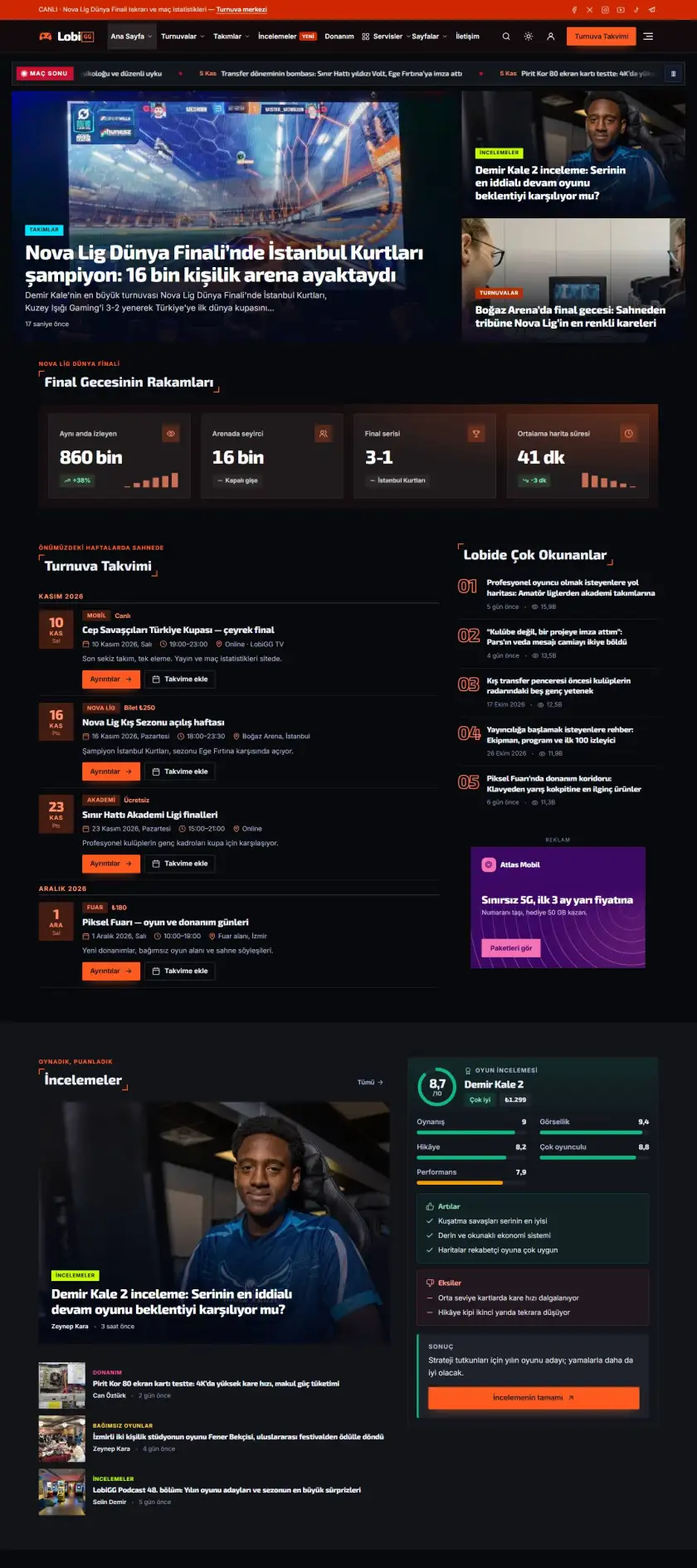
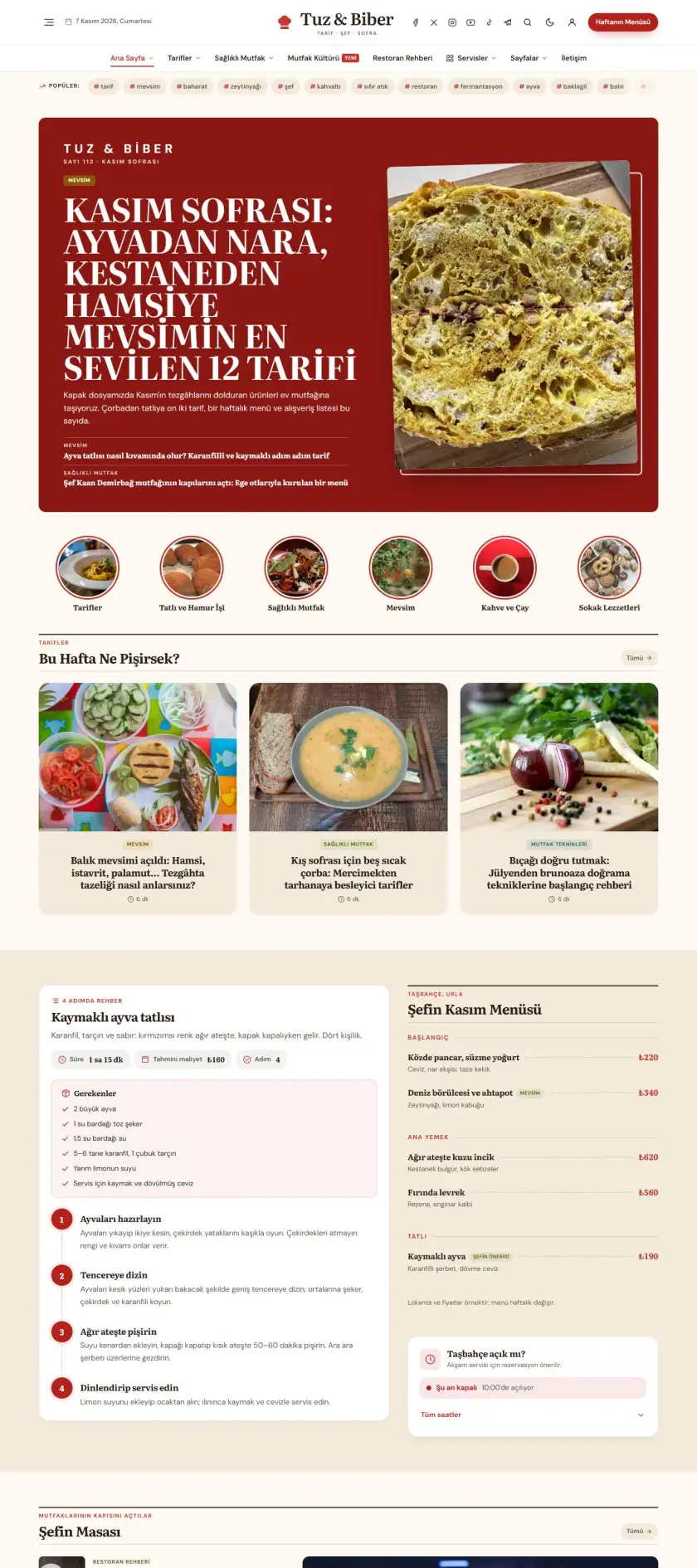
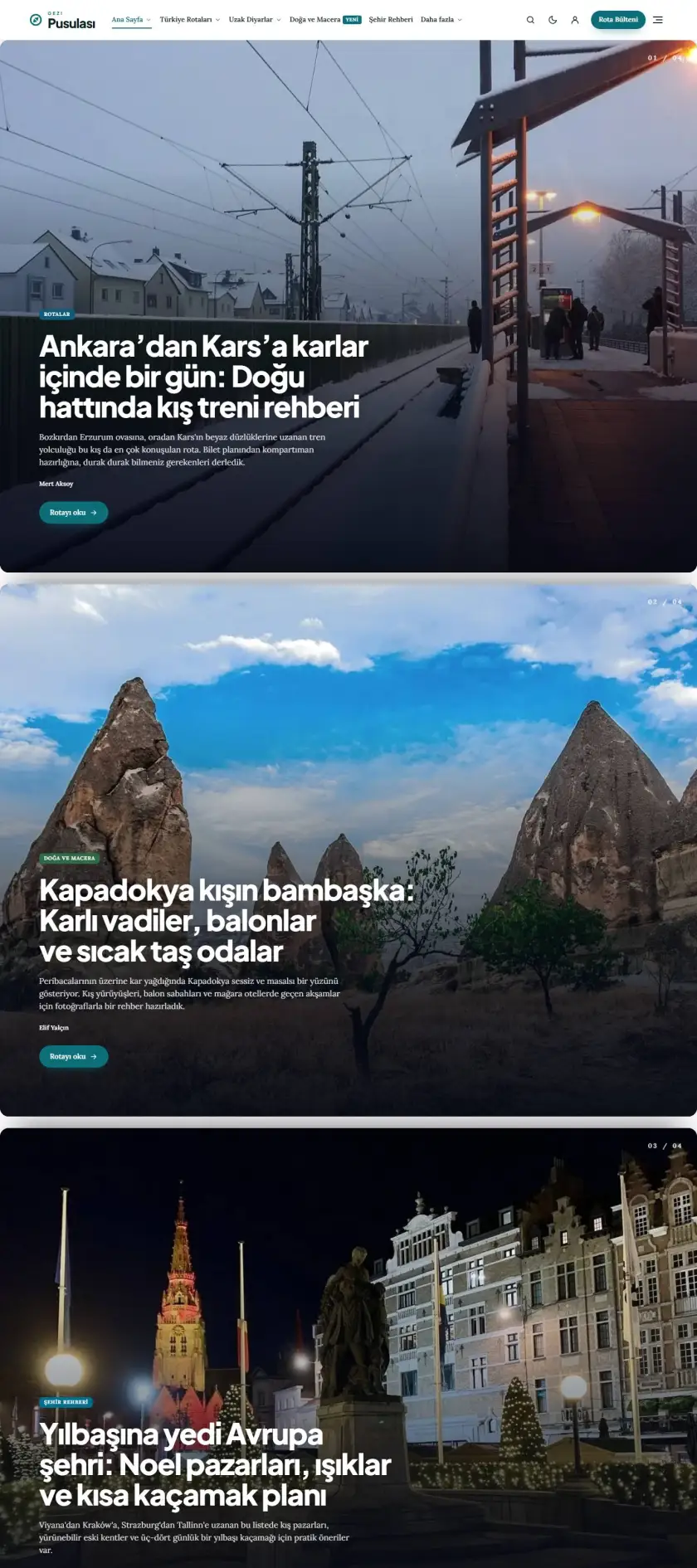
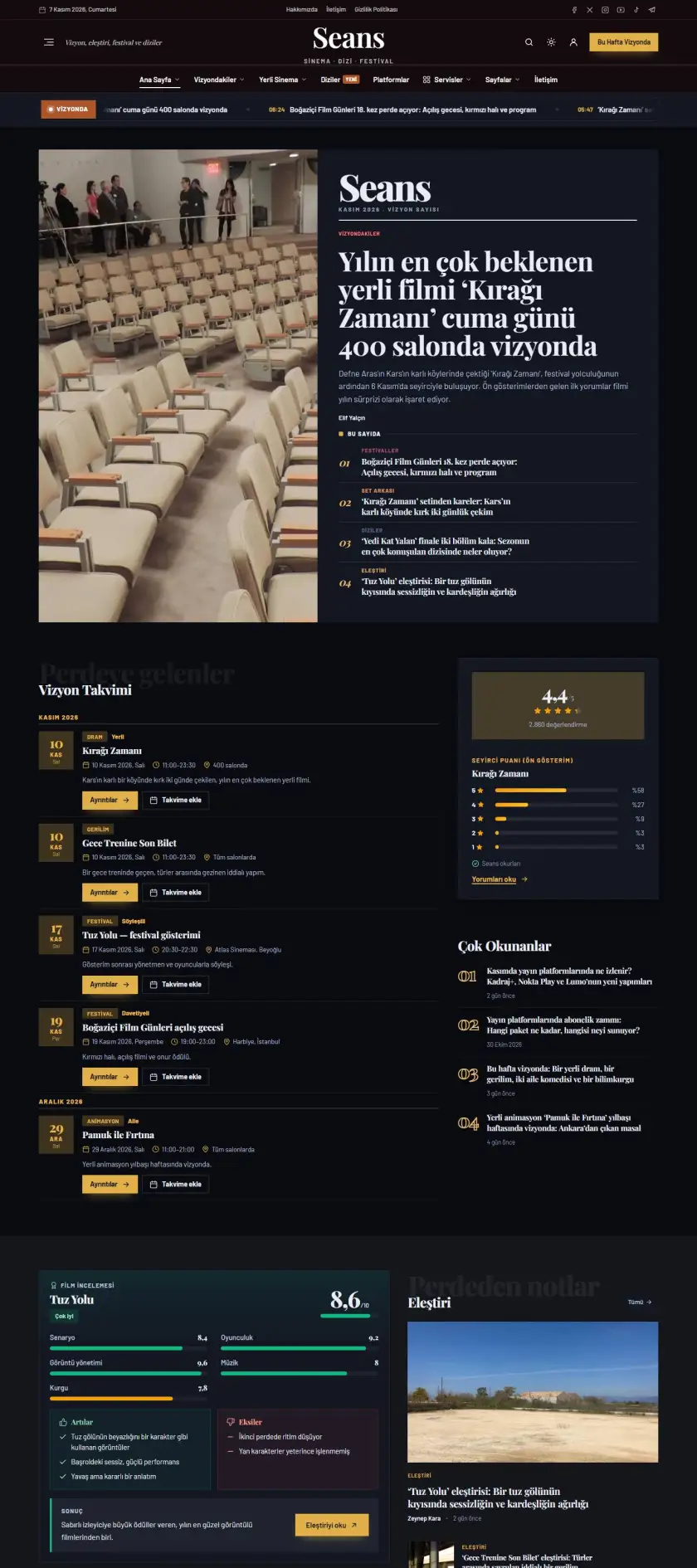
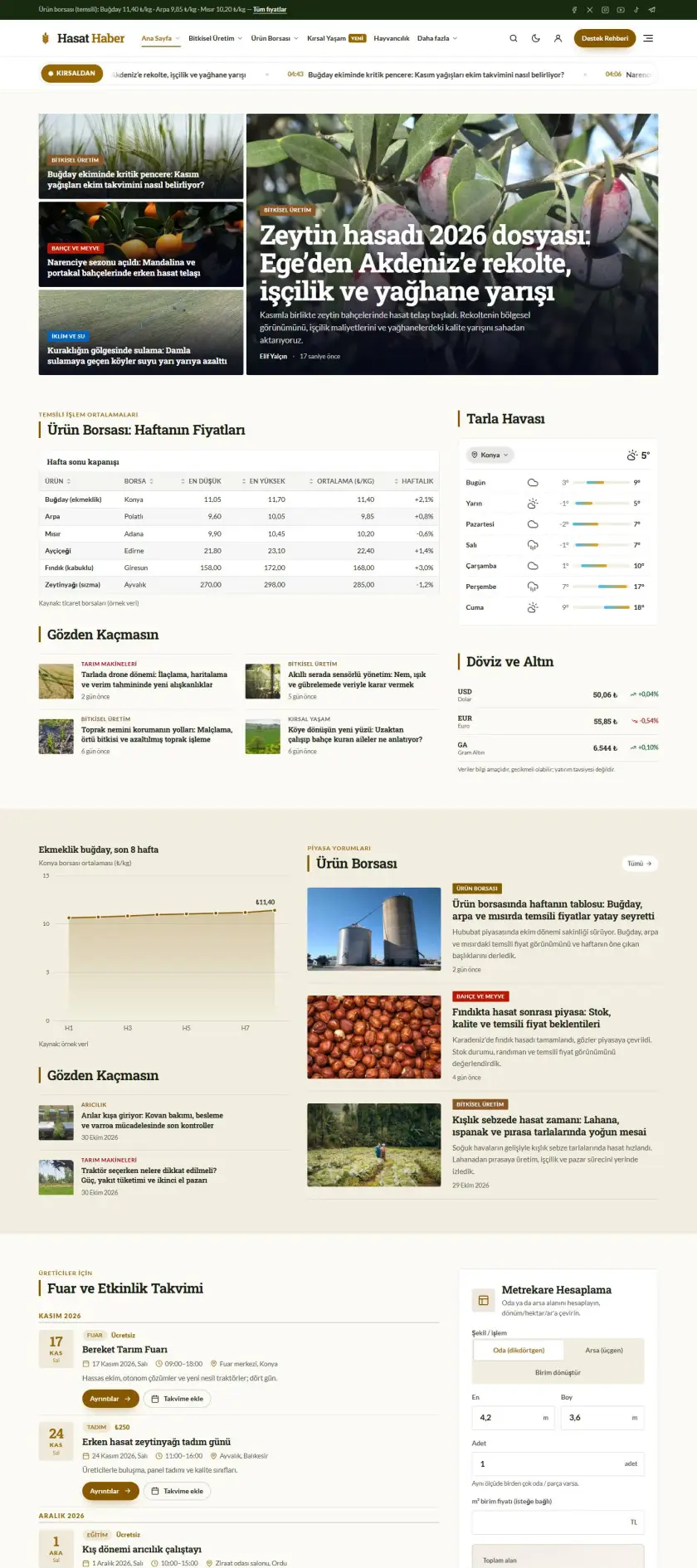
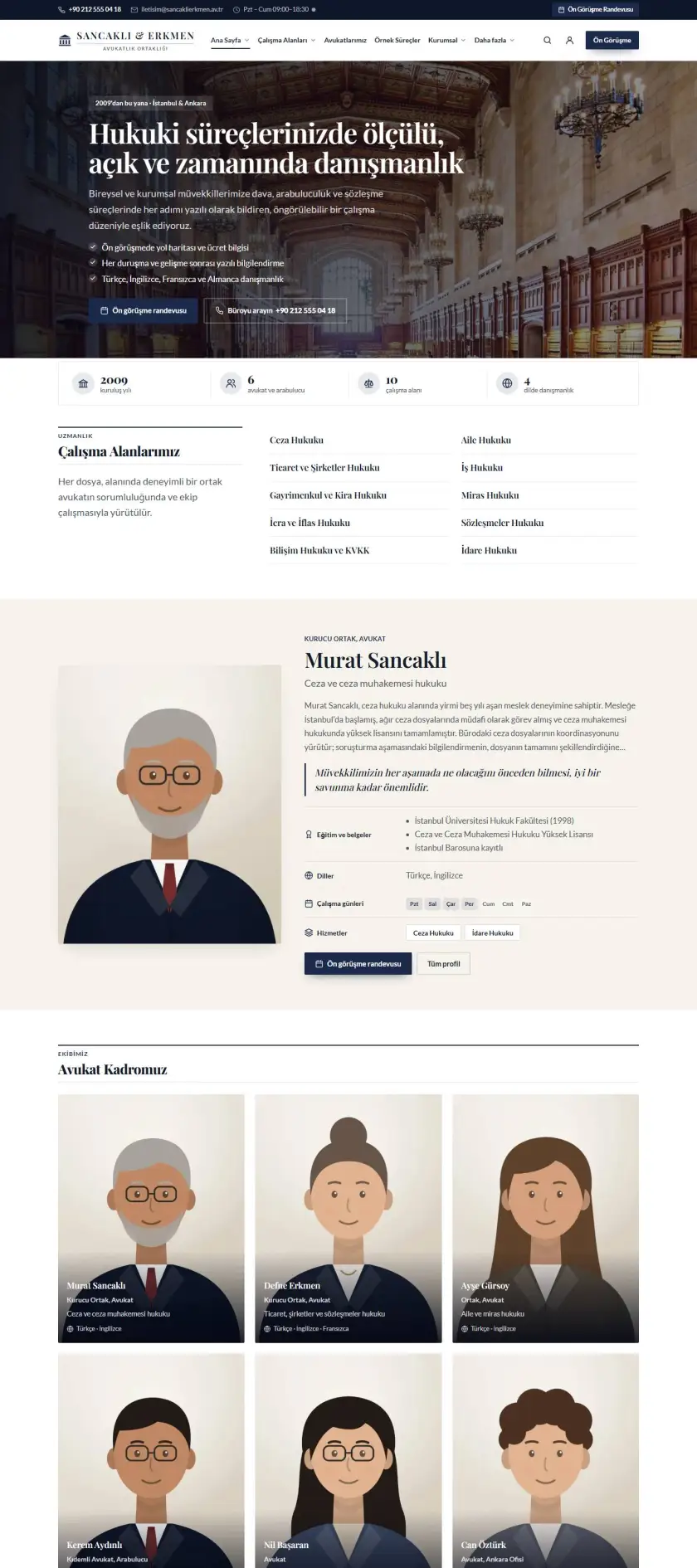
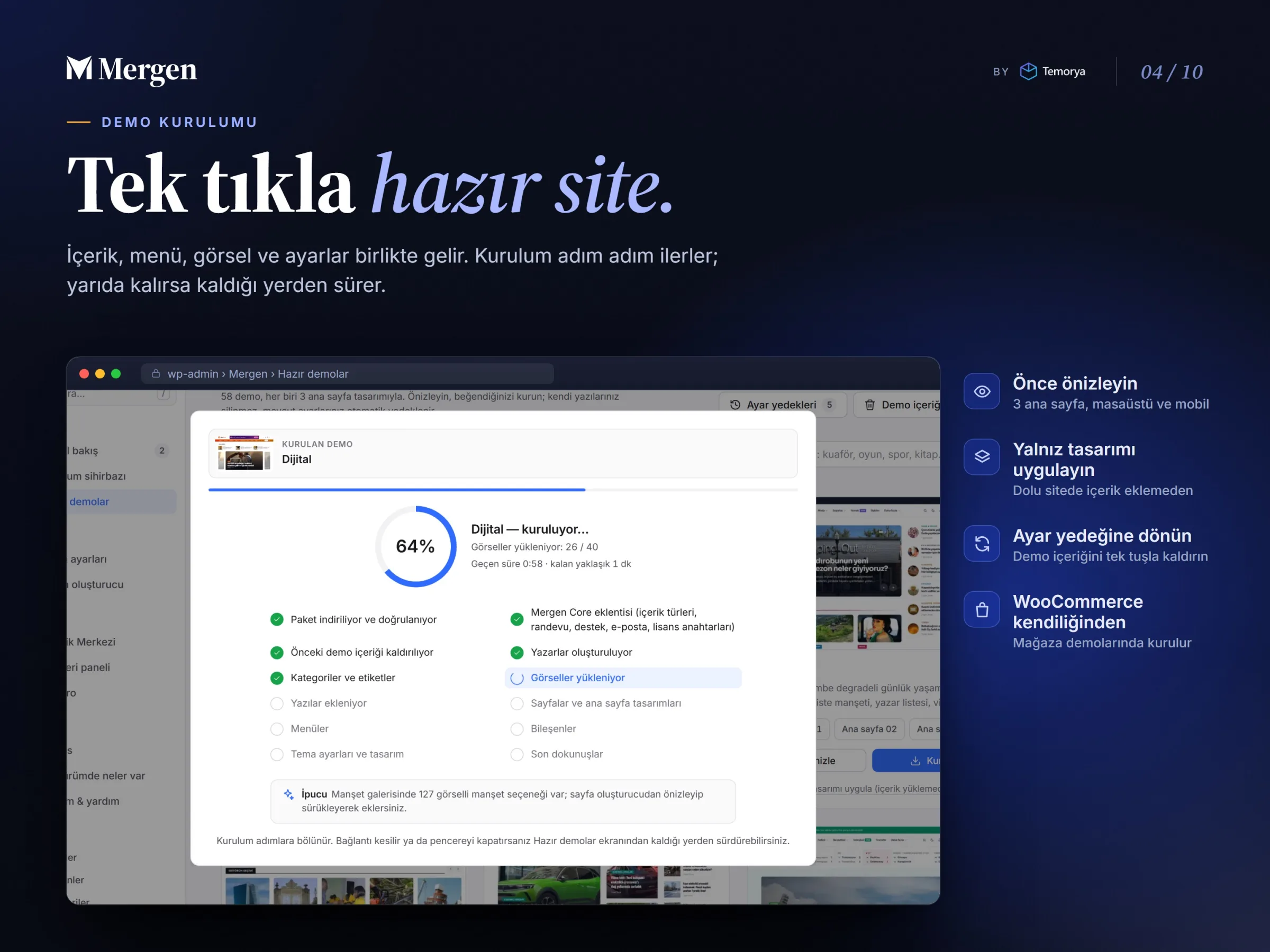
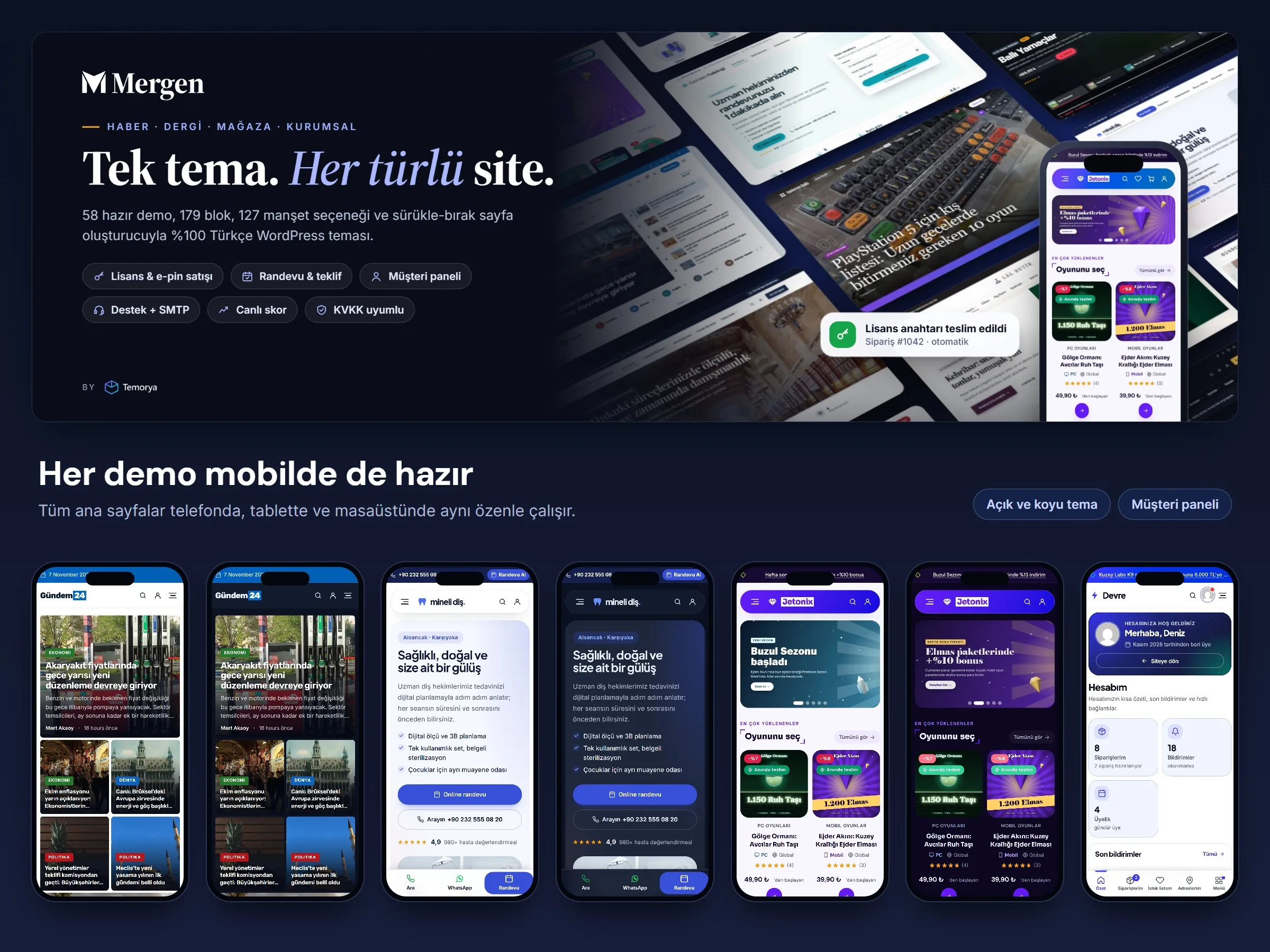
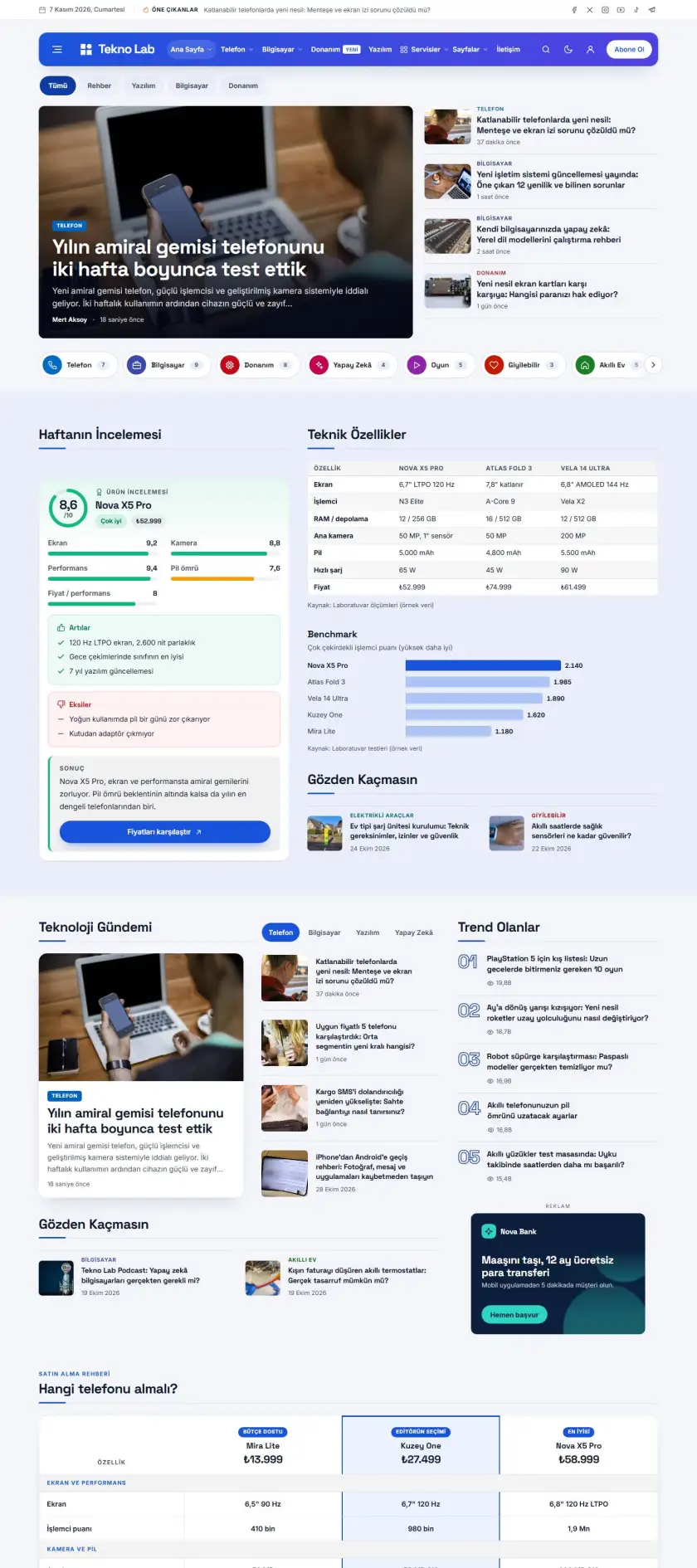
Mergen is a WordPress theme built in Turkish for many kinds of sites, from news portals to digital product stores, clinics and law firms. Pick the demo you like and install it from the dashboard in one click: content, menus, images and settings come with it. Then change colors, fonts and blocks to suit you with the drag-and-drop page builder.

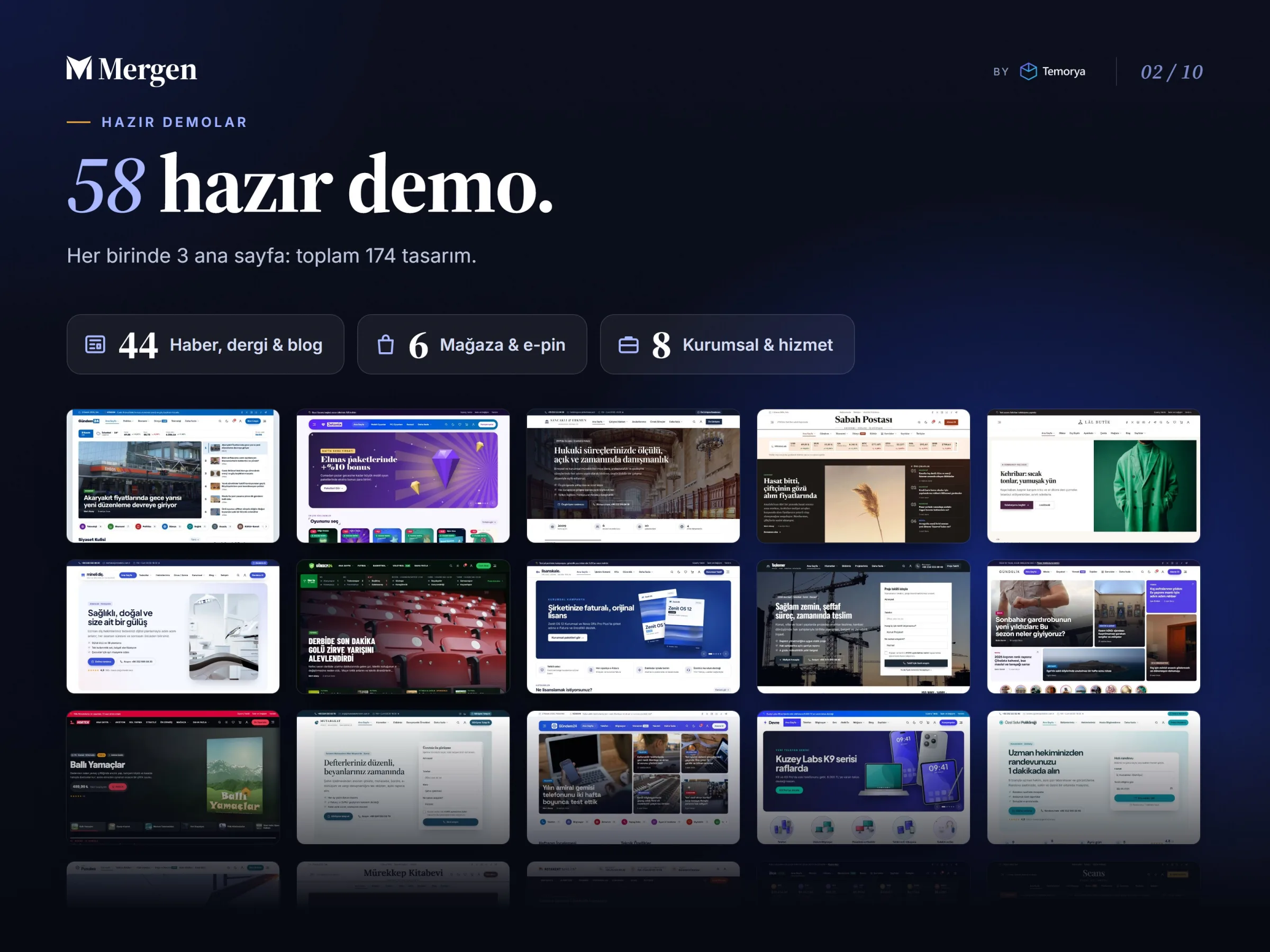
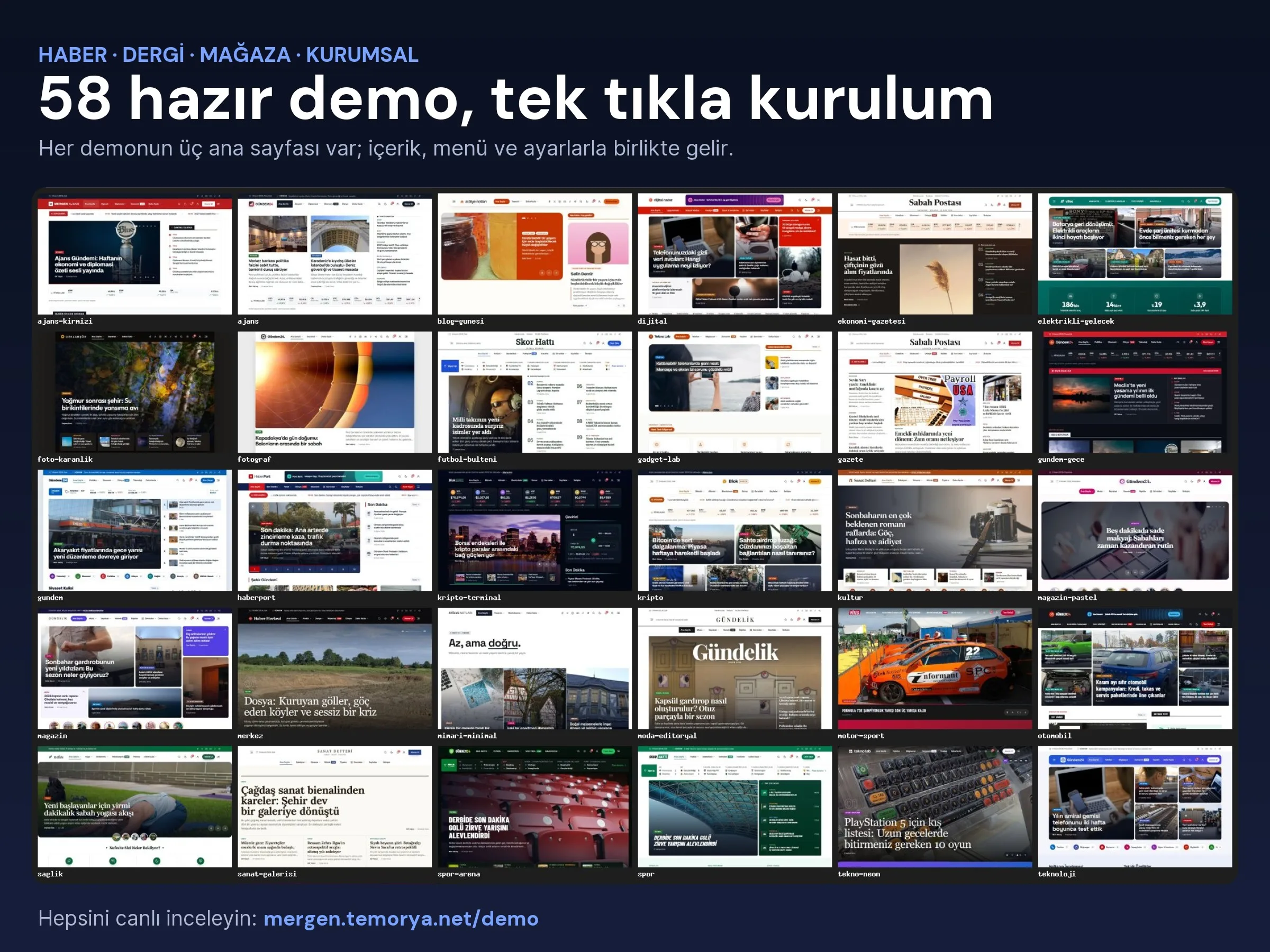
60ready-made demos · 174 homepages
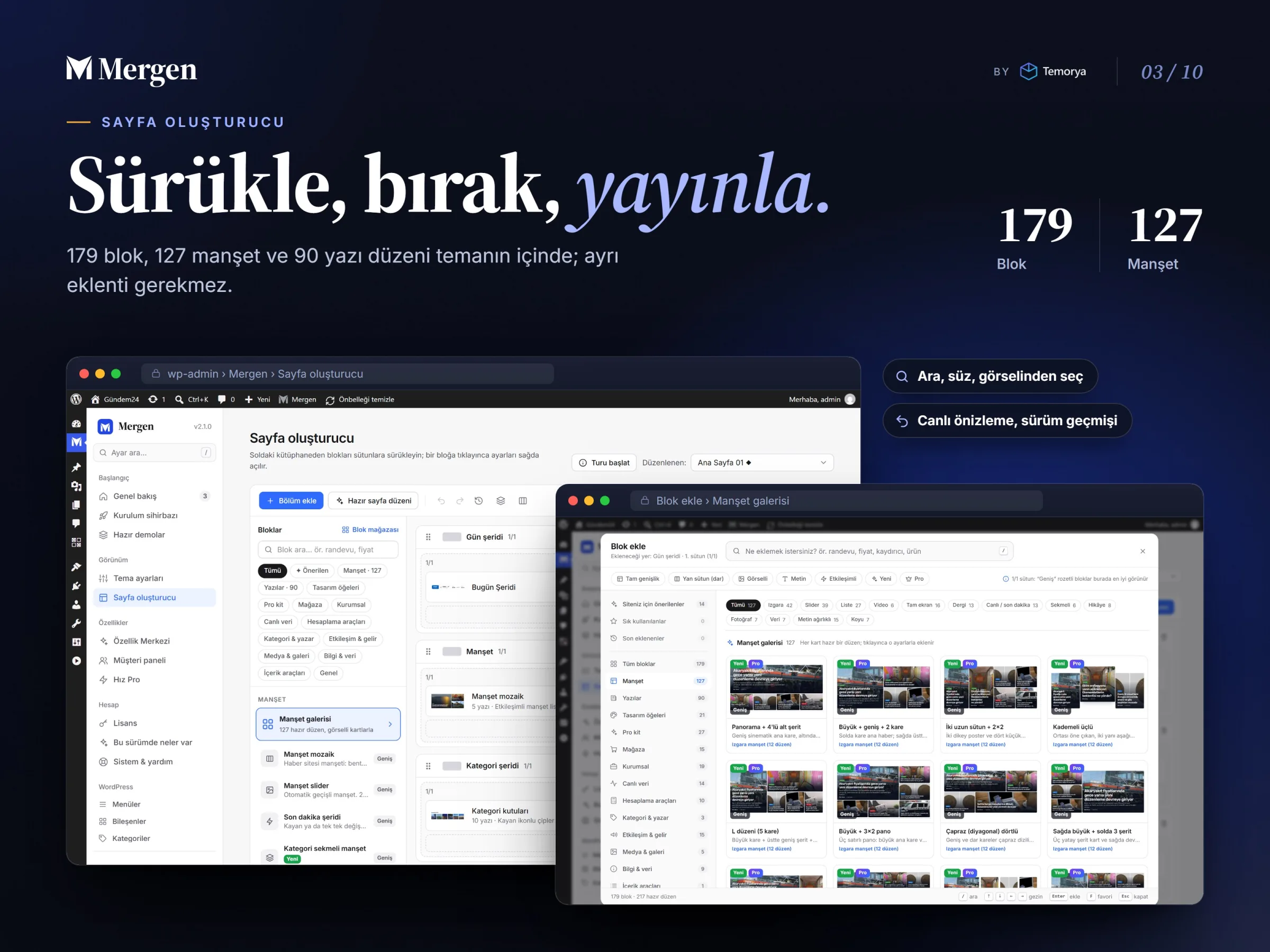
190page builder blocks
127ready-made headline layouts
90ready-made post layouts

Site types

One theme, three business models

Every demo has three homepage options, each with real content and its own live site you can explore.

News, magazine and blog31 news + 13 content demos

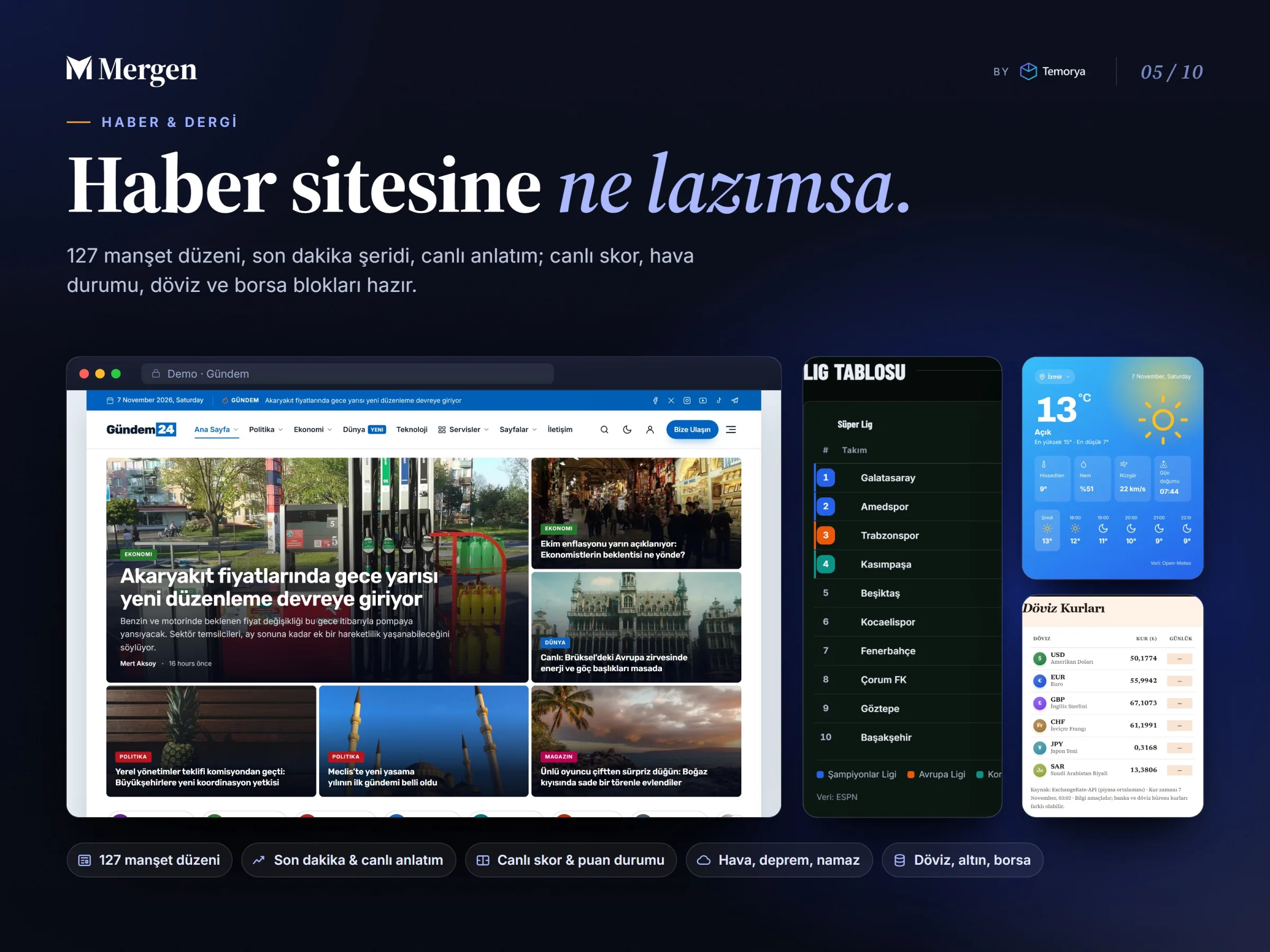
Everything a newsroom needs day to day, from the breaking news ticker and live blogging to league tables and currency rates.

  • Breaking news ticker and minute-by-minute live blogging
  • Live scores, league tables, weather, earthquakes, prayer times
  • Currency, gold, stock market and crypto tables
  • Google News button, news schema, editor review
  • 19 calculators: VAT, severance pay, loans, salary…

Digital product store6 store demos

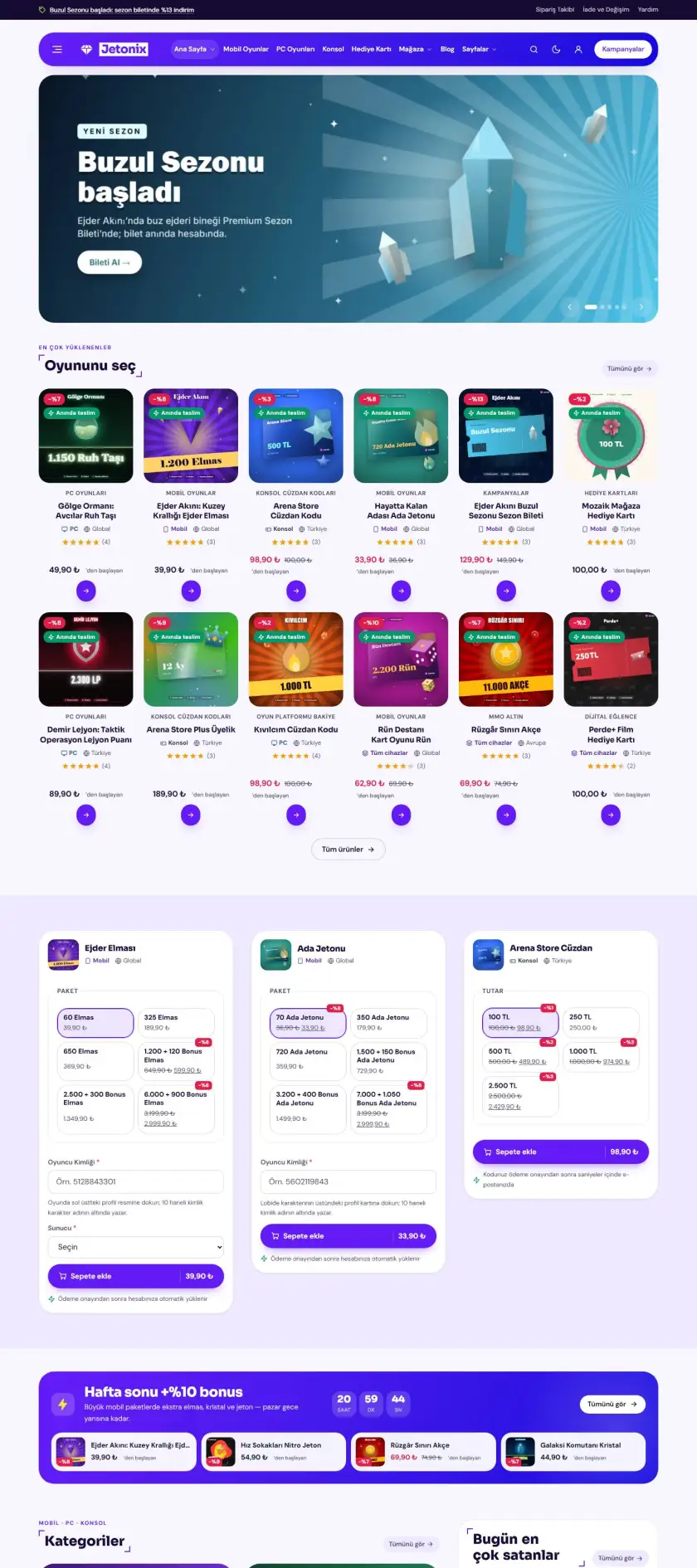
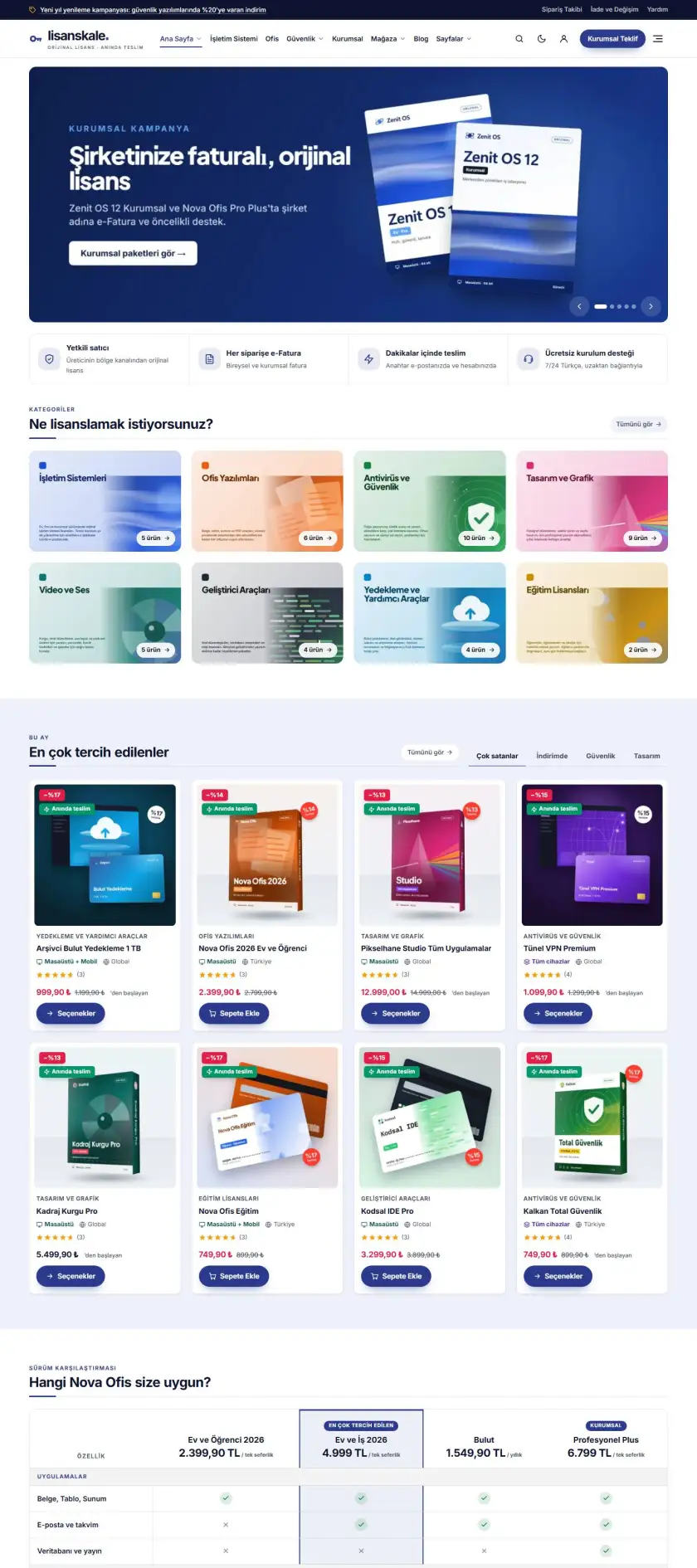
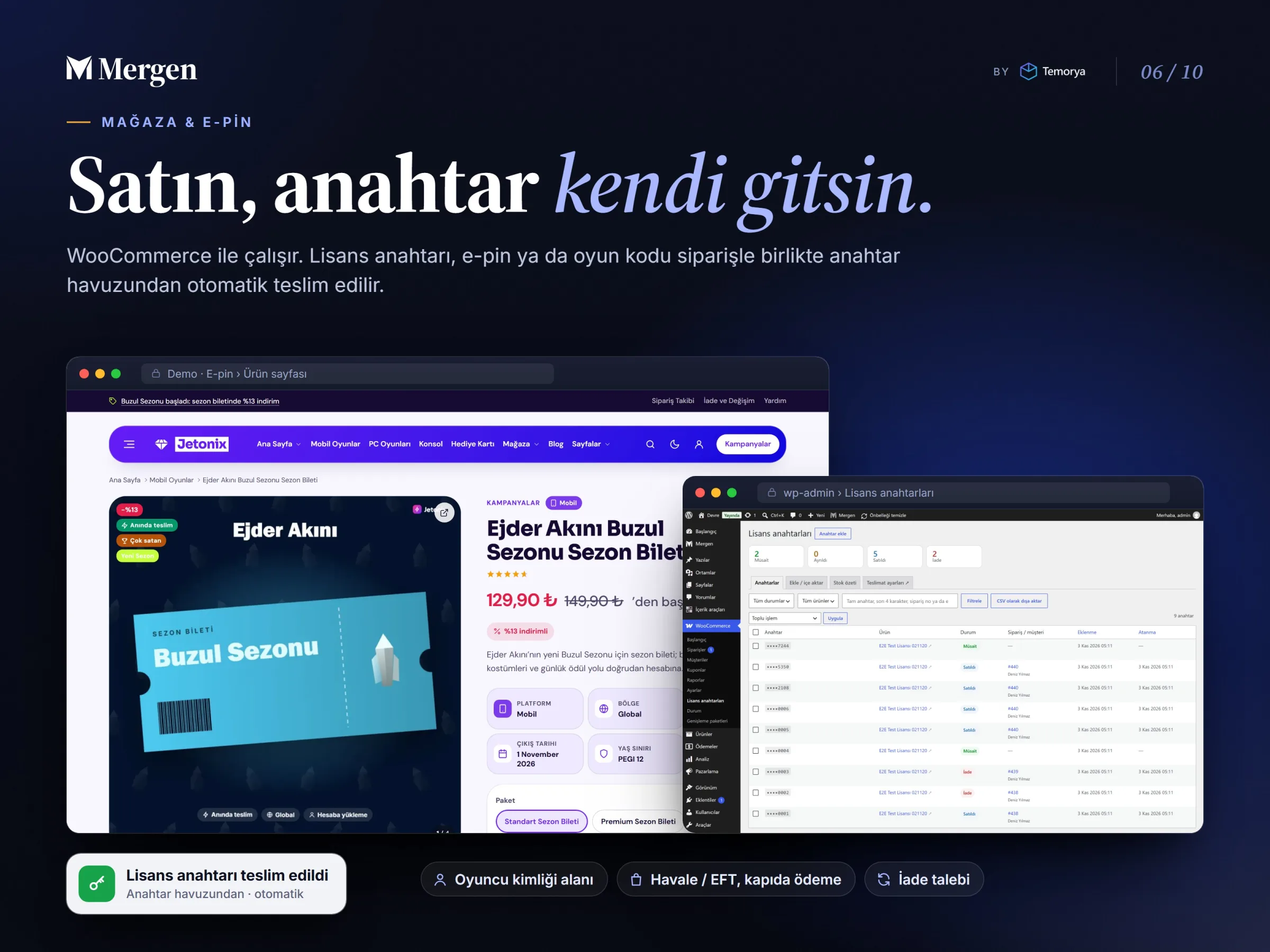
Sell license keys, e-pins or game codes; orders are delivered automatically from the key pool. You can sell physical products too.

  • Stocked key pool, automatic delivery, stock summary
  • Player ID field for e-pins
  • Bank transfer and cash on delivery flow
  • “My licenses” and refund requests in the customer dashboard
  • WooCommerce is installed automatically during demo import

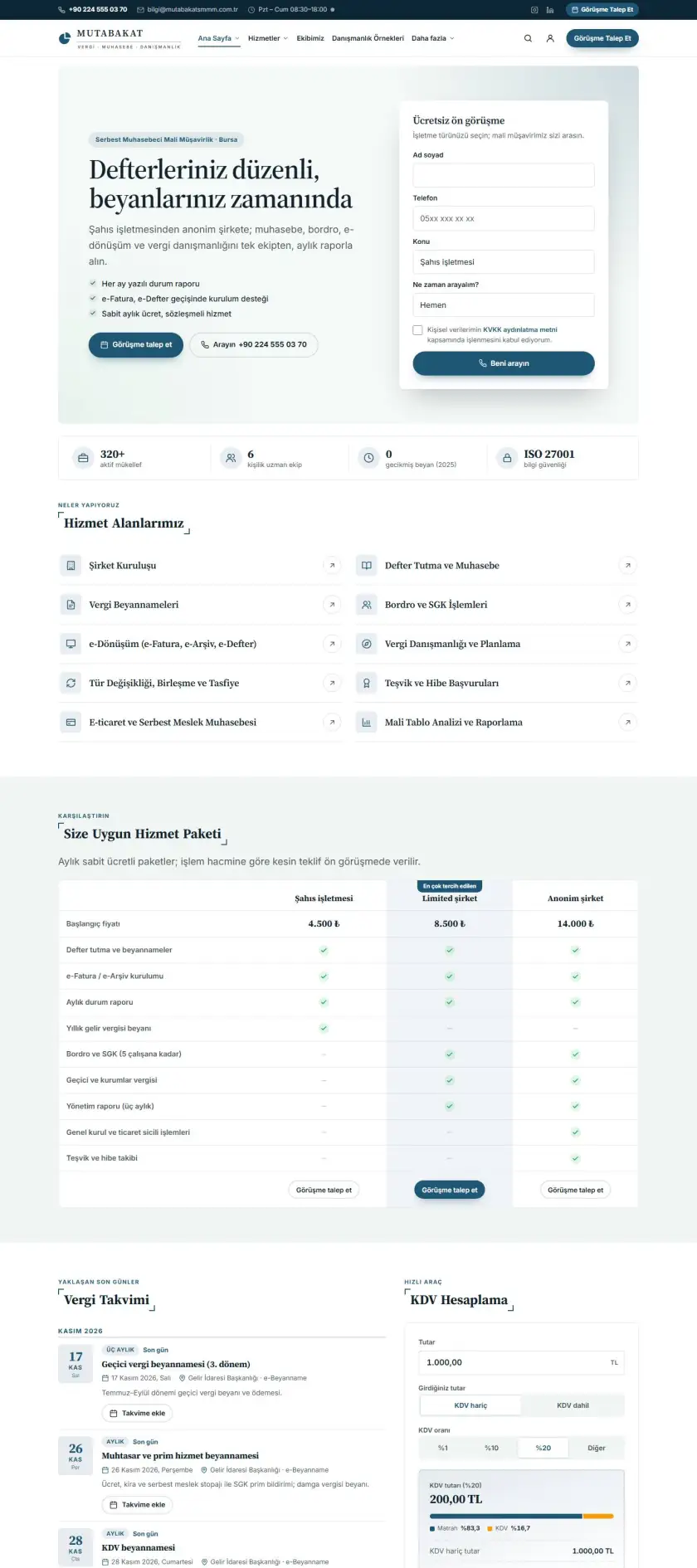
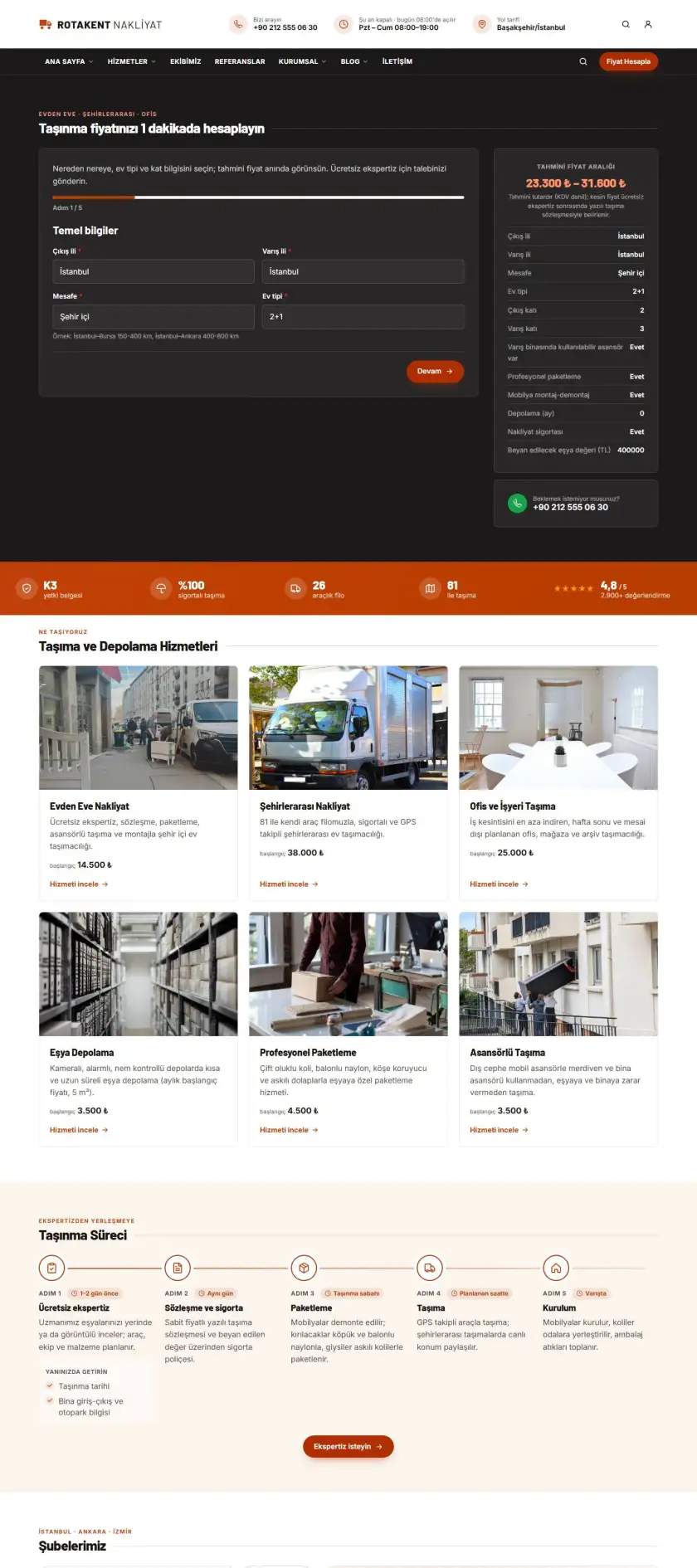
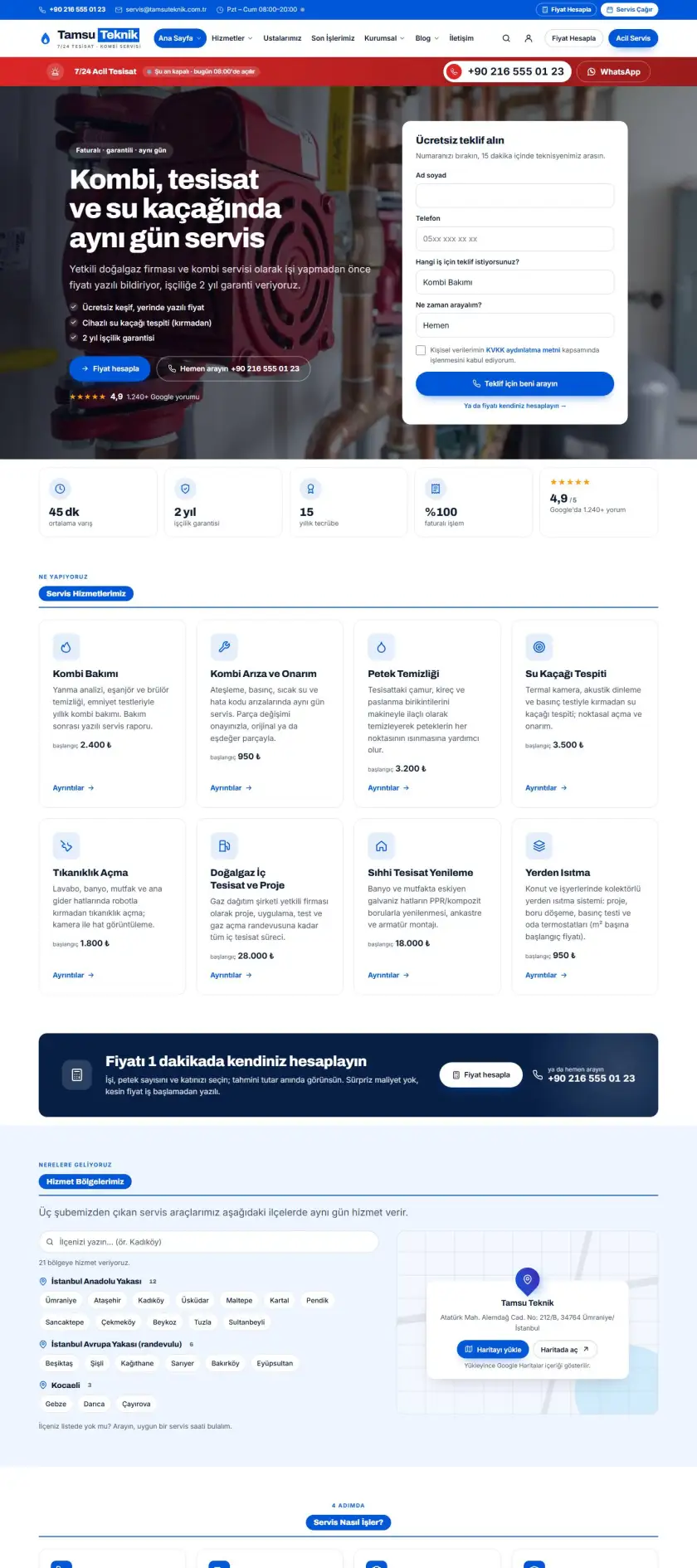
Corporate and services8 corporate demos

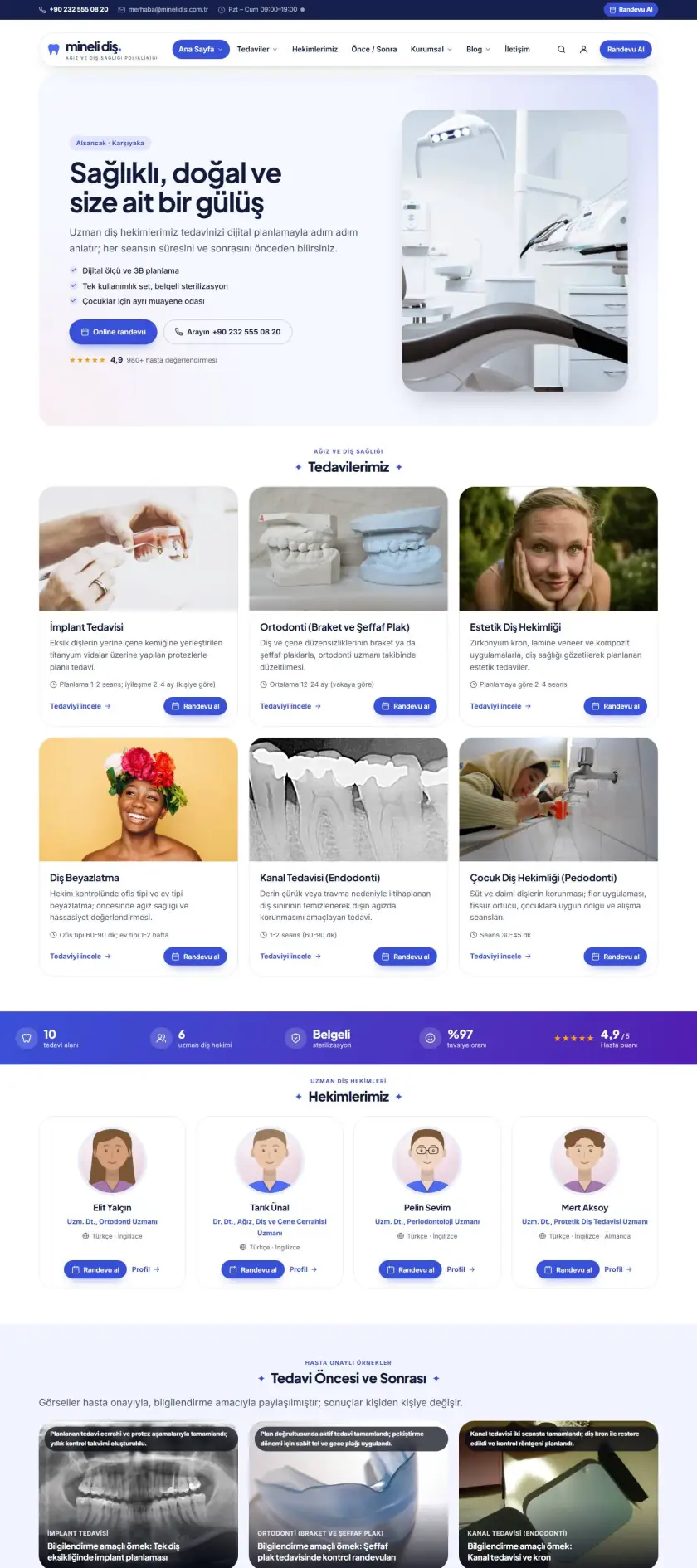
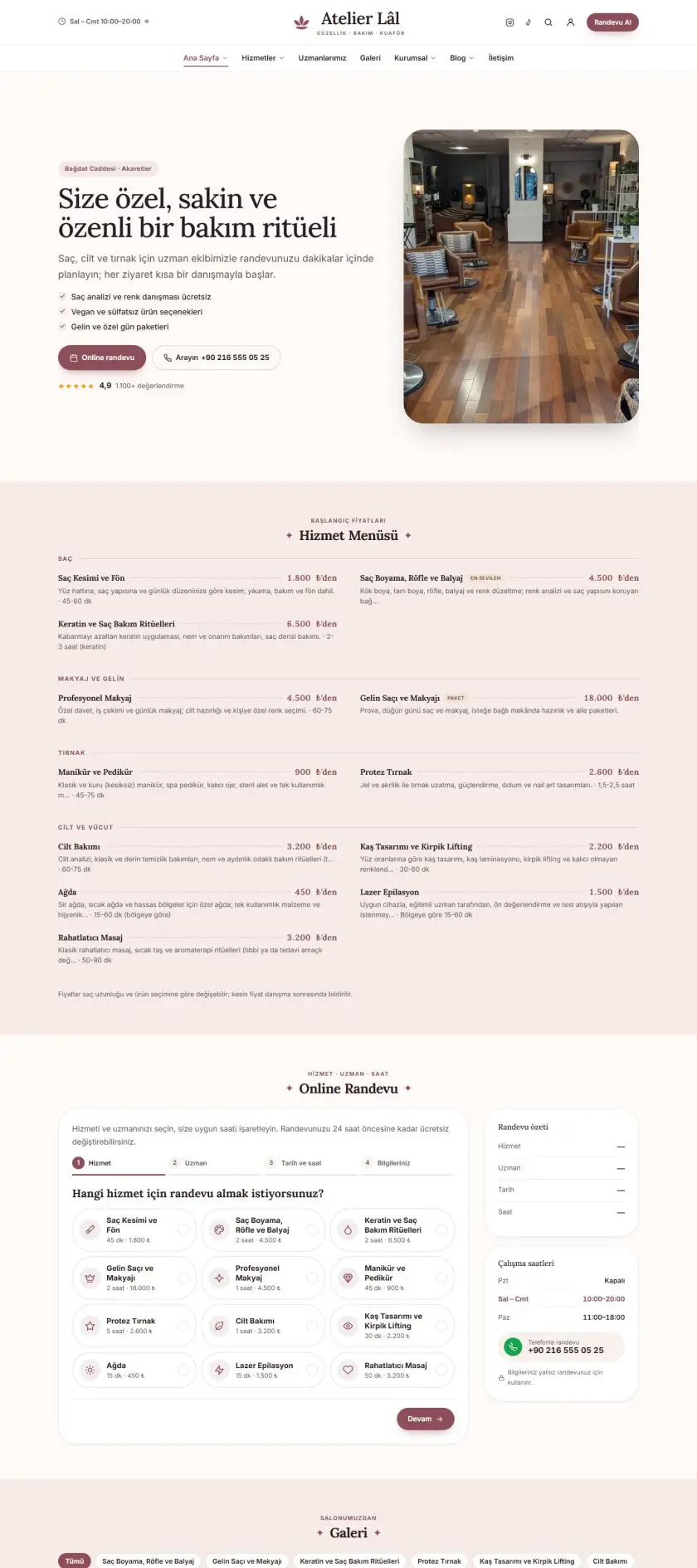
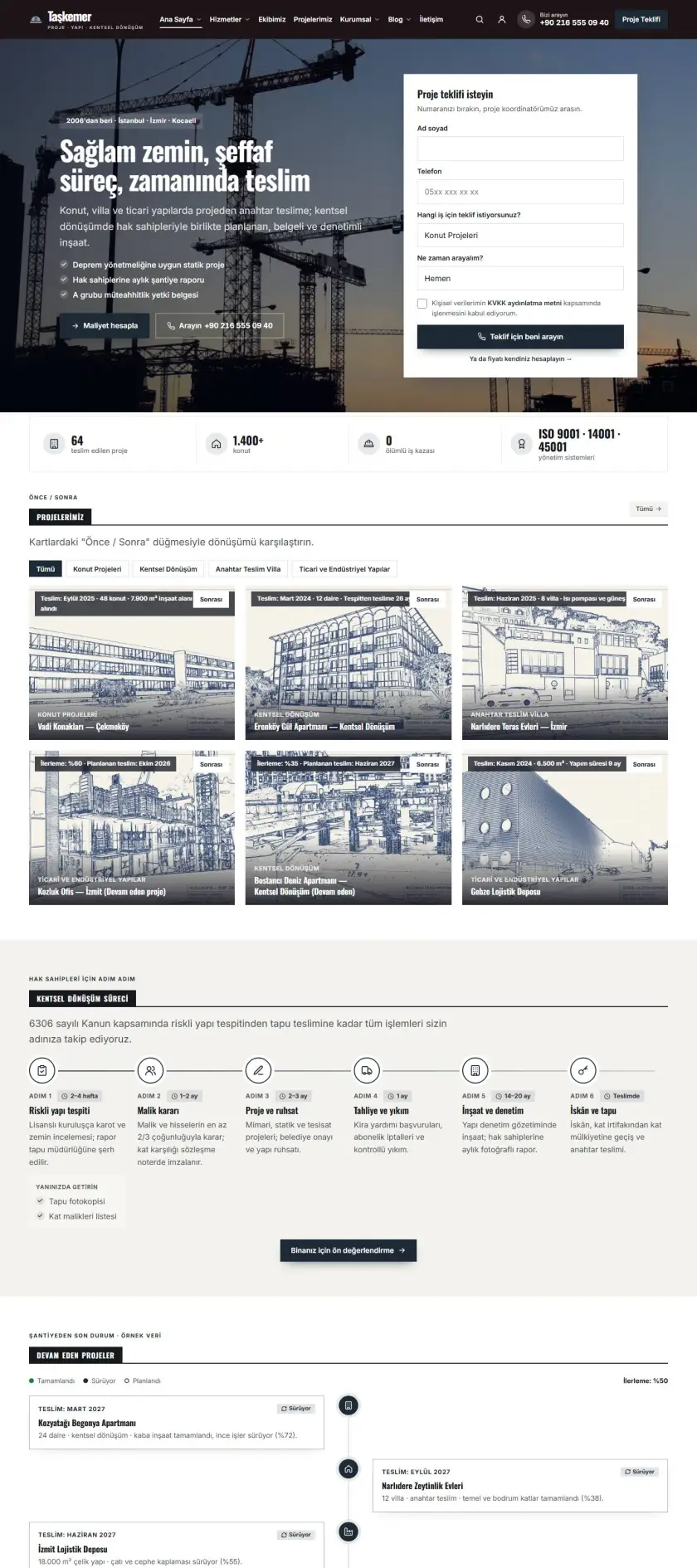
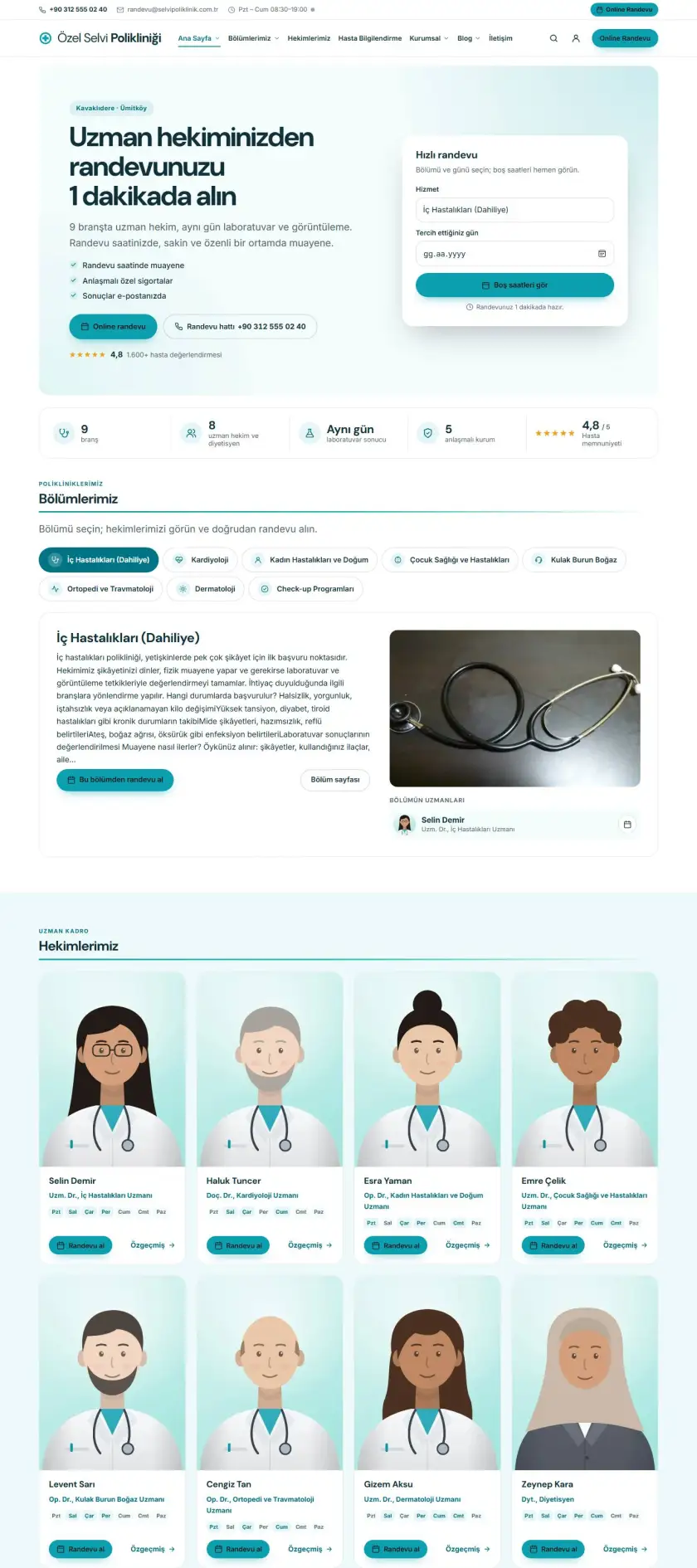
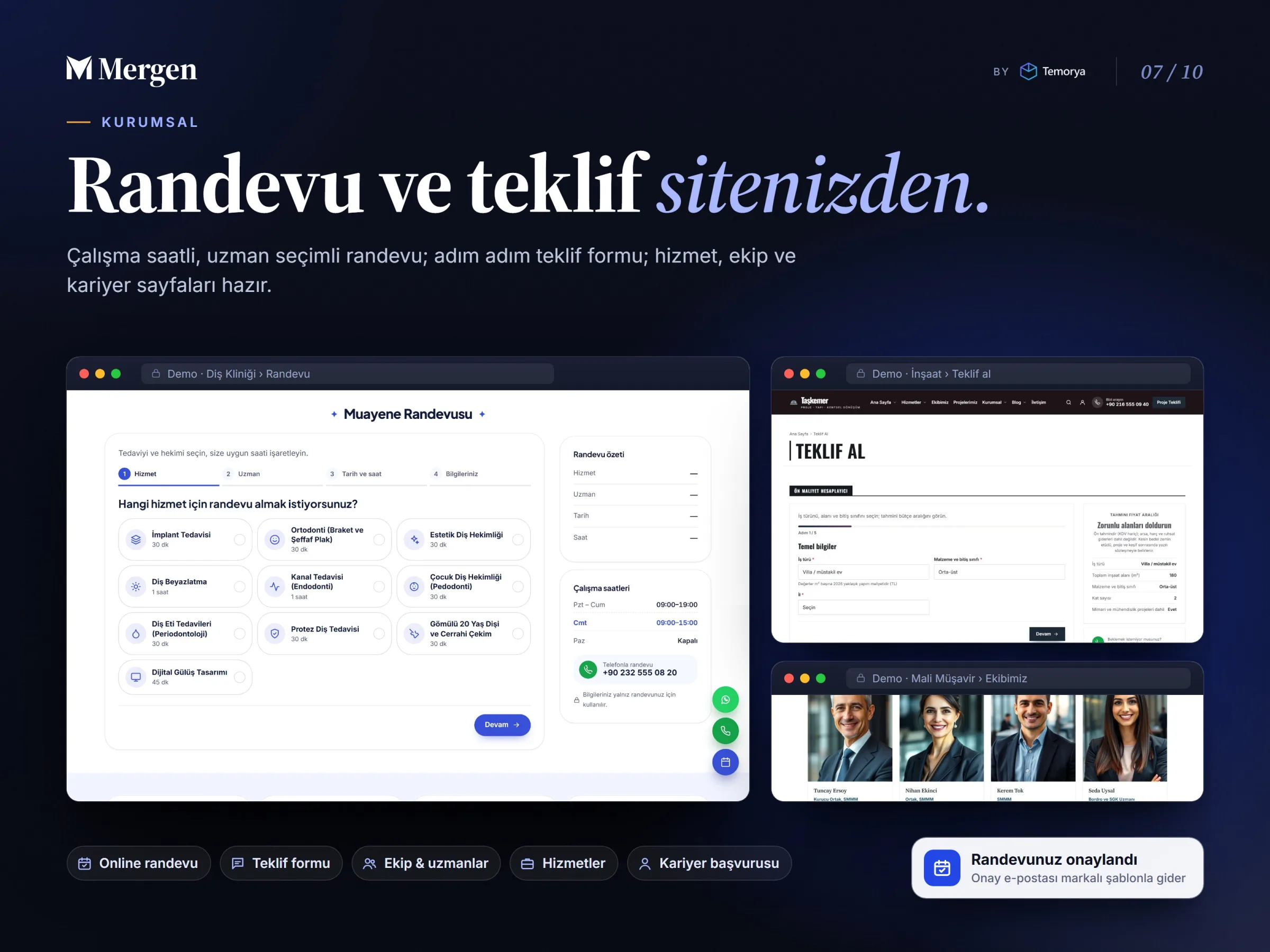
Clinic, law firm, accountant, moving or plumbing company: take online appointments and quote requests from visitors.

  • Online appointments with working hours and specialist choice
  • Step-by-step quote form, requests in the dashboard
  • Job listings and applications with CV upload
  • Service, specialist, branch and reference pages
  • Branded confirmation emails

Page builder

Your own homepage without code

The page builder is part of the theme; no separate plugin is needed. Search, filter and preview 190 blocks, 127 headline layouts and 90 post layouts. 11 card types, 7 header and 5 footer layouts and 23 fonts are ready; you see changes in a live preview and can go back with the revision history.

Features

What comes with the theme

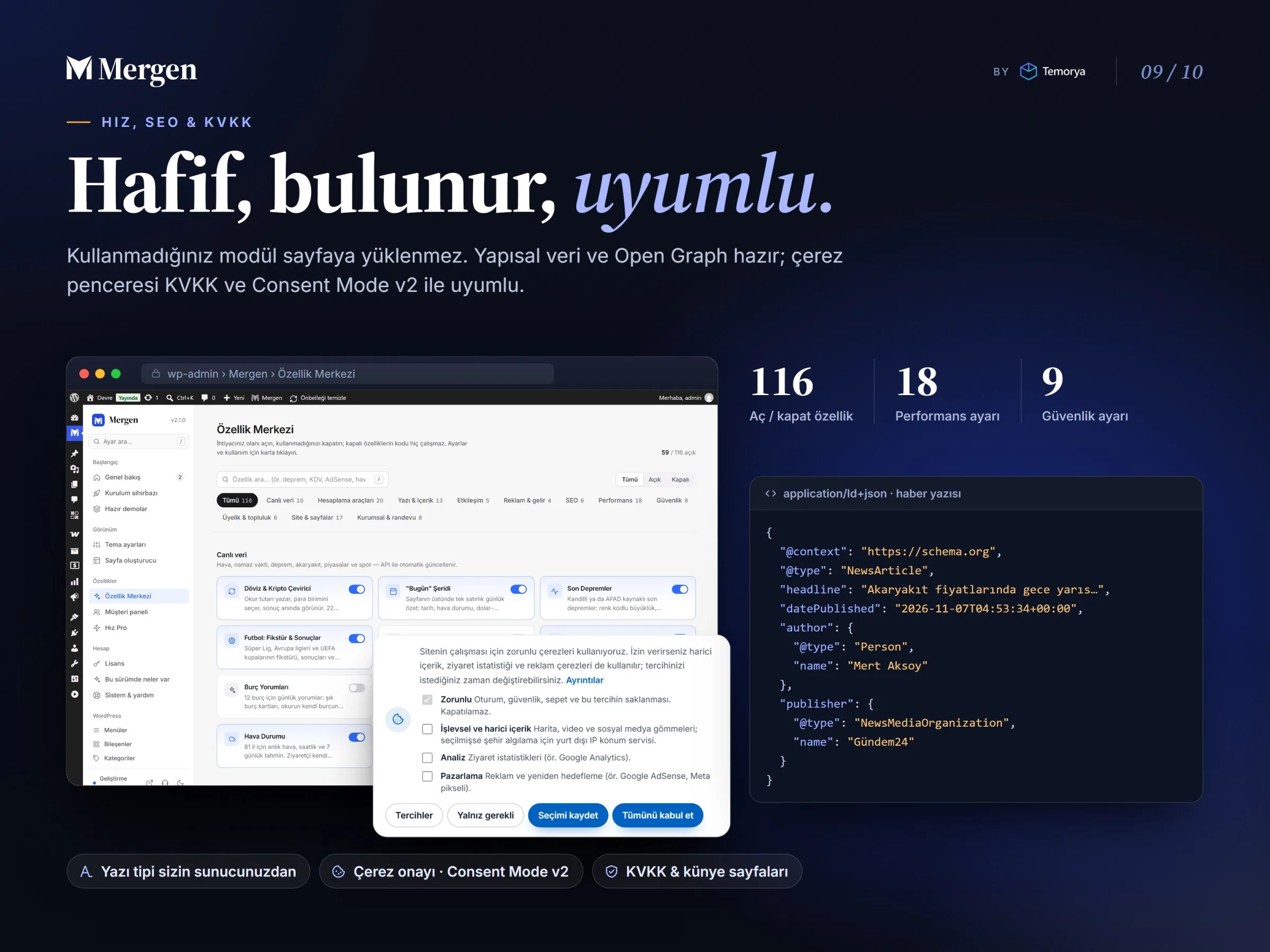
116 features can be switched on and off one by one in the Feature Center; modules you don't use are never loaded on your pages.

Live data and tools

Live scores and league tablesFixtures, results, match pages and league table.
Markets and exchange ratesCurrency, gold, stock market and crypto tables; converter.
WeatherCurrent conditions and daily forecast by city.
Latest earthquakesUp-to-date earthquake list with magnitude and location.
Prayer timesTimes by city and a countdown to the next prayer.
Fuel pricesPetrol, diesel and LPG by province.

News and content

Breaking news tickerPosts you choose scroll in a bar at the top.
Live bloggingMatches, elections or events minute by minute, without reloading the page.
Listen to articlesReads the post aloud with the browser's built-in voice.
AI summaryA short summary per post with your own API key.
Editor review and correction notesTrust signals: who checked it and what was corrected.
Review scores and pollsScore ring, criteria, polls and multi-question quizzes.

Membership, store and corporate

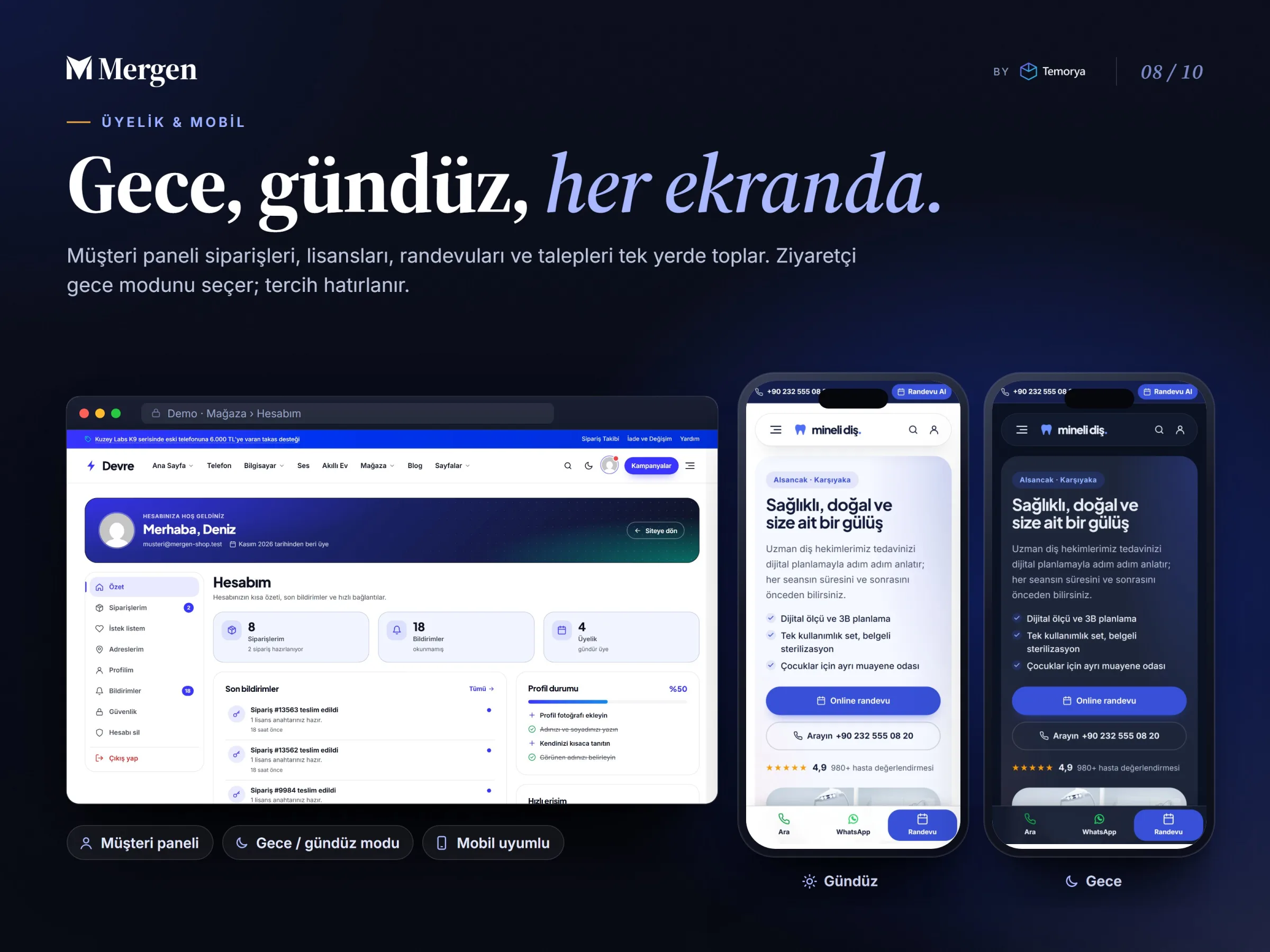
Customer dashboardOrders, licenses, appointments and requests in one place.
Digital licenses and e-pinsAutomatic delivery from the key pool; player ID field.
Online appointmentsWorking hours, specialist choice, confirmation email.
Quote calculatorStep-by-step quote form, requests in the dashboard.
Support systemTickets, canned replies, internal notes, satisfaction rating.
Email and SMTPBranded templates, SMTP settings and a sending log.

Speed, SEO and trust

Cookie consent (KVKK / GDPR)Category-based script loading, Consent Mode v2.
Legal pagesImprint, privacy notice and cookie policy templates.
Structured dataNews, product, FAQ and organization schema; Open Graph cards.
Dark / light modeVisitors choose; their choice is remembered.
18 performance settingsRemove or defer unneeded scripts, clean up the database.
9 security settingsFailed login blocking, CAPTCHA, security headers.

Documentation and updates

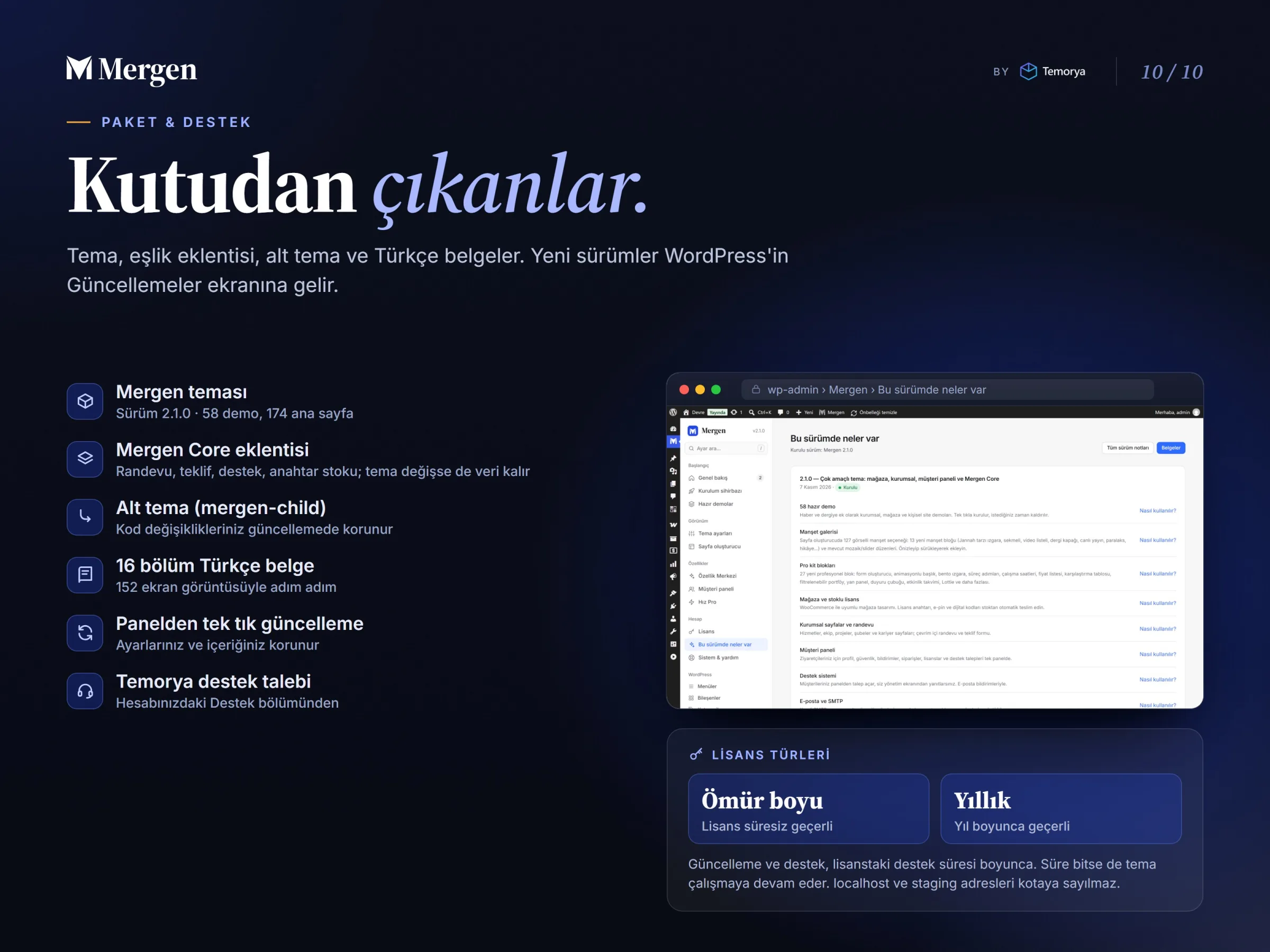
From installation to the store, appointments and privacy, every topic is explained step by step with 152 screenshots in 16-section documentation (currently in Turkish). New versions arrive on the WordPress Updates screen; your settings and content are kept. A child theme (mergen-child) is ready for code changes.

Speed Pro (optional)

A speed package sold under a separate license: page cache, WebP/AVIF, JavaScript delay and CDN support. Mergen works without it; the fonts you choose are already served from your own server.

Installation

Requirements and package contents

System requirements

RequirementMinimumRecommended
WordPress6.2Latest version
PHP7.48.2 or later
PHP extensionsZipArchive, OpenSSL, Sodium, GD or Imagick
Store demosWooCommerce (installed automatically during demo import)

Your host's “one-click WordPress” install is enough. localhost, .test and staging.* test addresses don't count toward your license quota.

Package contents

  • mergen.zip: the Mergen theme (version 2.1.6)
  • Mergen Core companion plugin: ships inside the theme and is installed by the setup wizard; your data stays even if you switch themes
  • 60 ready-made demos (174 homepages); content packages download from the dashboard with an active license
  • Child theme: mergen-child
  • 16-section documentation (Turkish)
  • Updates from the dashboard (during your update / support period)

FAQ

Common questions before buying

How does demo import work, and will my existing content be deleted?

Preview a demo on the Mergen › Demos screen and install it in one click. On a site that already has content, try only the look first with “Apply design only”; if you don't like it, go back to the settings backup or remove the demo content. Your own content is never deleted.

On how many sites can I use the license?

A license is tied to the domain you activate it on: Single Site 1, Multi Site 5, Developer 15 domains. localhost, .test and staging.* test addresses don't count toward the quota; when you move a site, transfer the license to the new domain from the dashboard.

How do I get updates?

While your license is active and your update / support period runs, new versions arrive on the WordPress Updates screen; your settings and content are kept. When the period ends the theme keeps working; renew it to get new versions and support.

Do I need an extra plugin for the store?

Store demos run on WooCommerce, which is installed for you during demo import. Digital license and e-pin delivery, the key pool, the bank transfer / cash on delivery flow and the “My licenses” screen are built into Mergen.

Can I customize the theme with my own code?

Yes. Make code and template changes in the child theme (mergen-child); updates never overwrite them. No code is needed for colors, fonts, header / footer layouts or page layouts.

How do I get support?

Open a ticket from the support section of your Temorya account. Every topic is also explained step by step in the documentation (currently in Turkish).

Ready-made Demos 60

One-click import

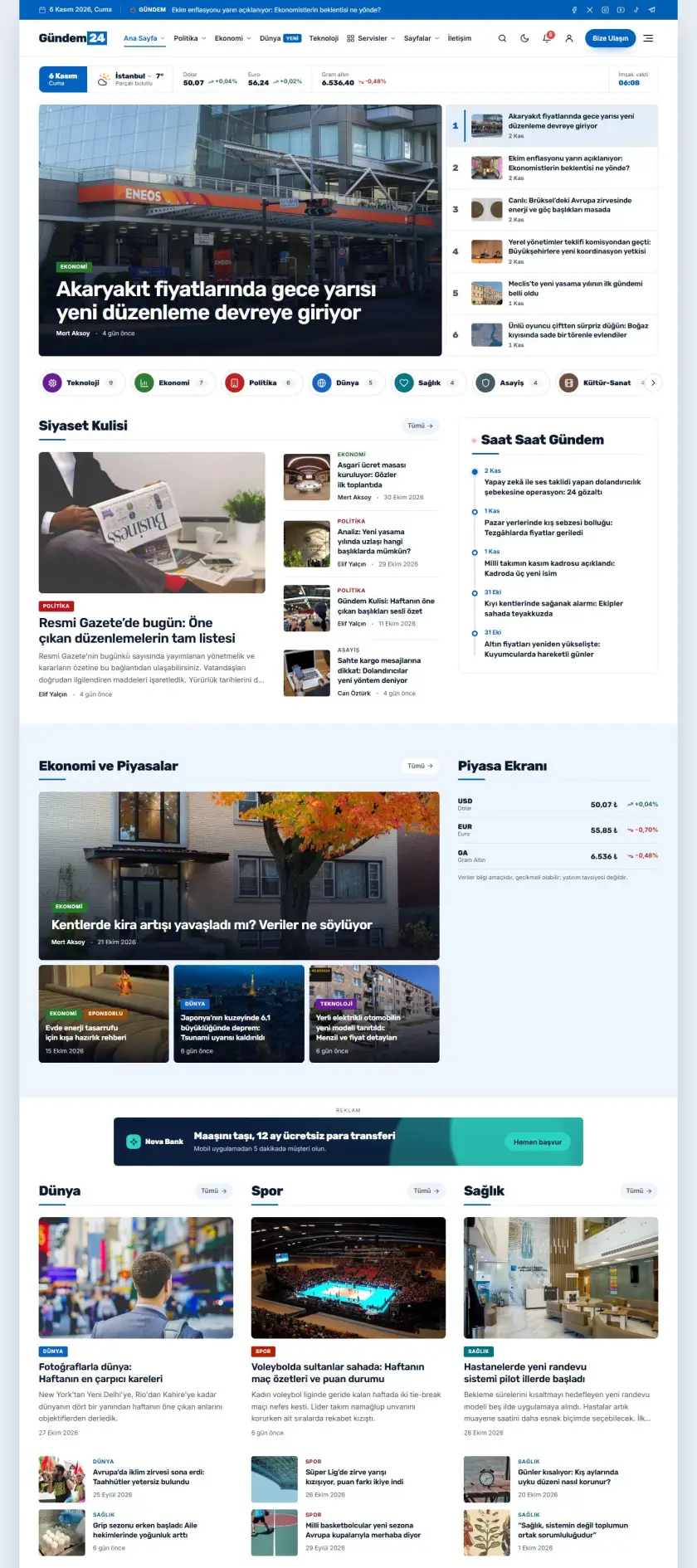
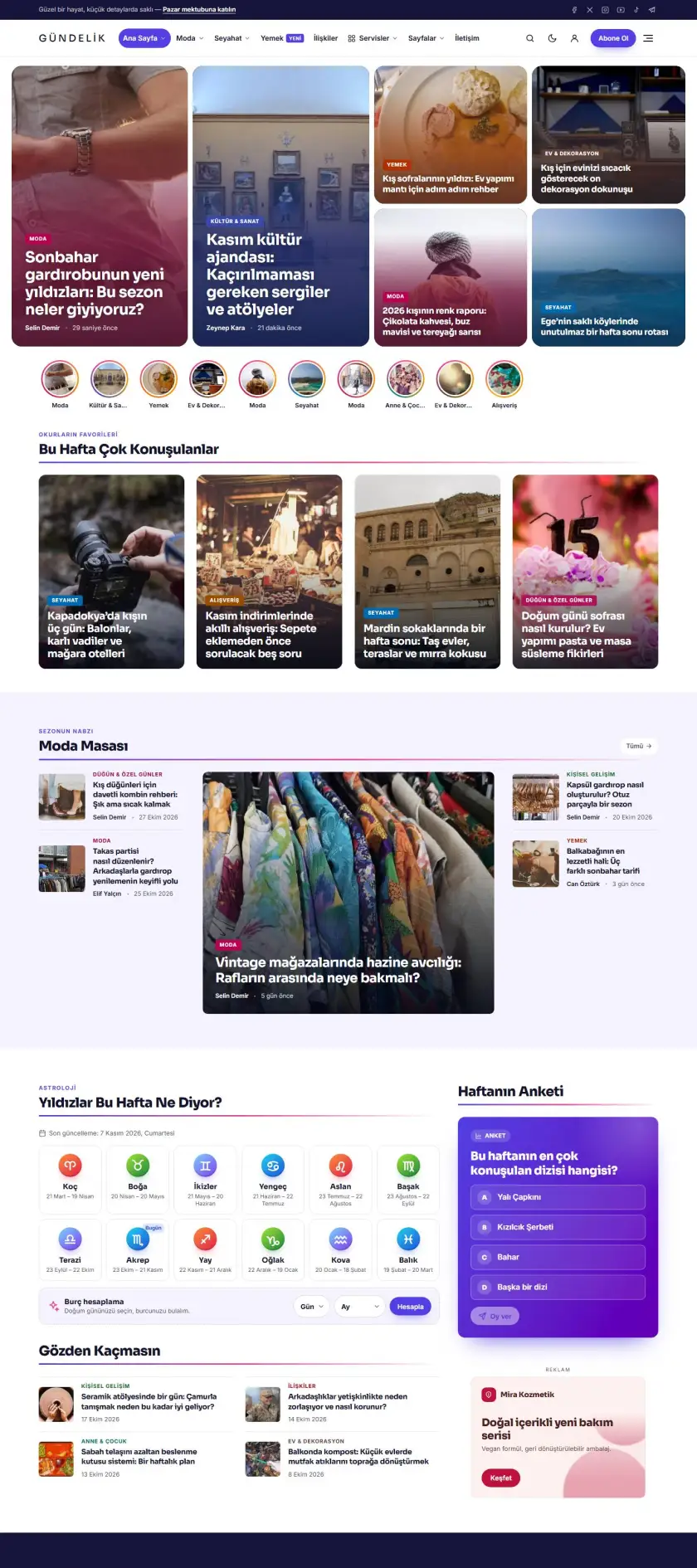
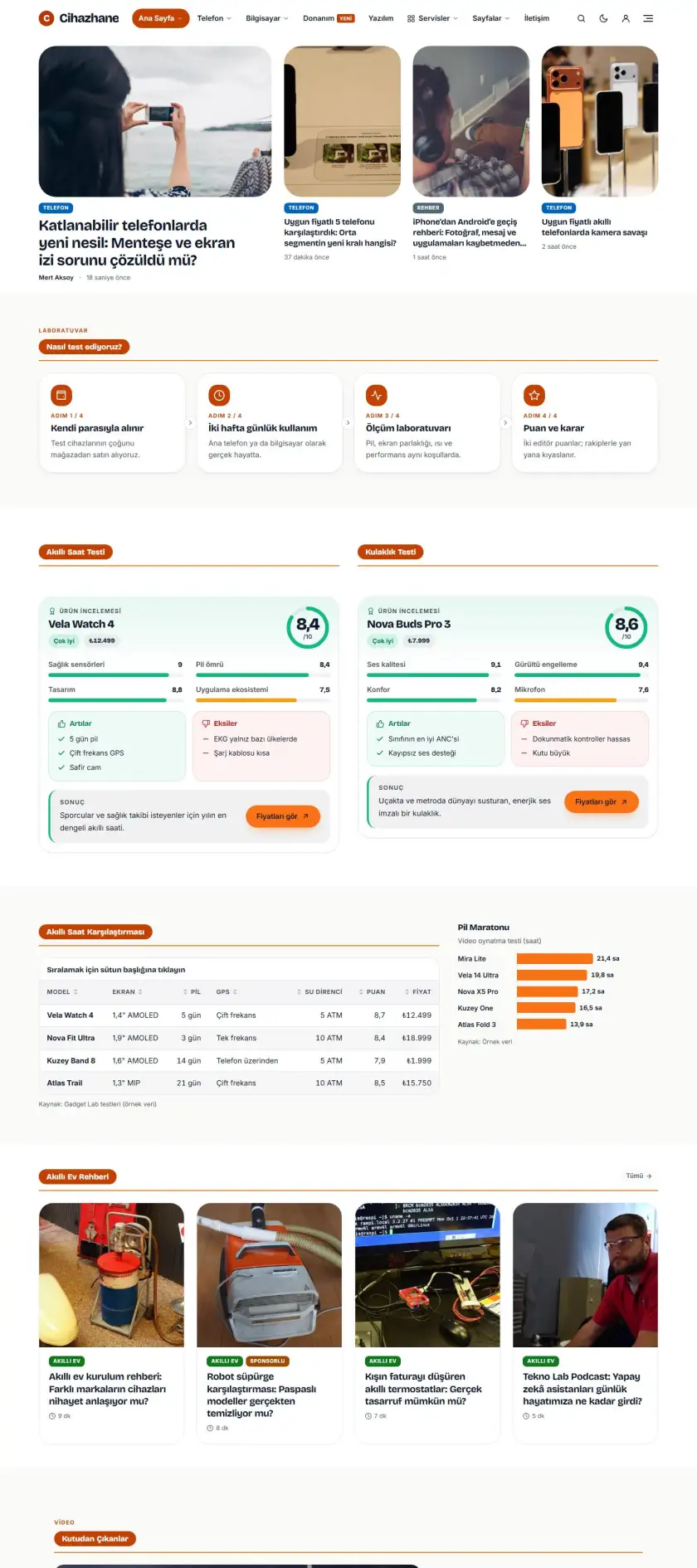
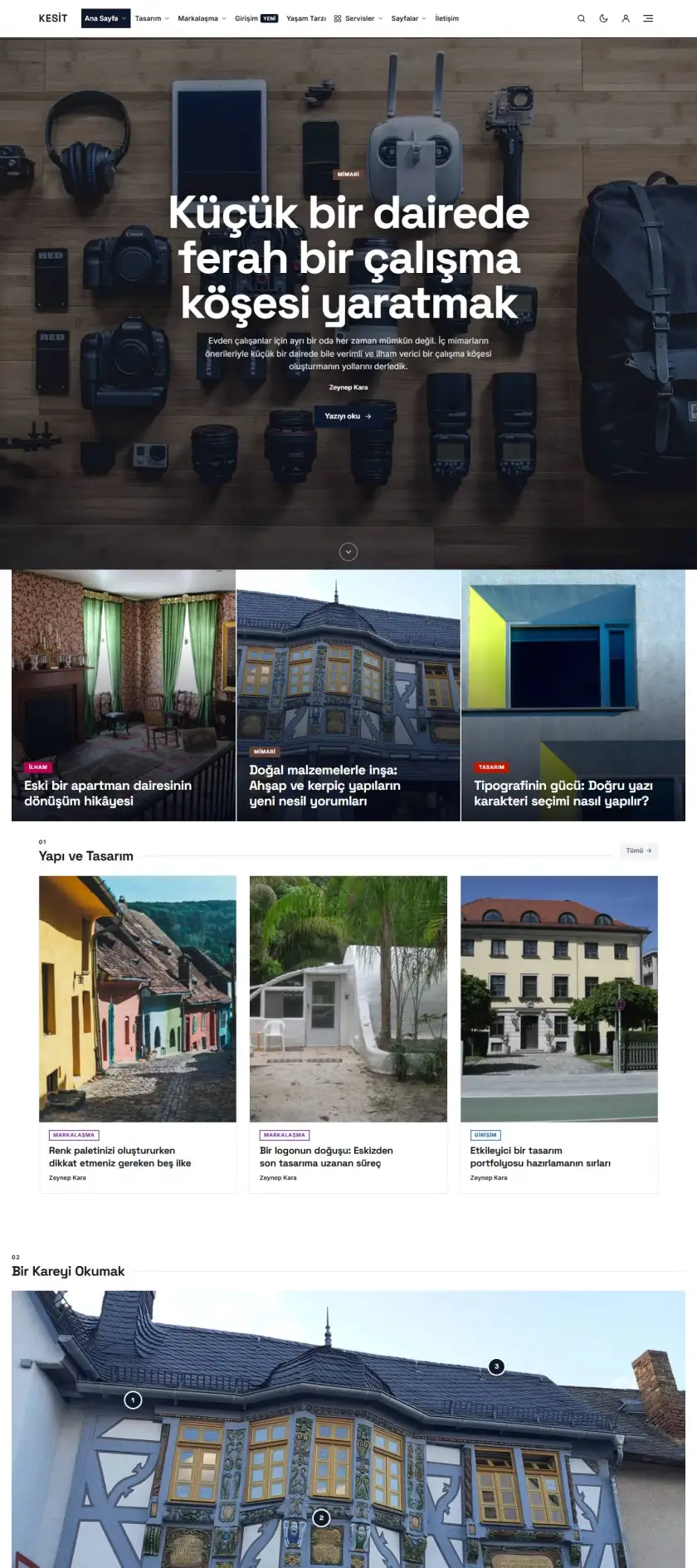
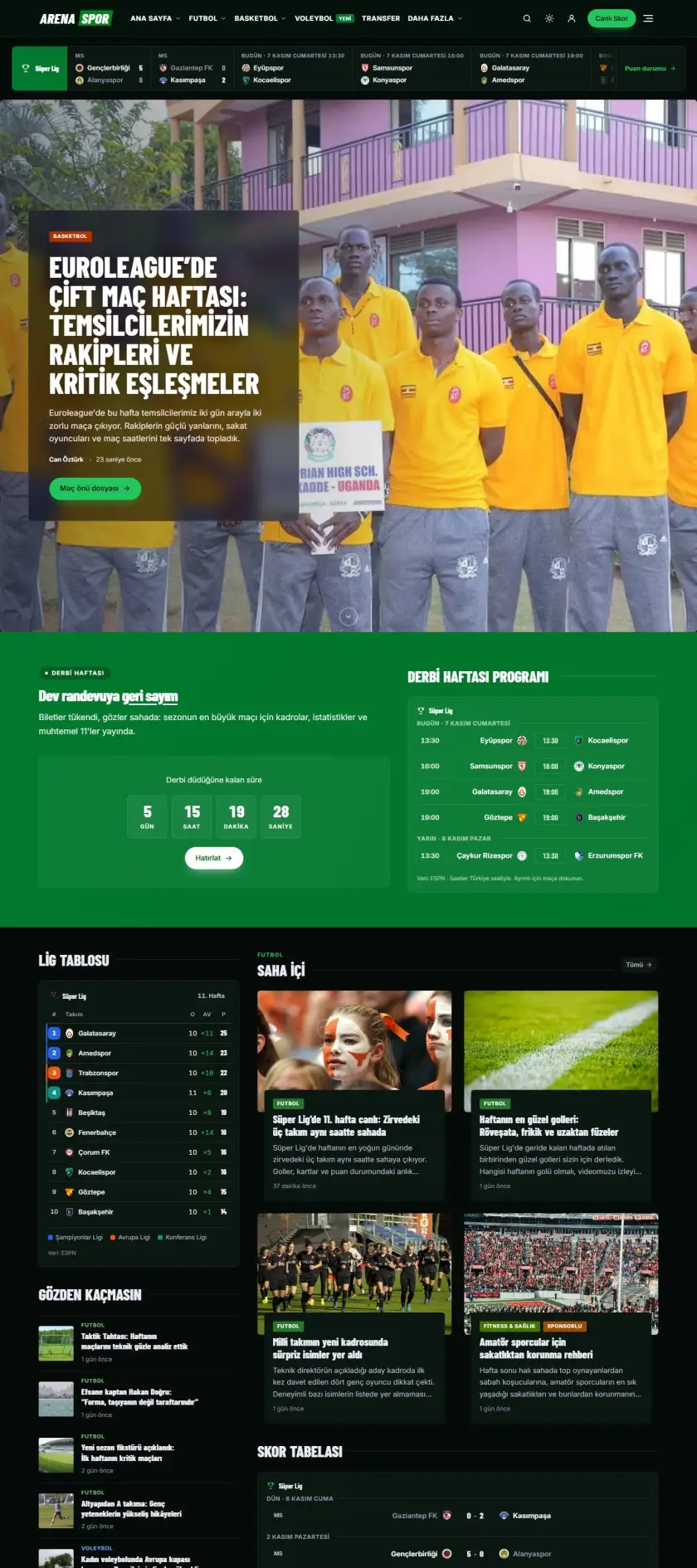
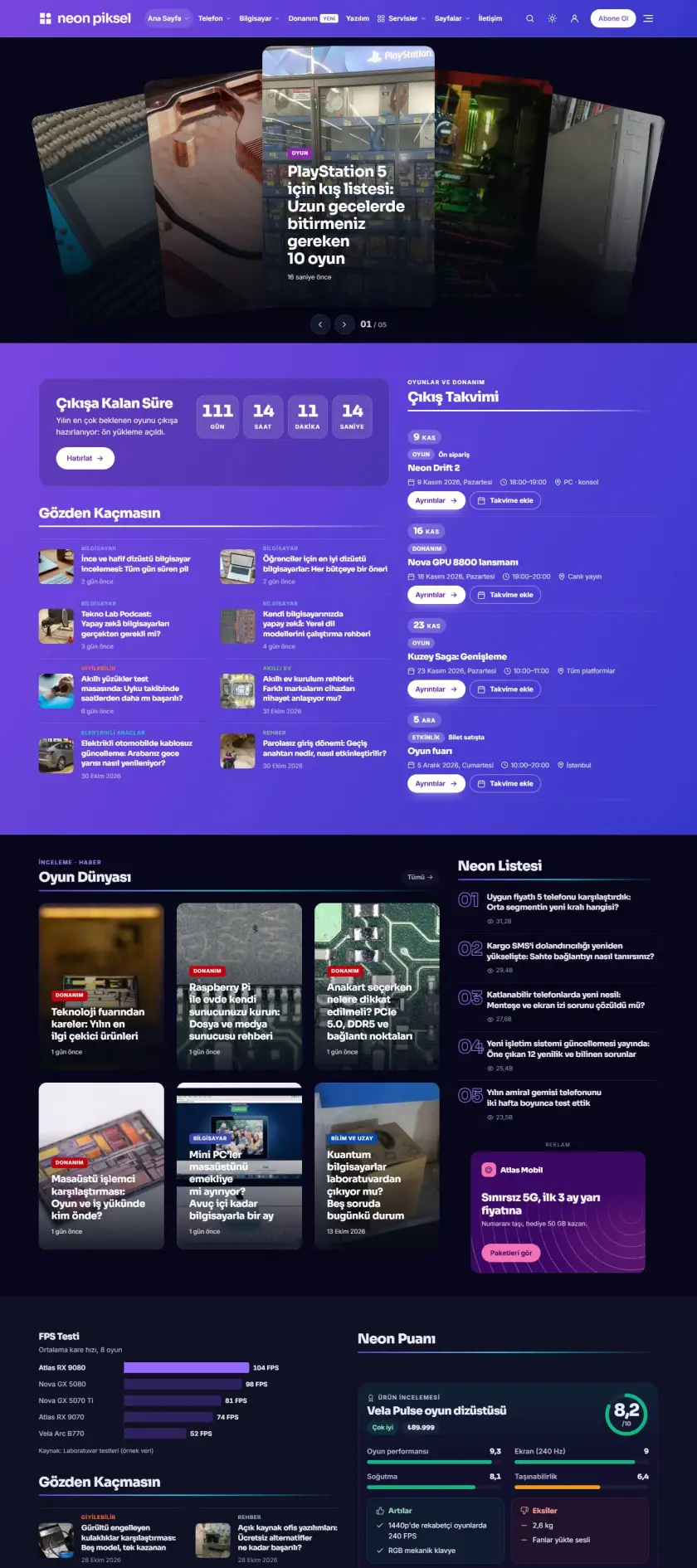
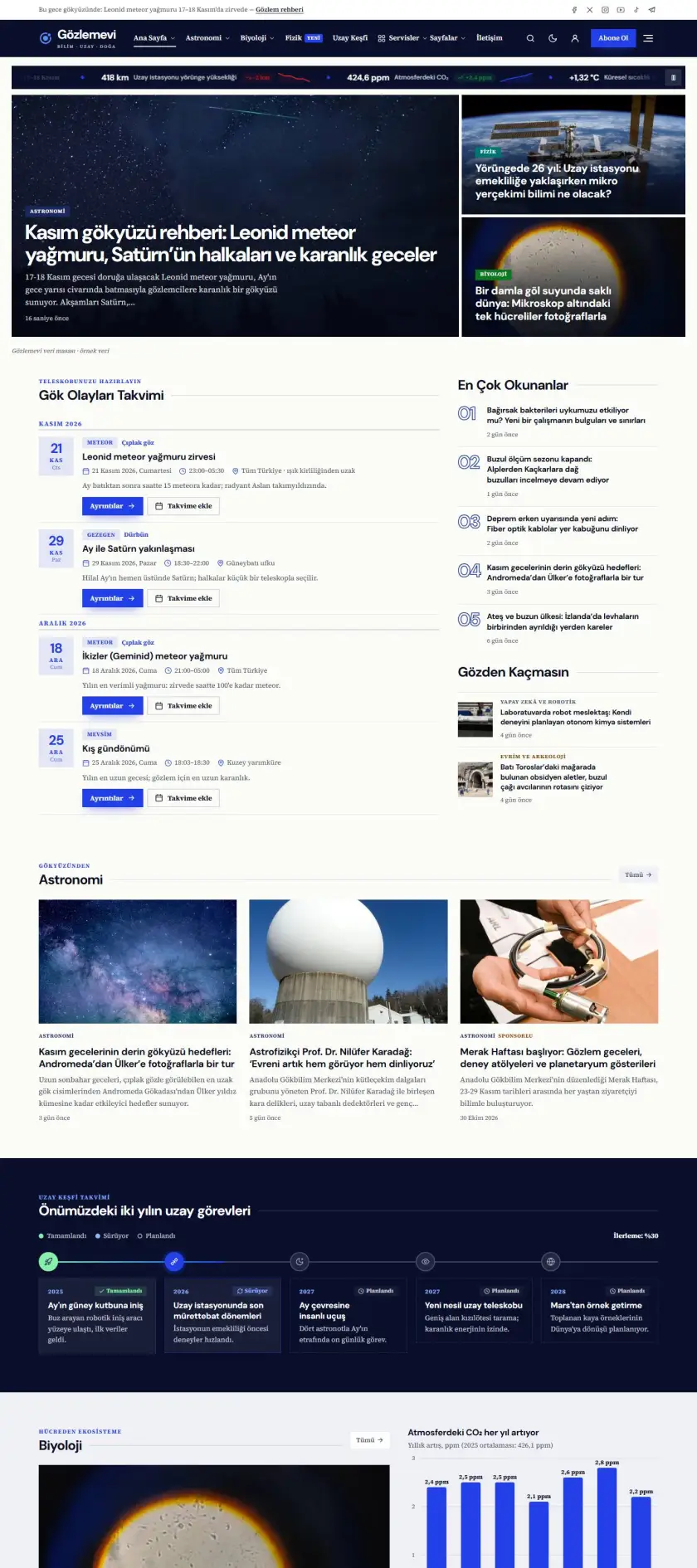
Technology Preview demo

Technology

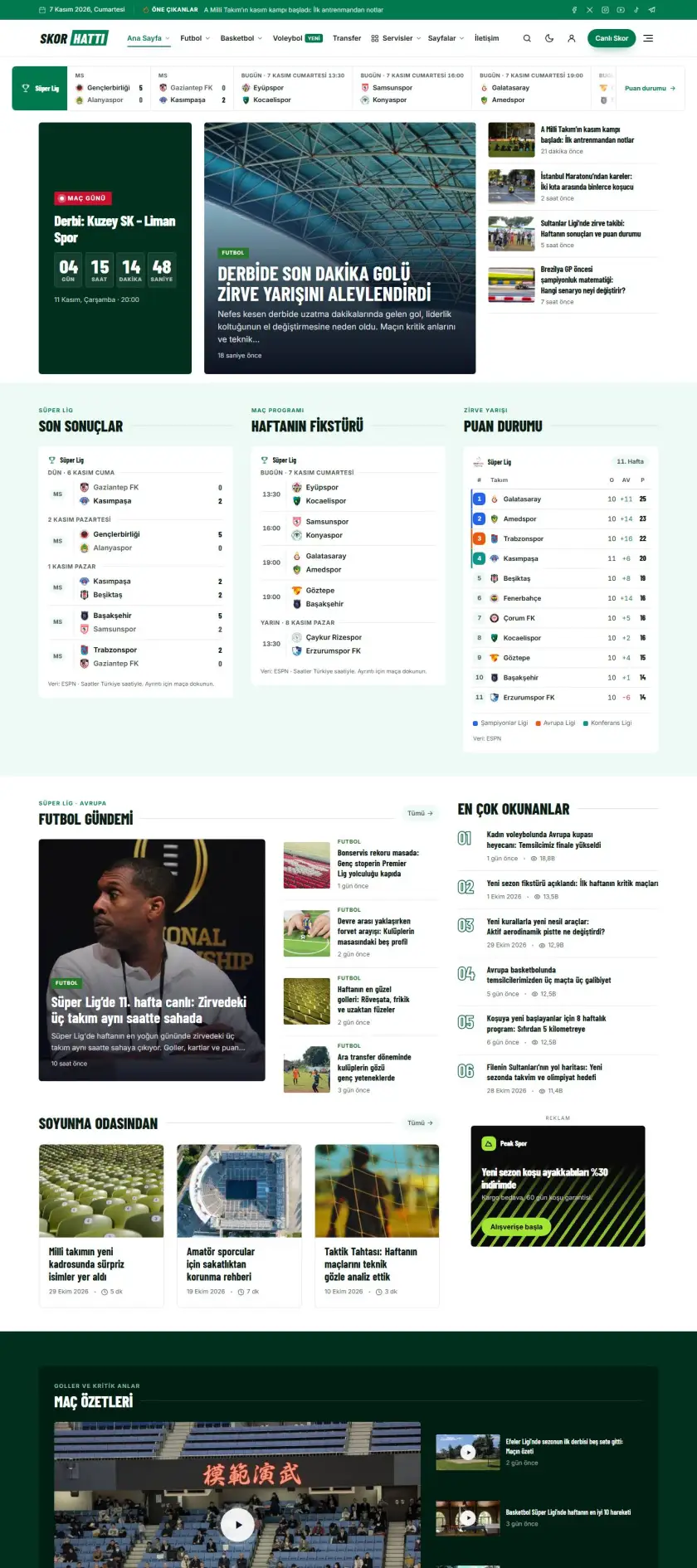
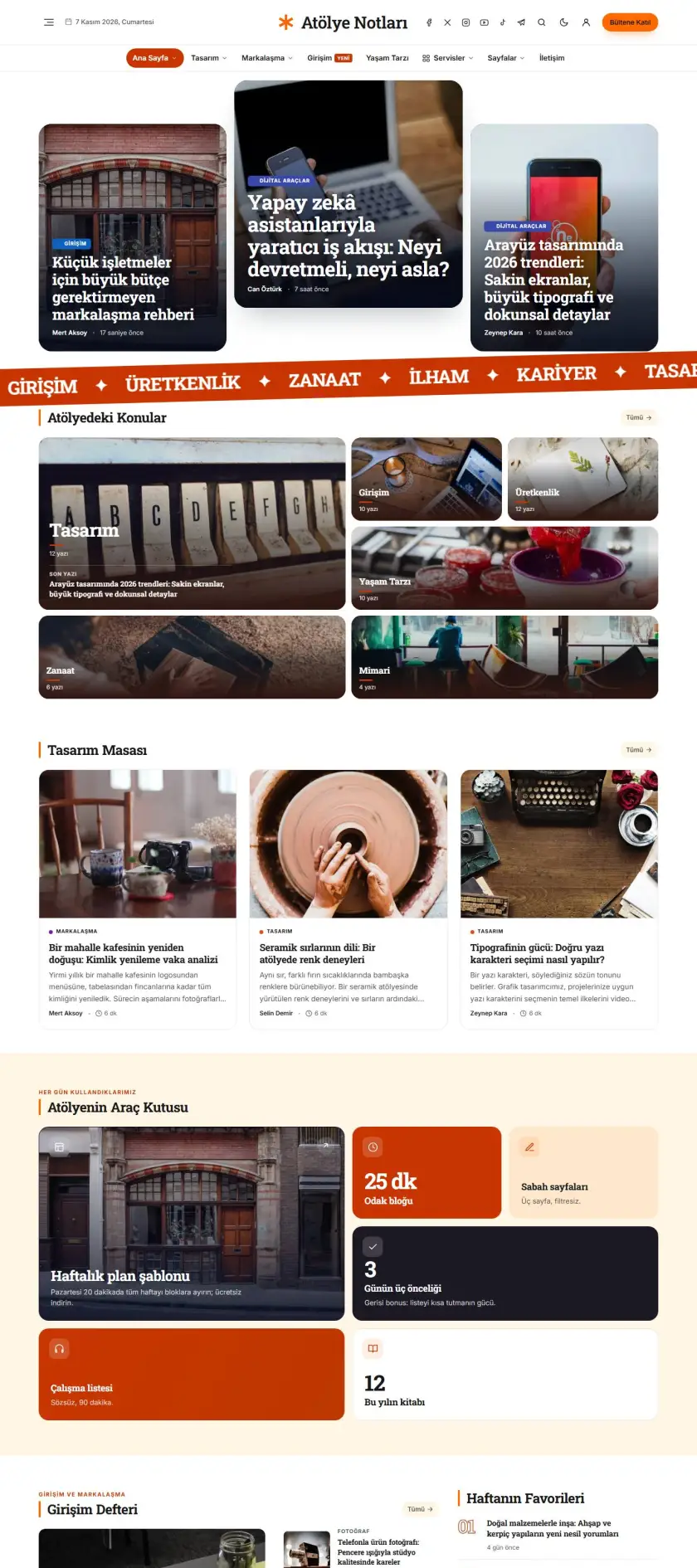
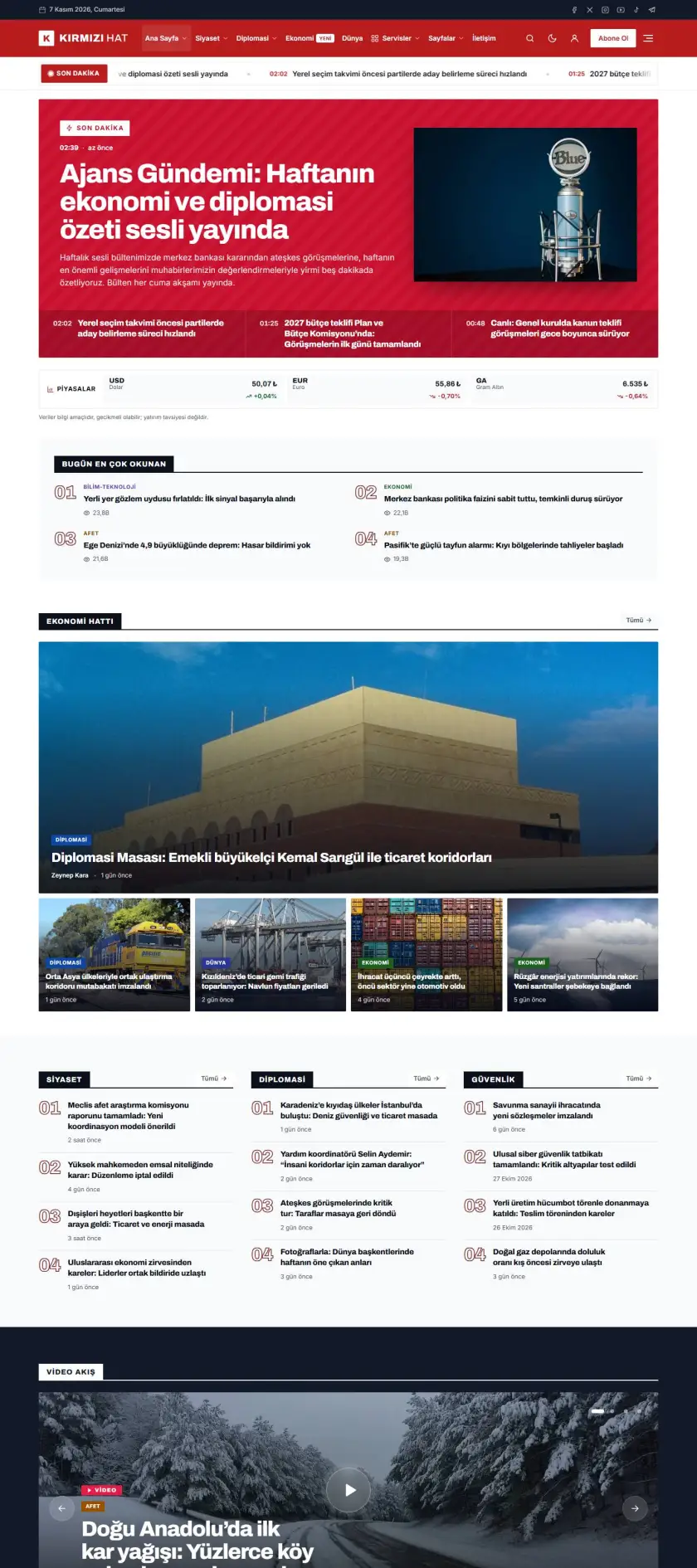
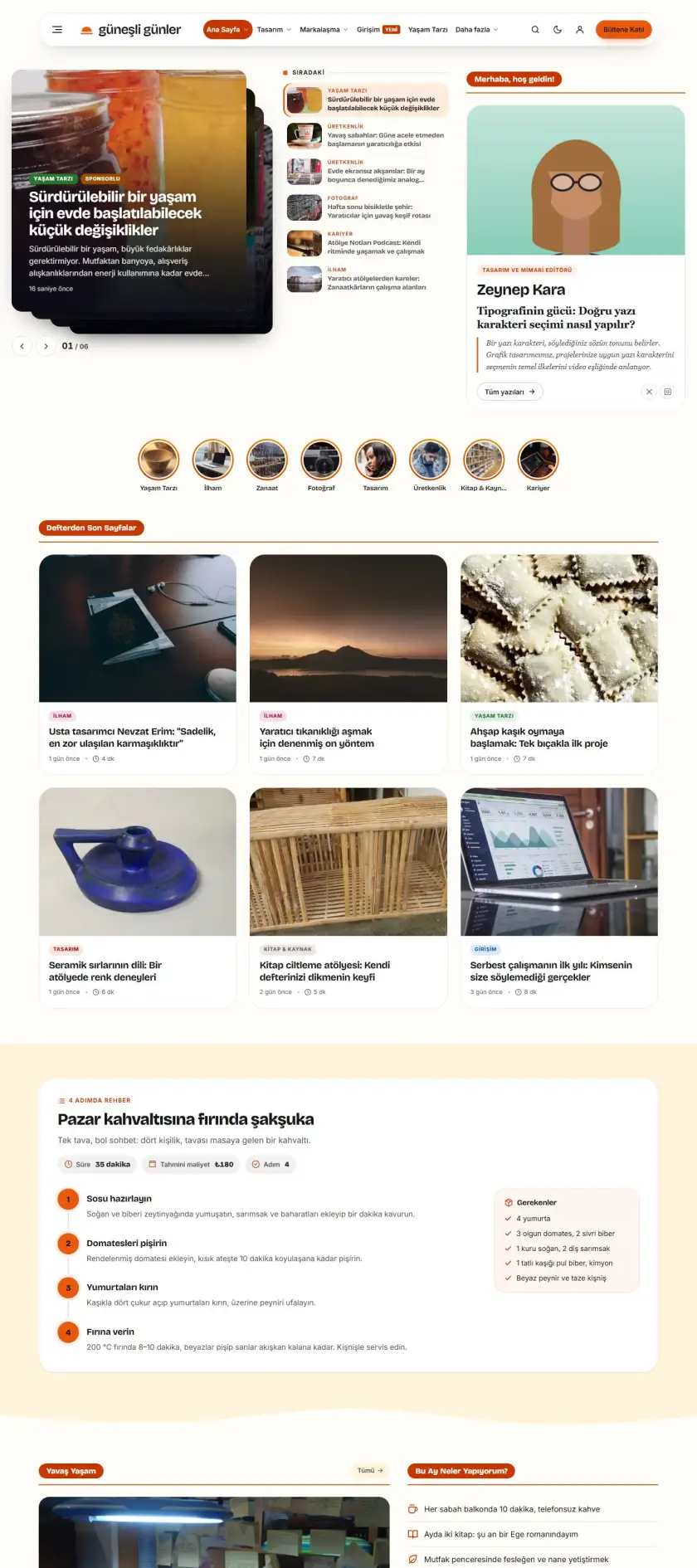
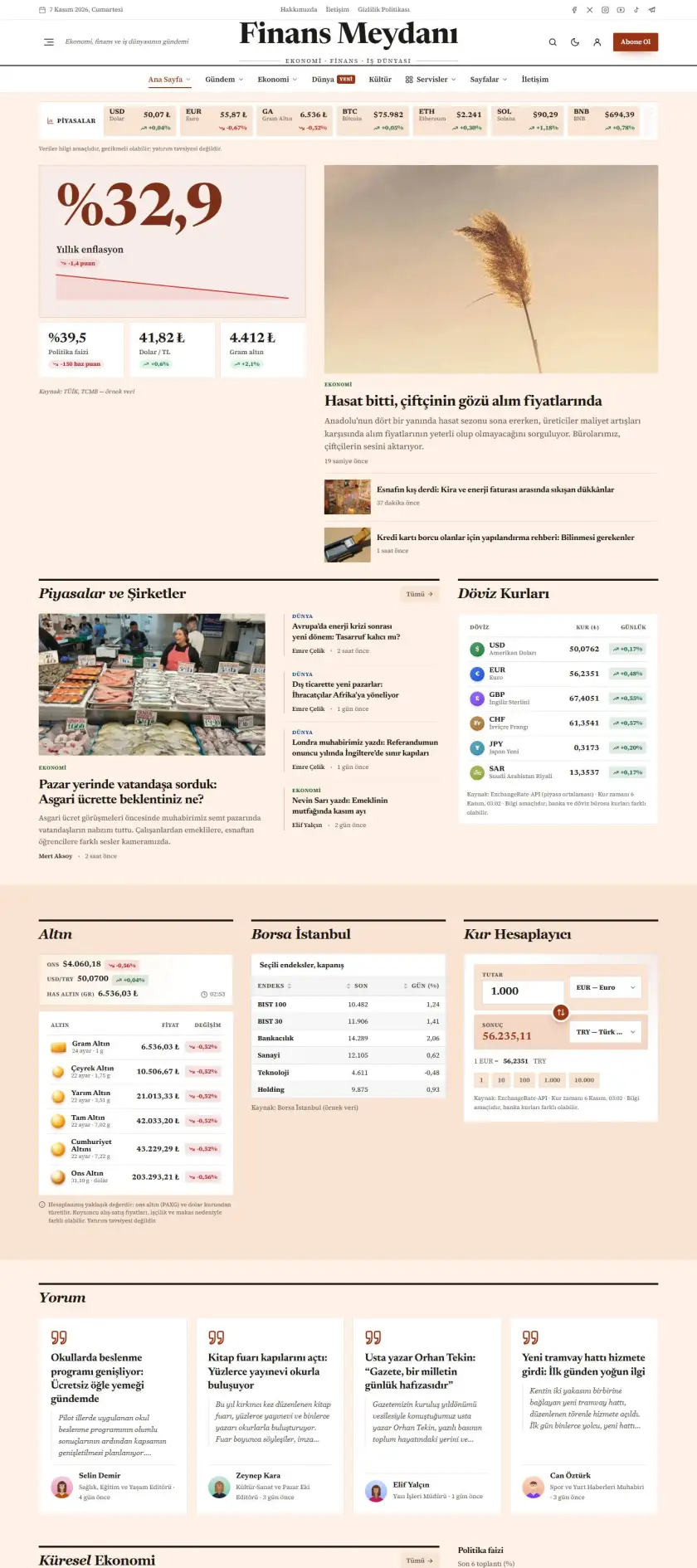
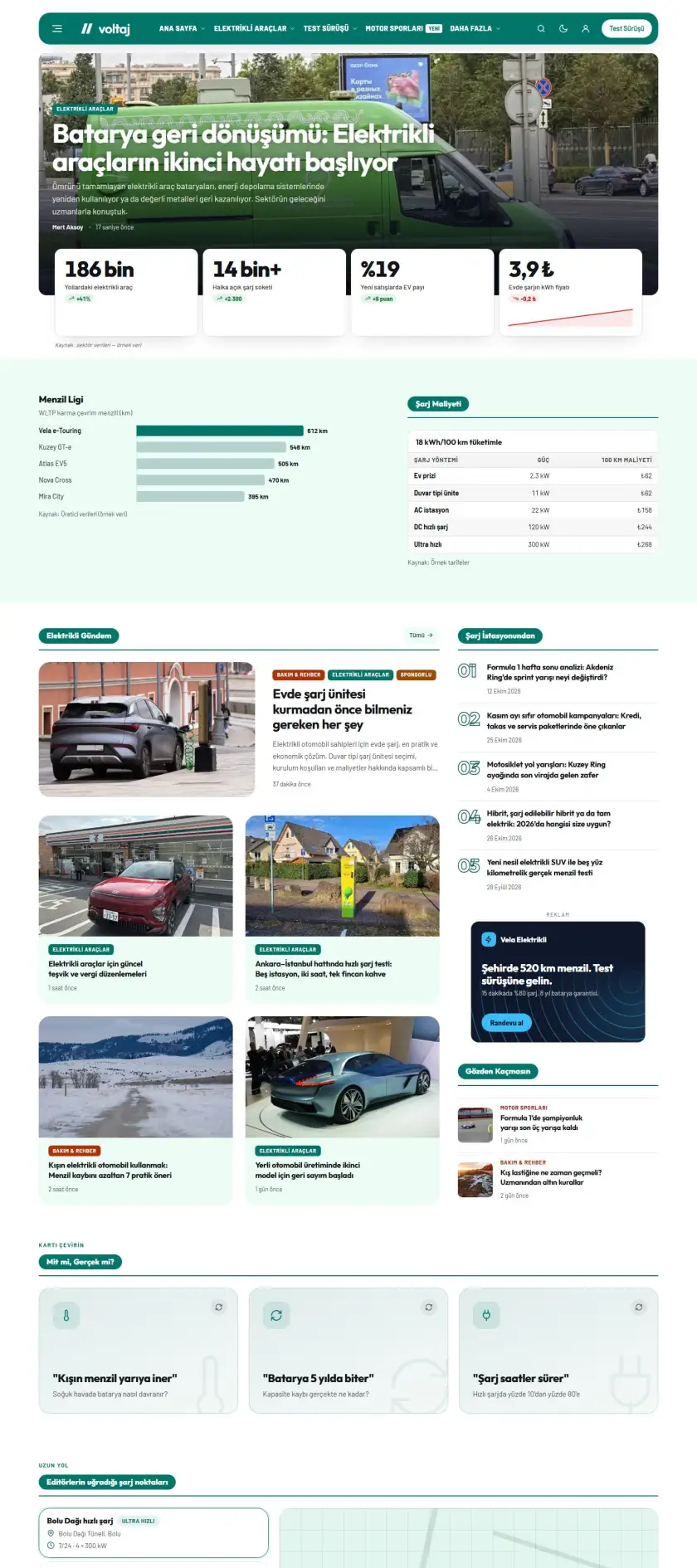
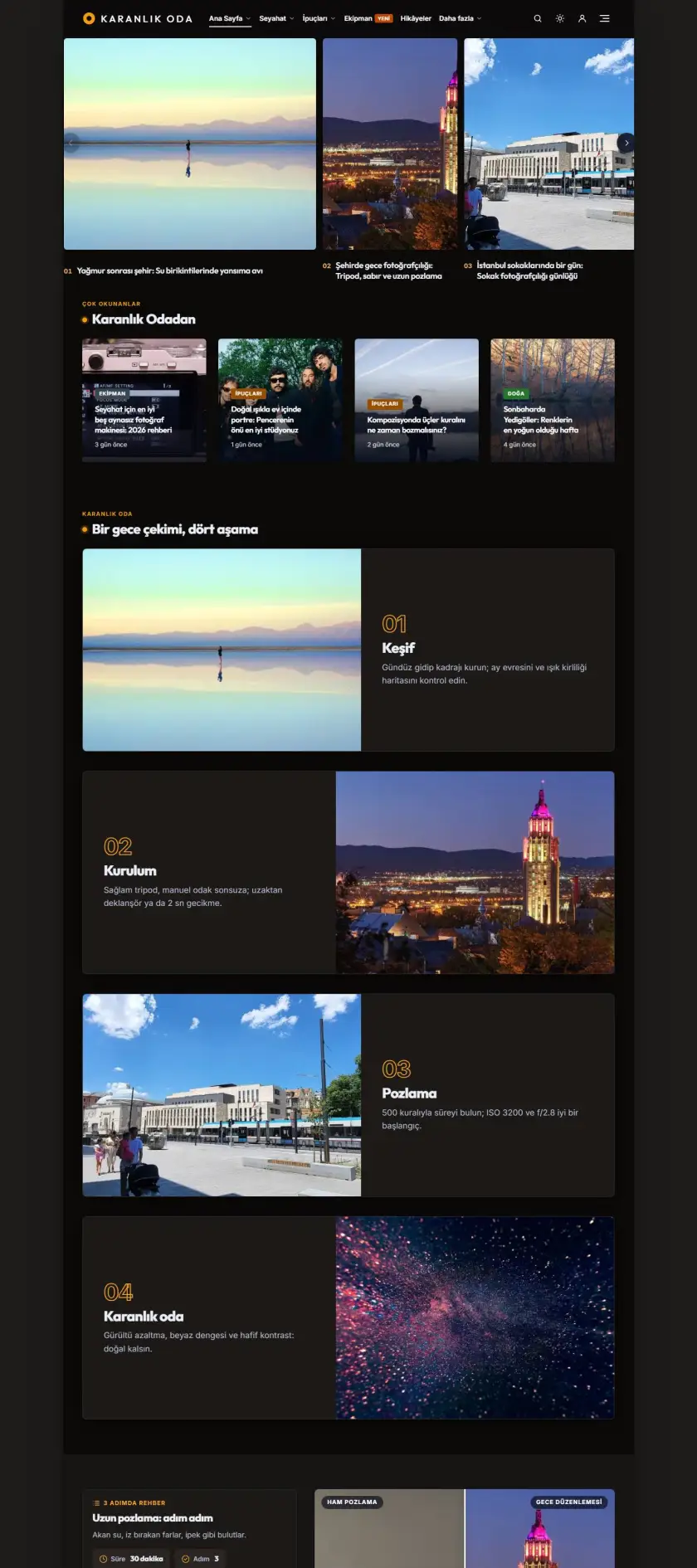
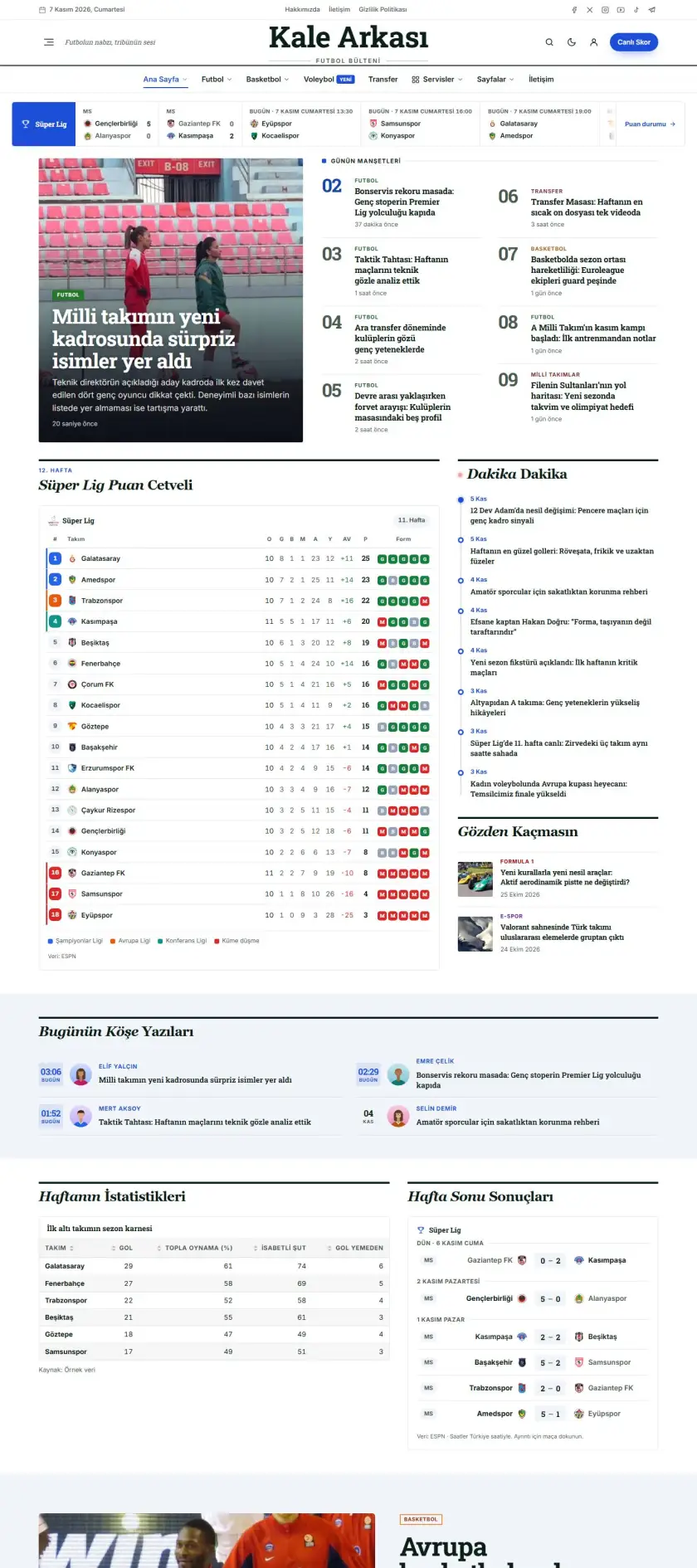
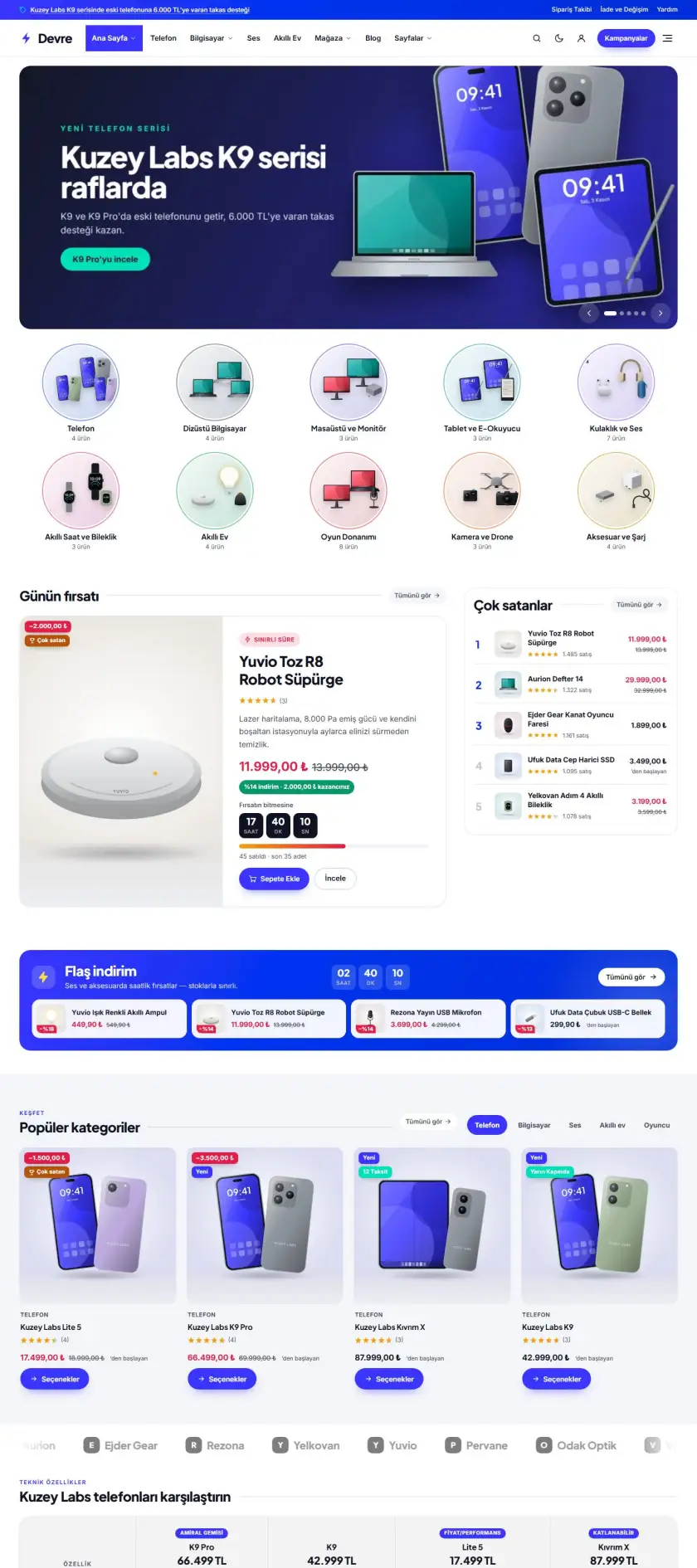
Mavi-mor degrade yüzen başlıklı teknoloji incelemeleri: trend listesi + slider, kategori kutuları, editörün seçimi.

Haber
Canlı önizle
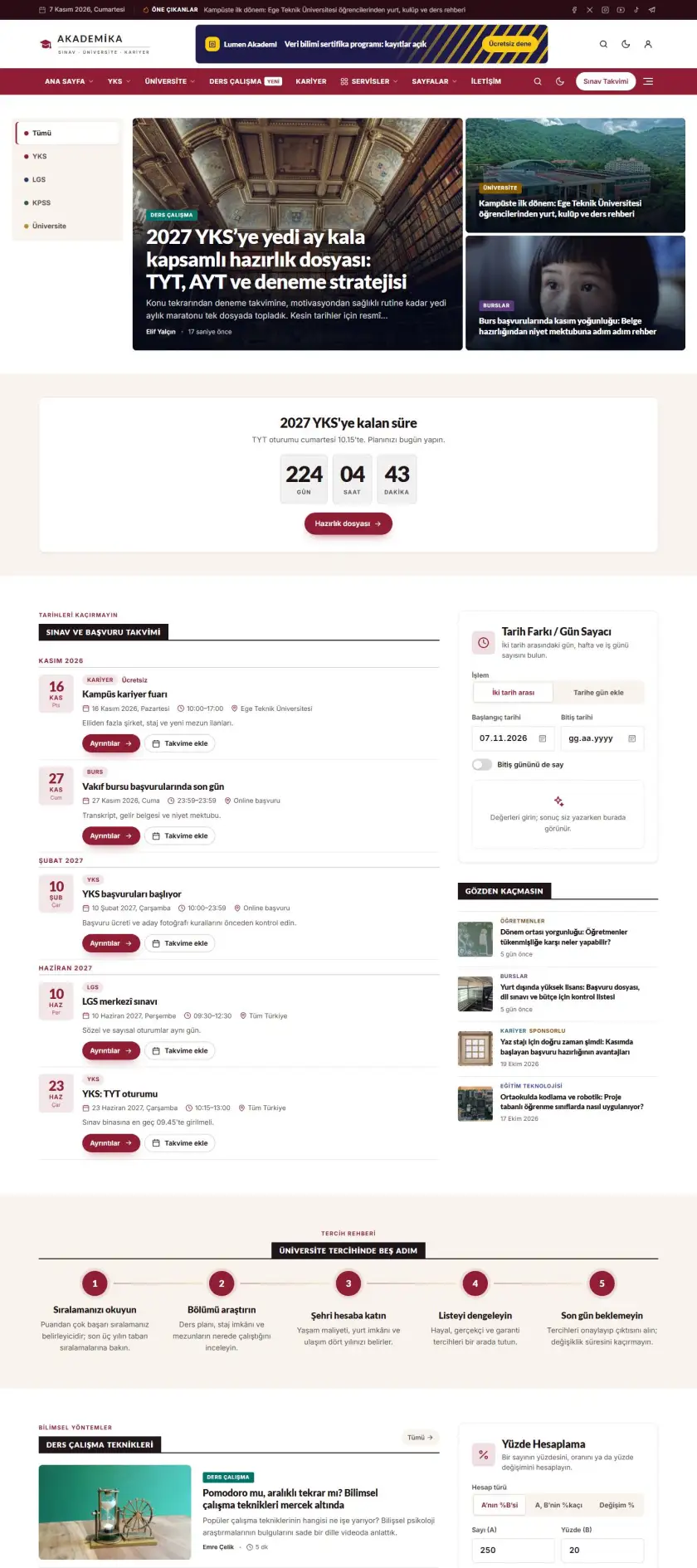
Agency Preview demo

Agency

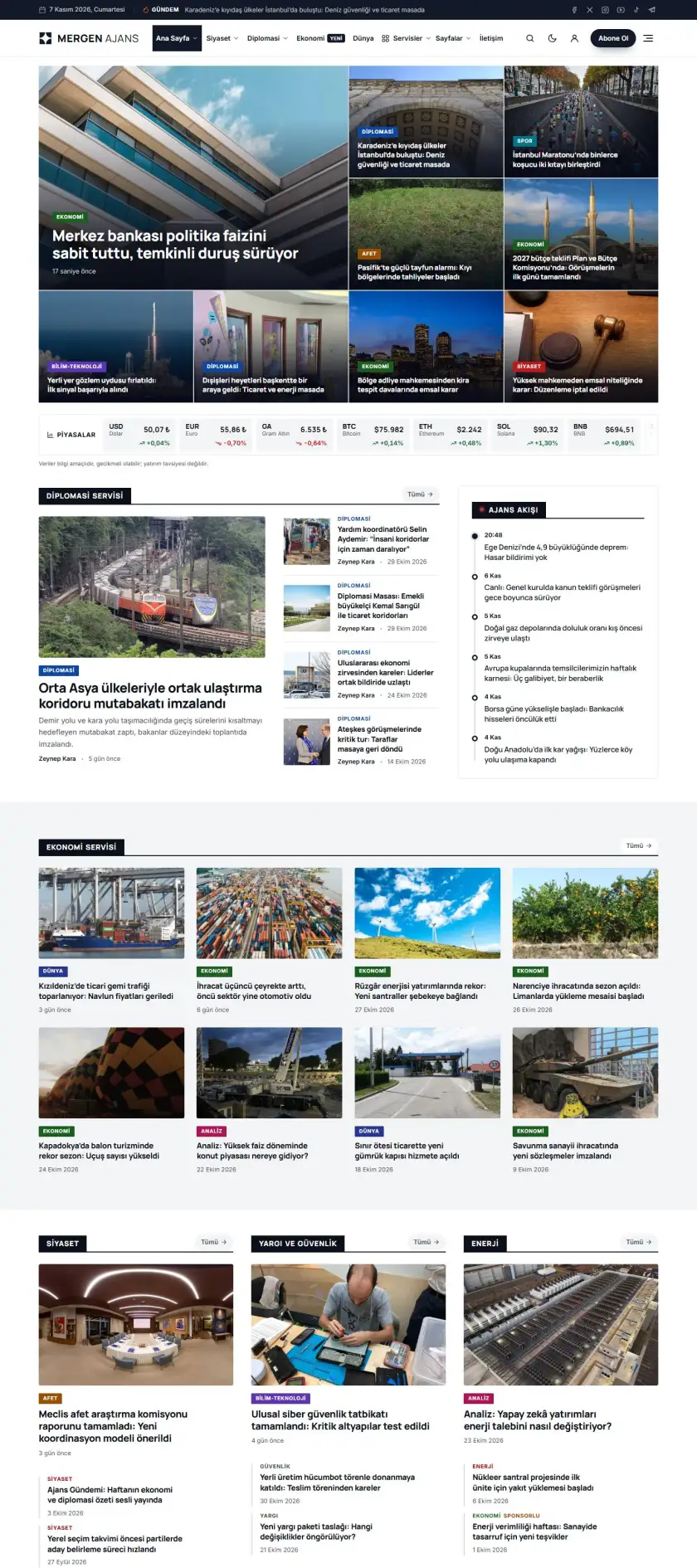
Siyah-beyaz, ciddi haber ajansı görünümü: tam genişlik karusel manşet, sekmeli kategoriler, etiket kutuları.

Haber
Canlı önizle
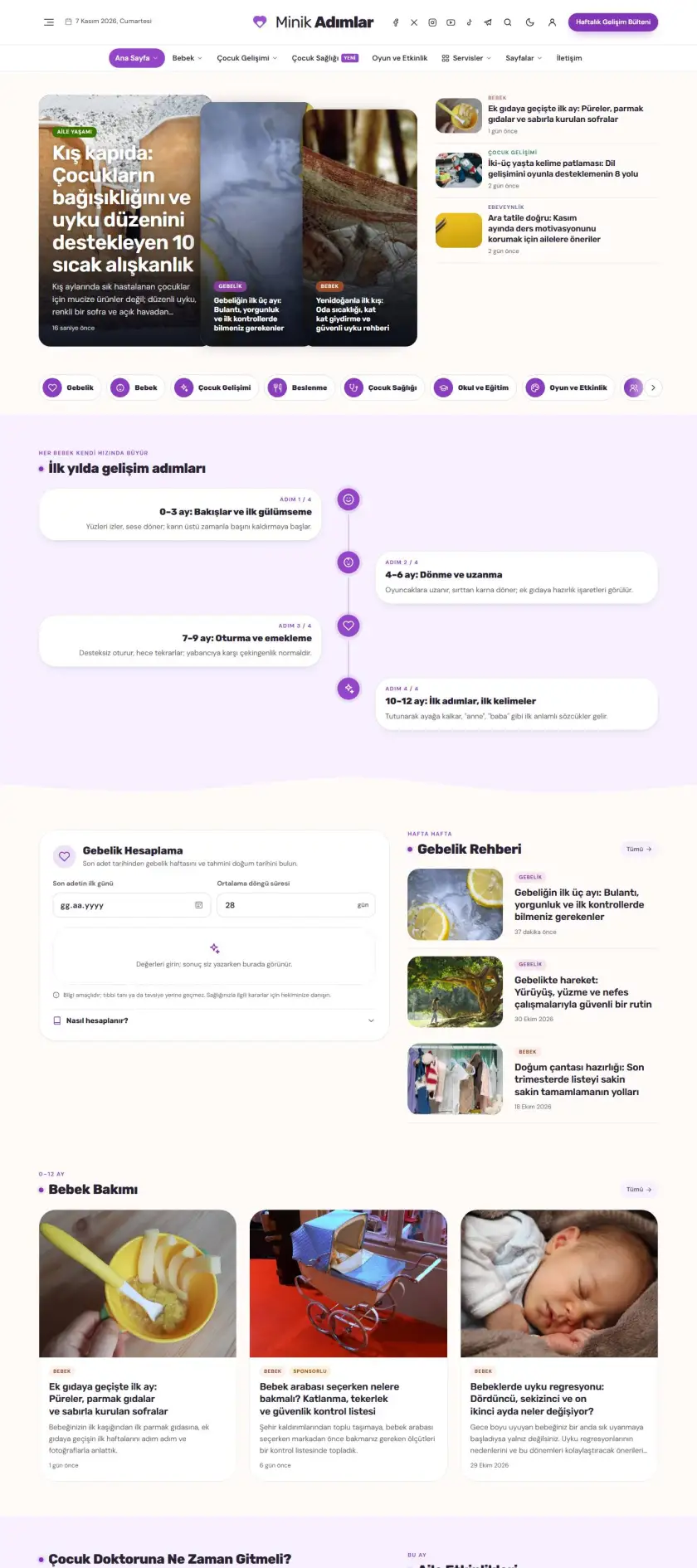
Digital Preview demo

Digital

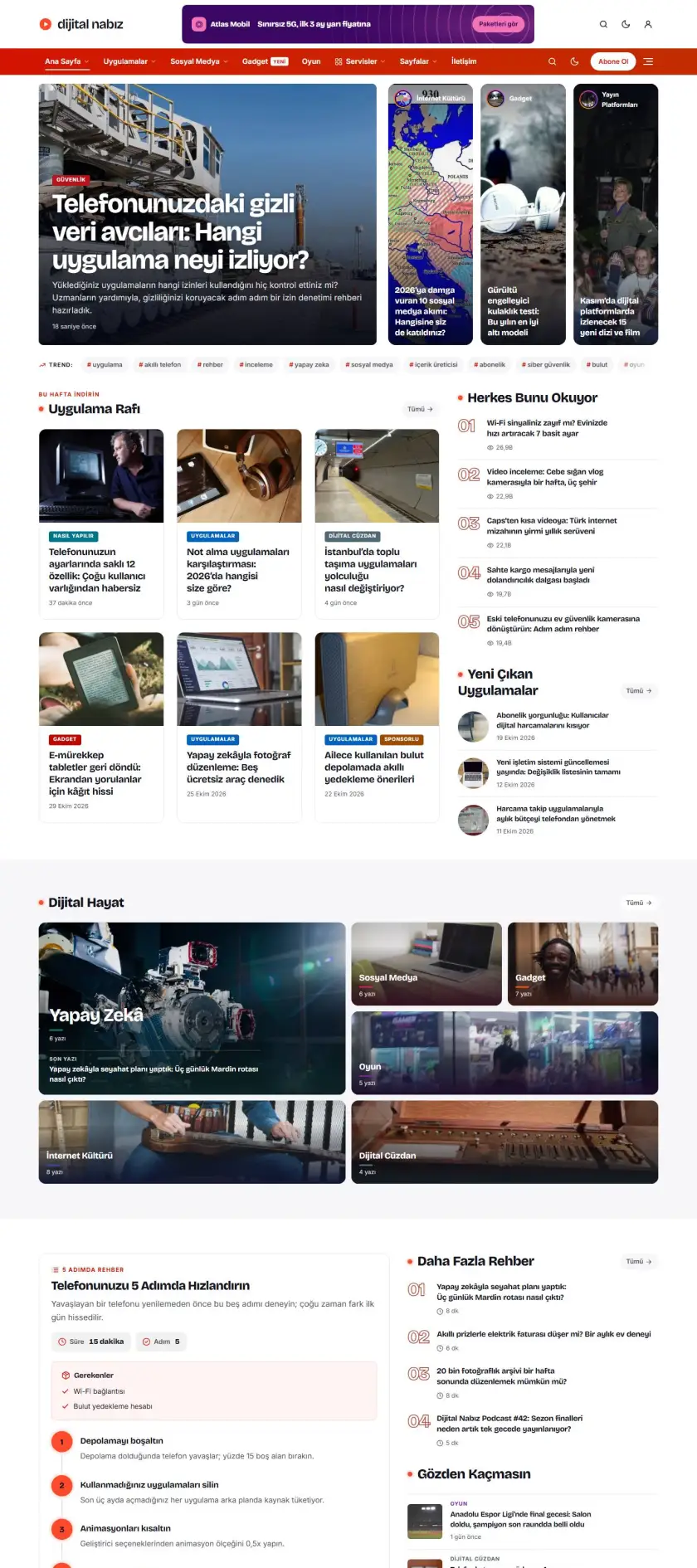
Turuncu-kırmızı degrade menülü dijital yaşam dergisi: reklamlı başlık, kategori kutuları, bento ızgaralar.

Haber
Canlı önizle
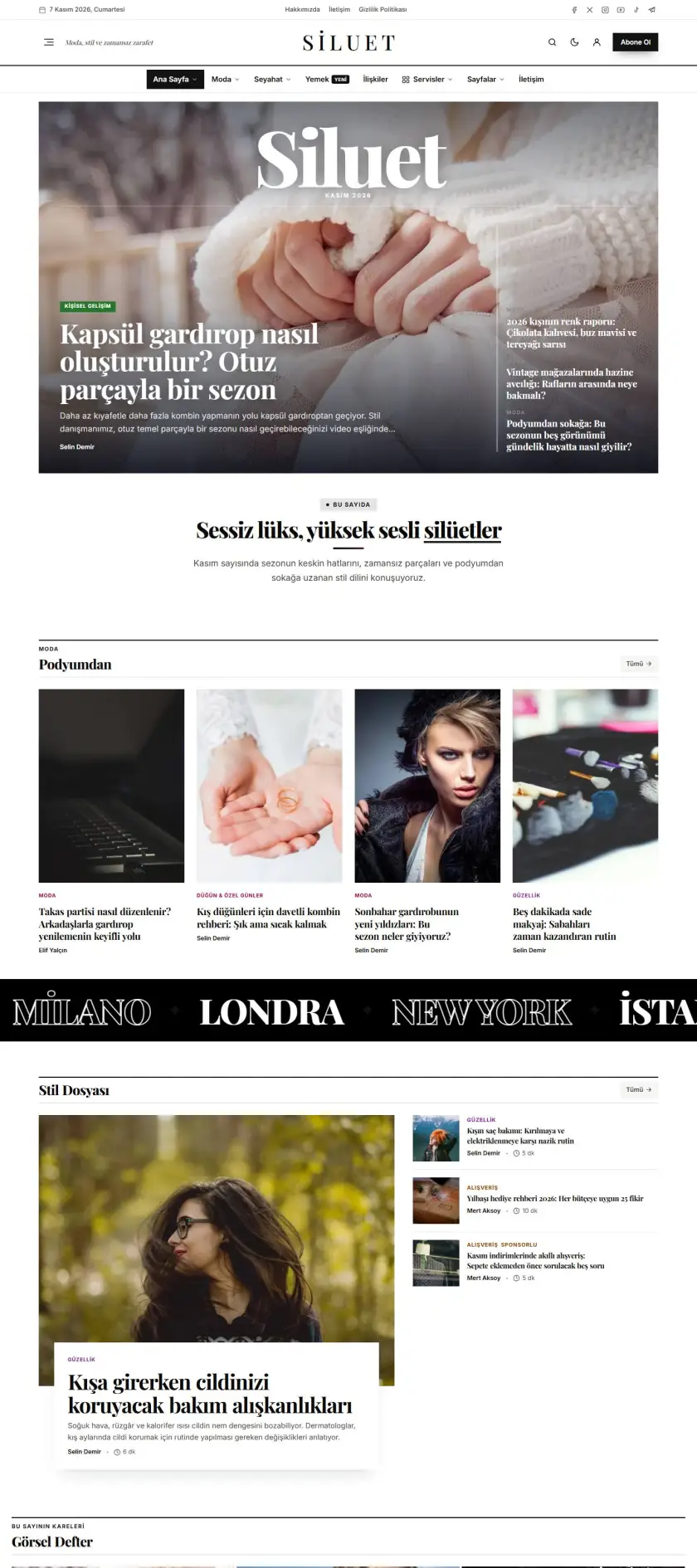
Photography Preview demo

Photography

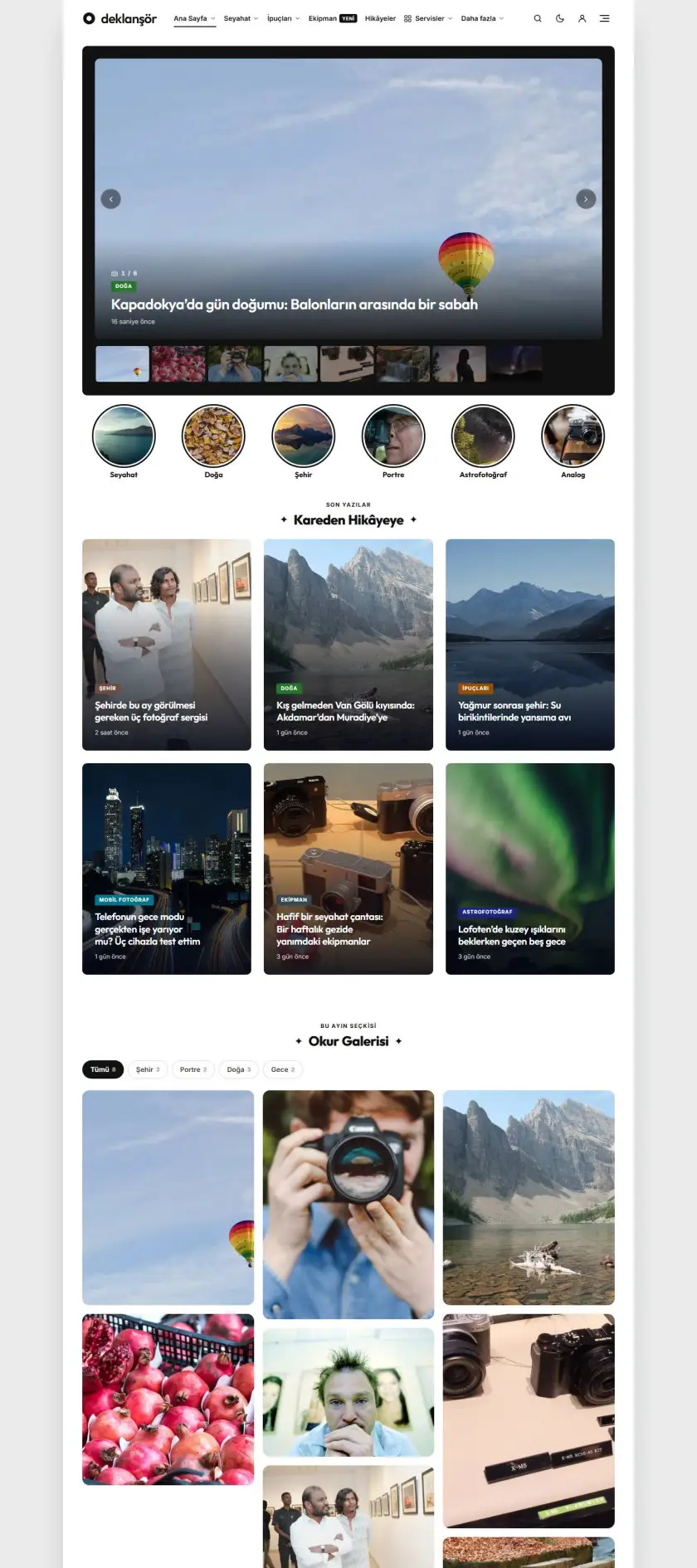
Kutulu, minimal fotoğraf ve kişisel blog: ikiz manşet, ortalı başlıklar, hakkımda kartı, beyaz alan.

Content
Canlı önizle
Newspaper Preview demo

Newspaper

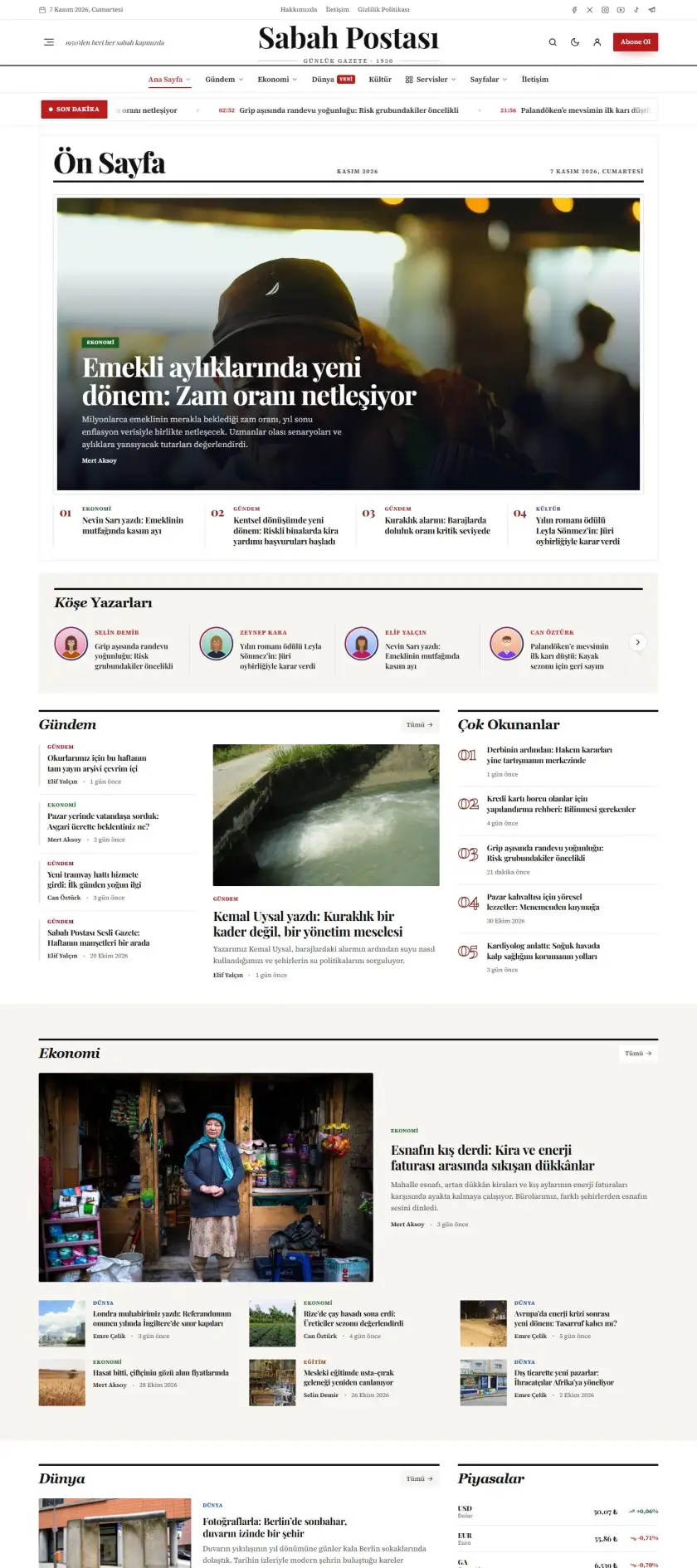
Klasik ulusal gazete: serif manşet logosu, çift çizgili menü, köşe yazarları ve yoğun haber ızgaraları.

Haber
Canlı önizle
Agenda Preview demo

Agenda

Mavi tonlu, kutulu düzenli genel haber portalı: vurgulu başlıklı manşet, son dakika kutusu, video kartları.

Haber
Canlı önizle
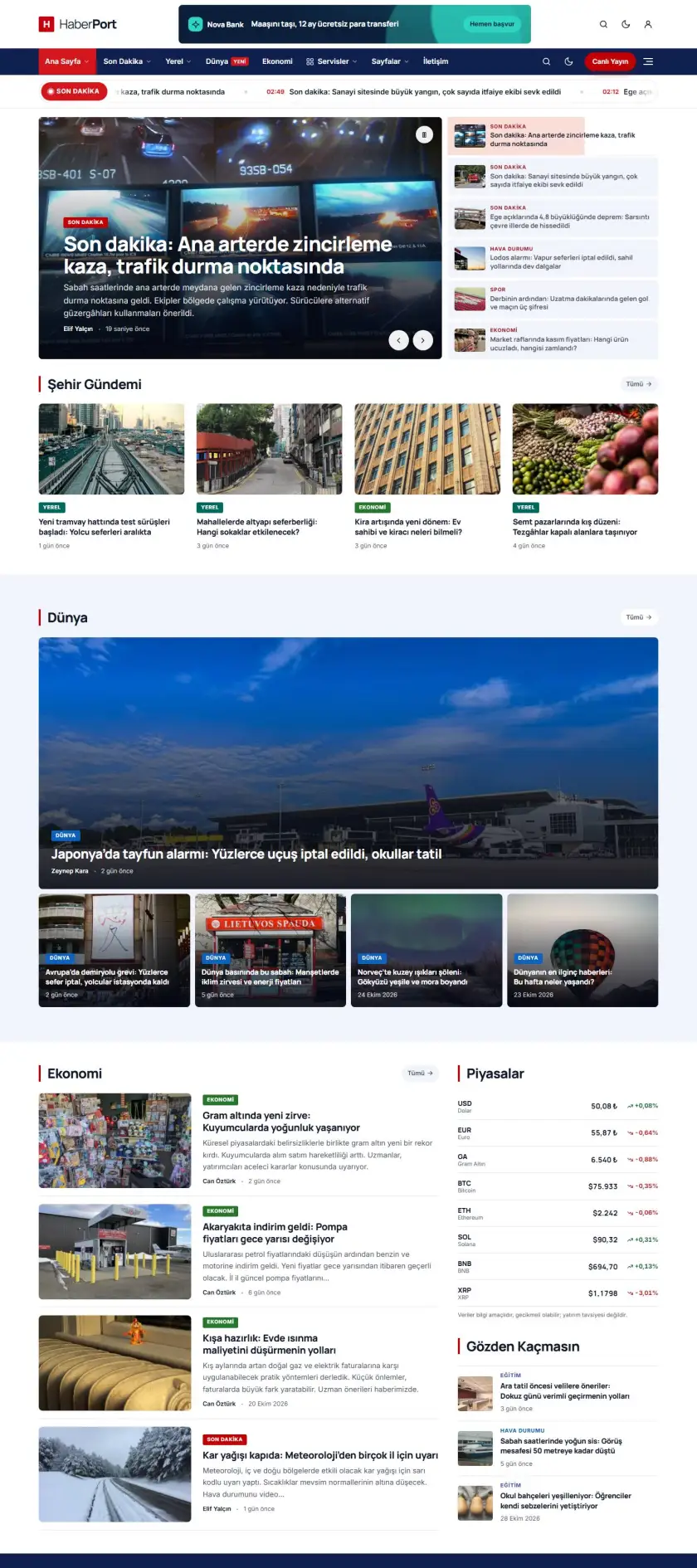
News Portal Preview demo

News Portal

Kırmızı-lacivert haber portalı: logo + reklam başlığı, lacivert menü şeridi, son haber karuseli, video listesi.

Haber
Canlı önizle
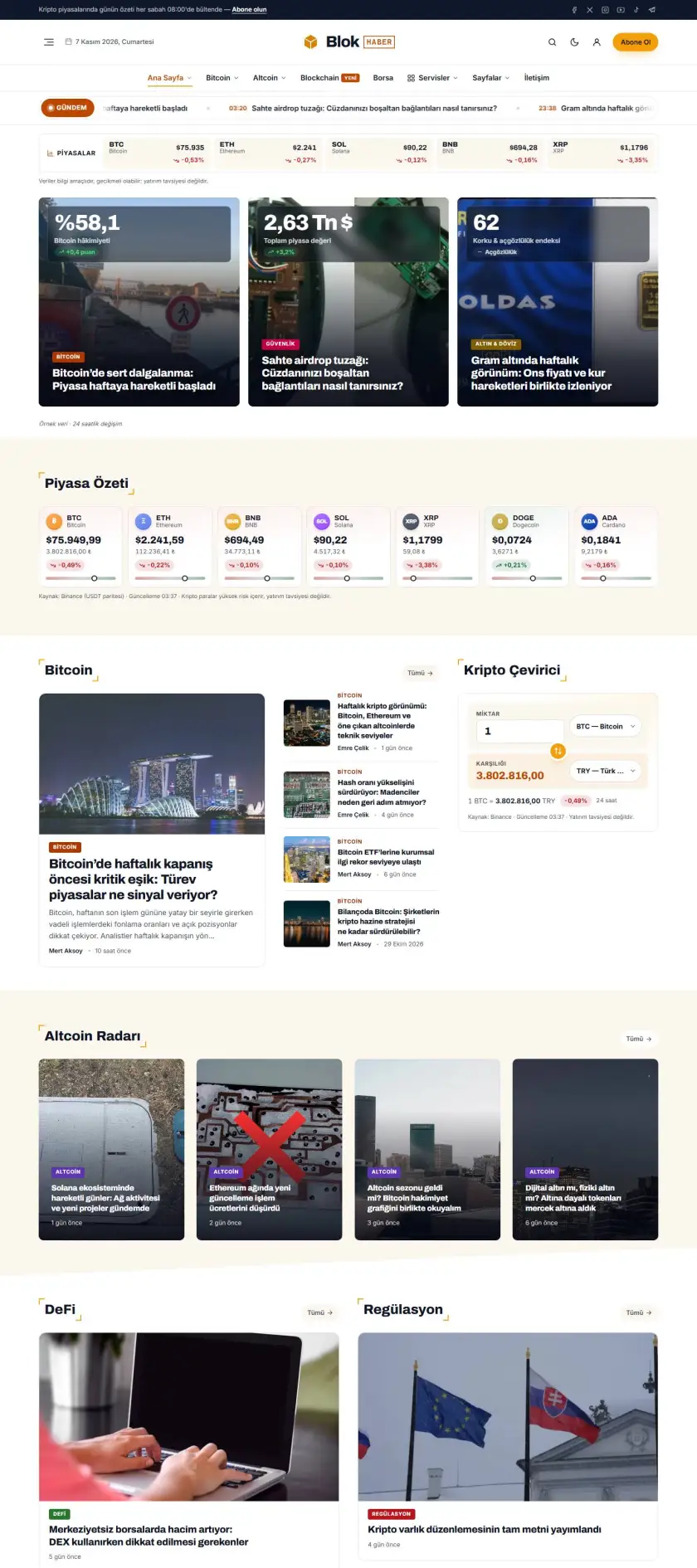
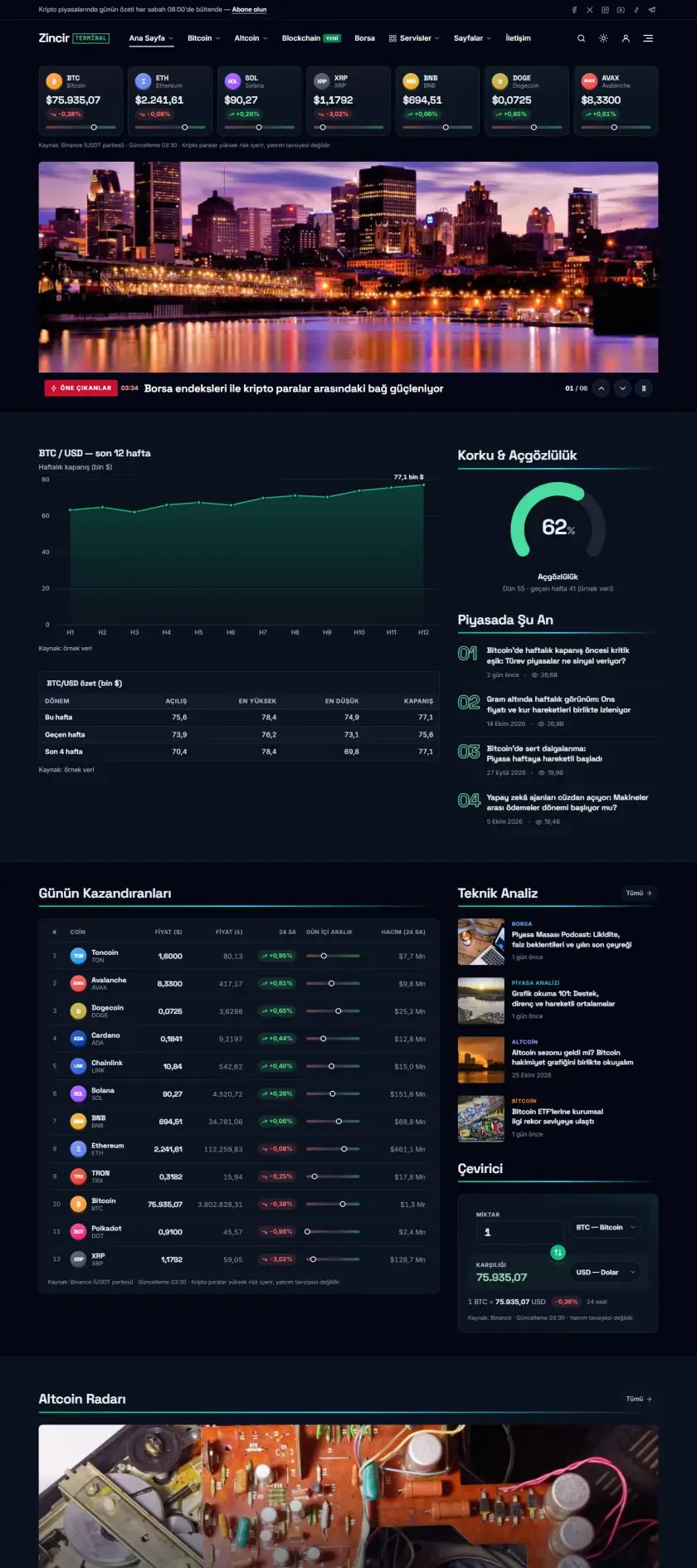
Crypto Preview demo

Crypto

Altın sarısı vurgulu kripto & finans sitesi: piyasa şeridi, numaralı popüler liste, köşe çerçeveli başlıklar.

Haber
Canlı önizle
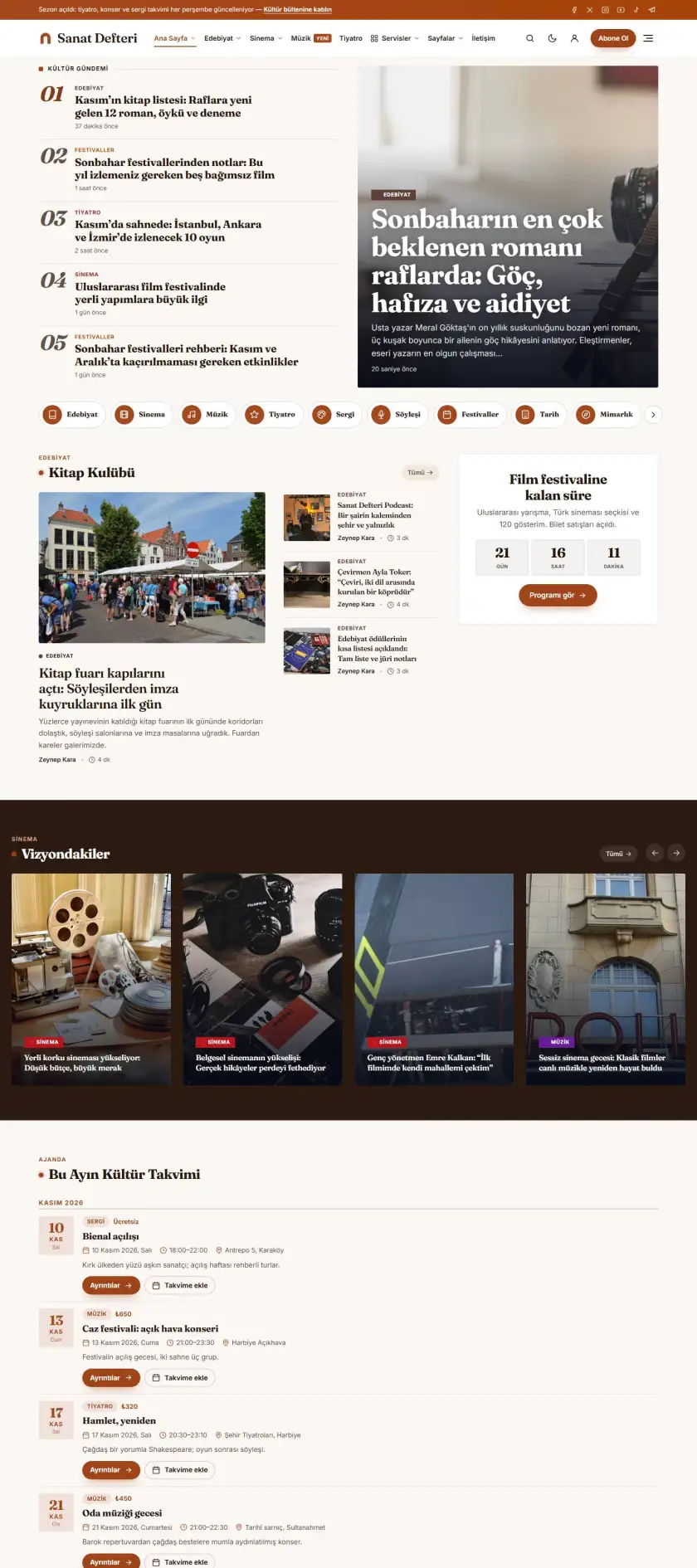
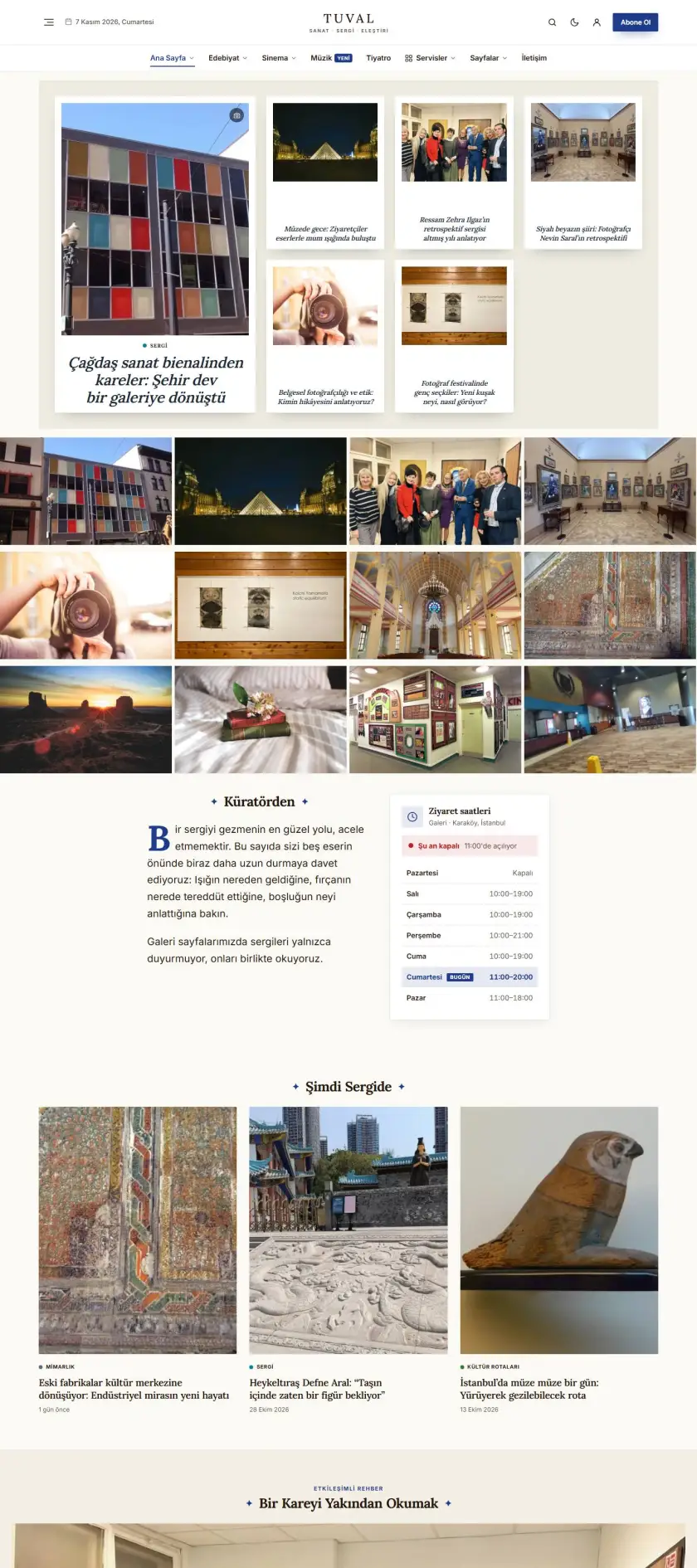
Culture & Arts Preview demo

Culture & Arts

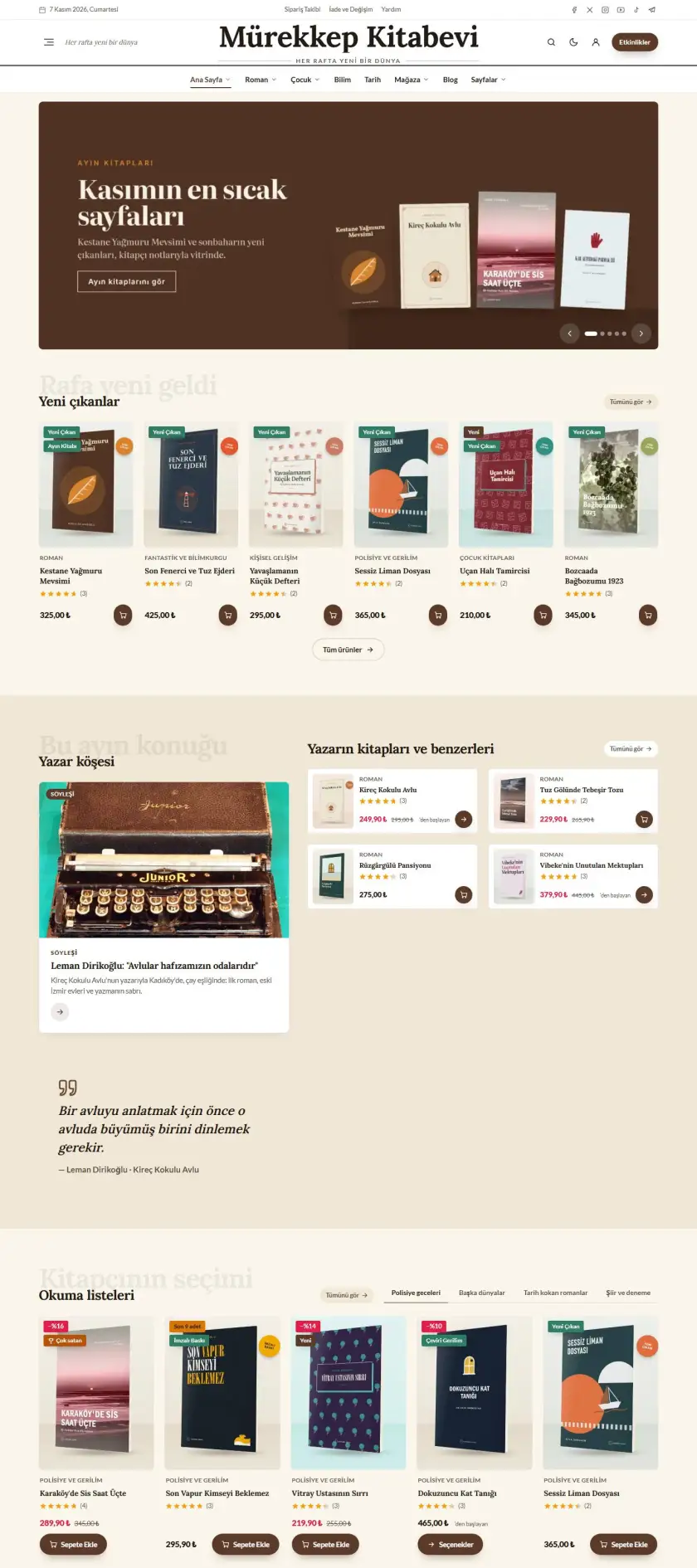
Sıcak bej tonlu kültür sanat dergisi: serif başlıklar, editoryal manşet, Instagram şeridi, zarif kartlar.

Haber
Canlı önizle
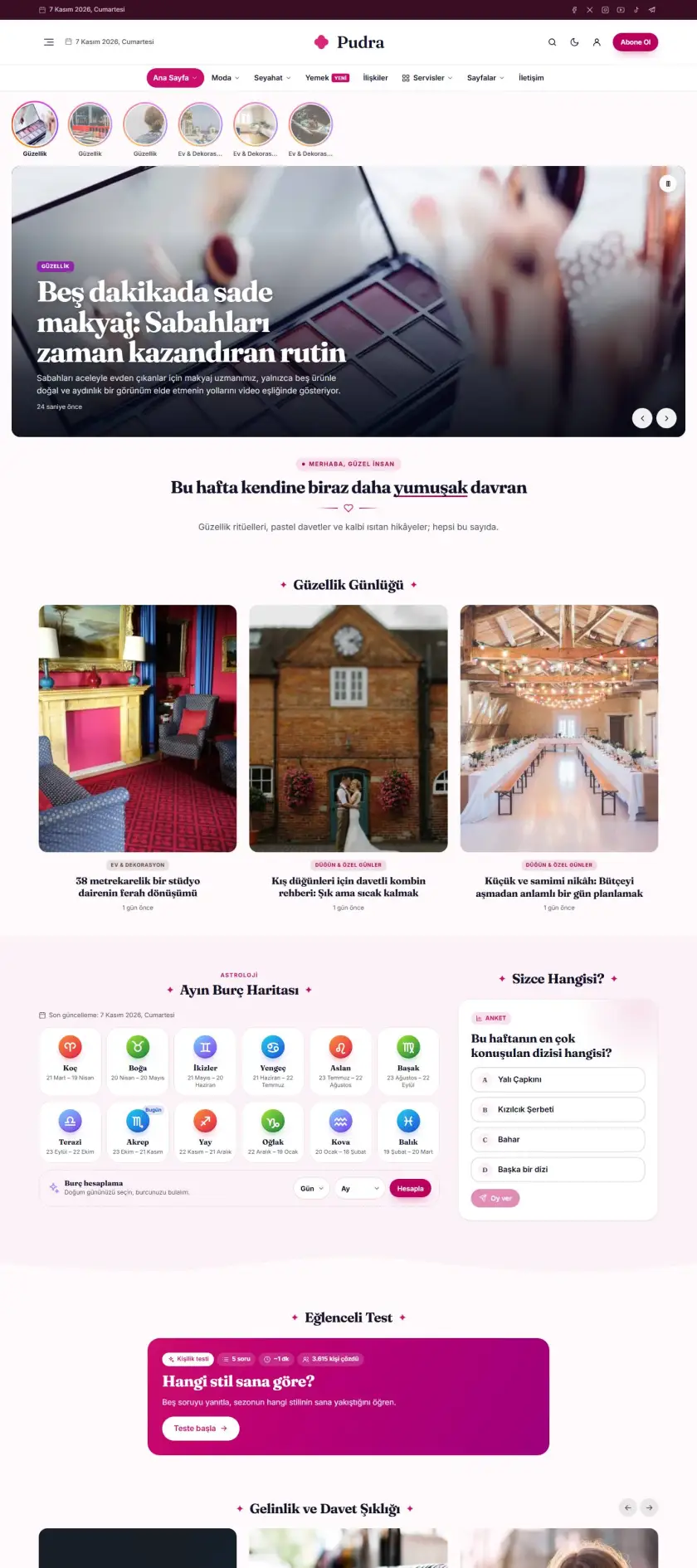
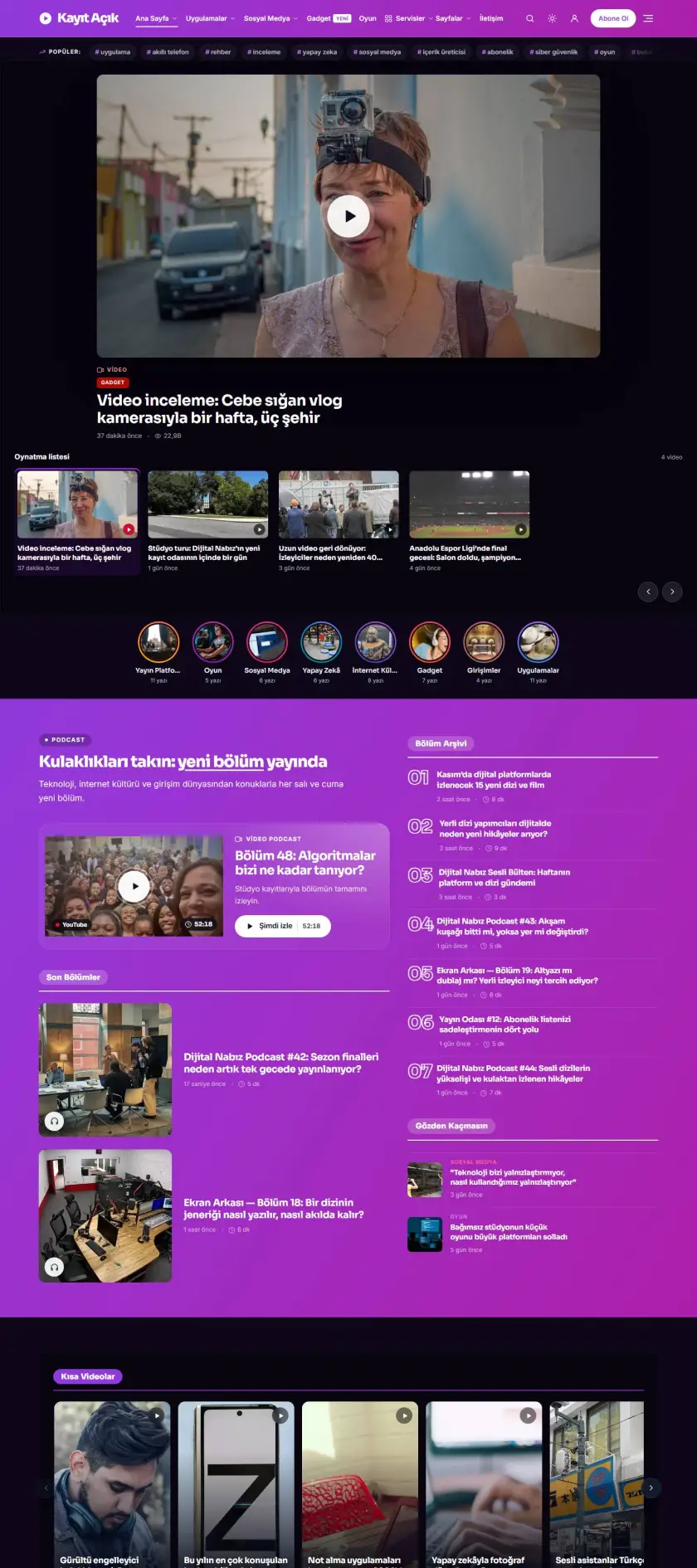
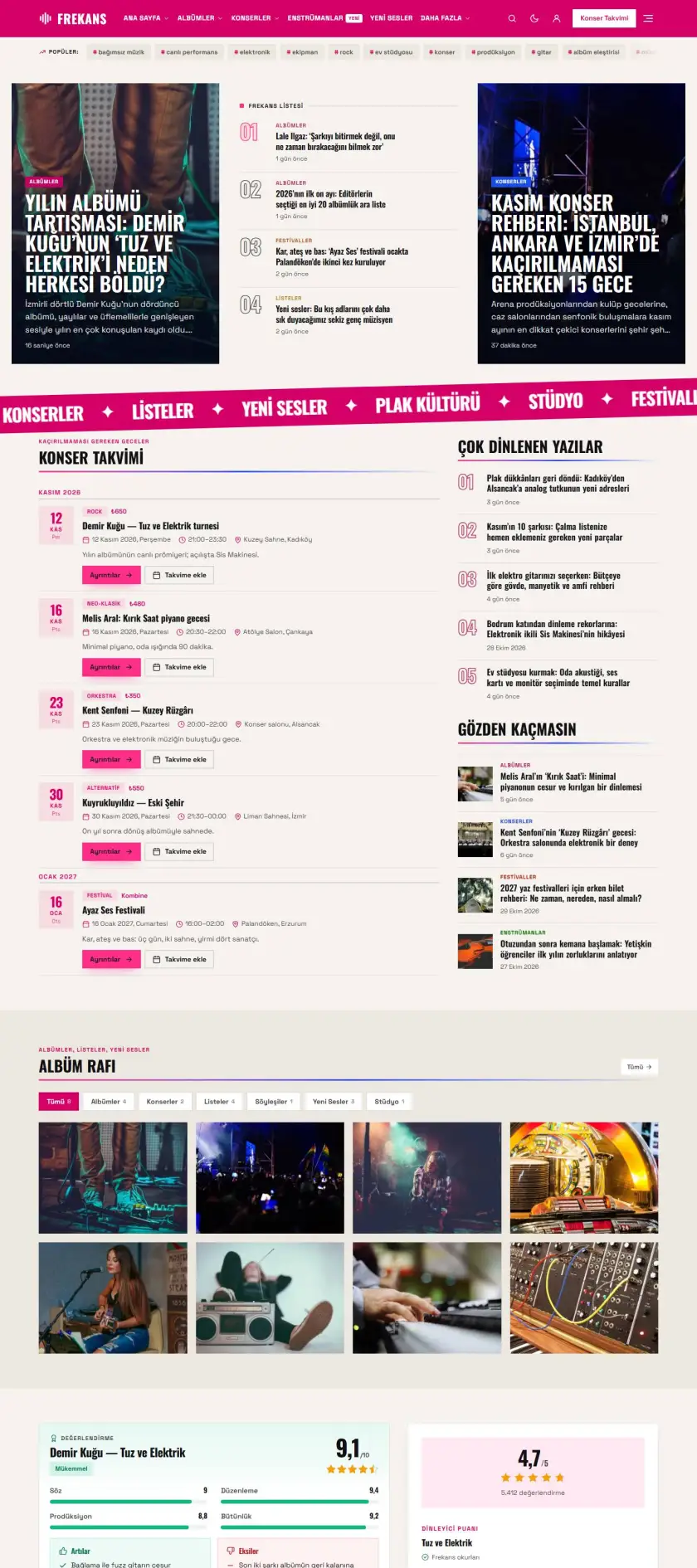
Celebrity Preview demo

Celebrity

İndigo ve pembe degradeli günlük yaşam dergisi: slider + yan liste manşeti, yazar listesi, video vitrini.

Haber
Canlı önizle
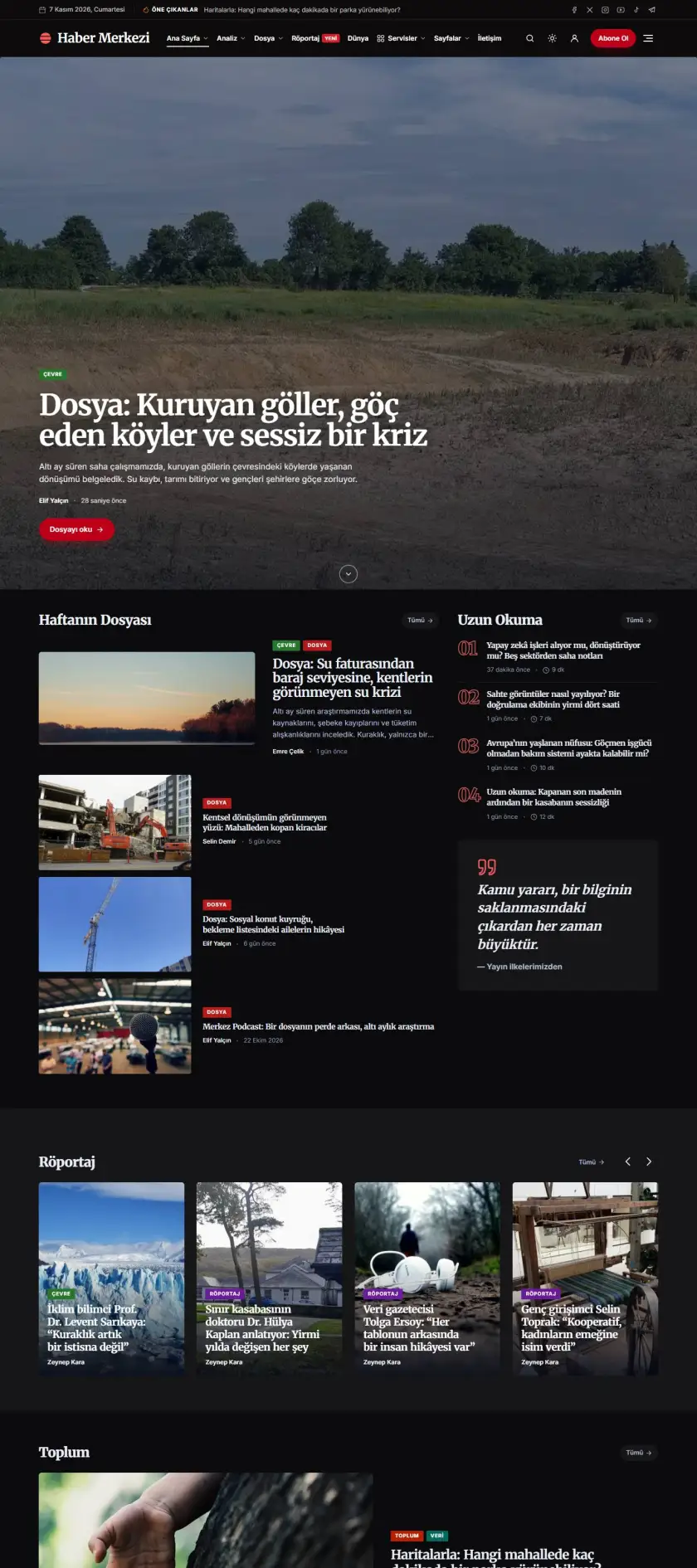
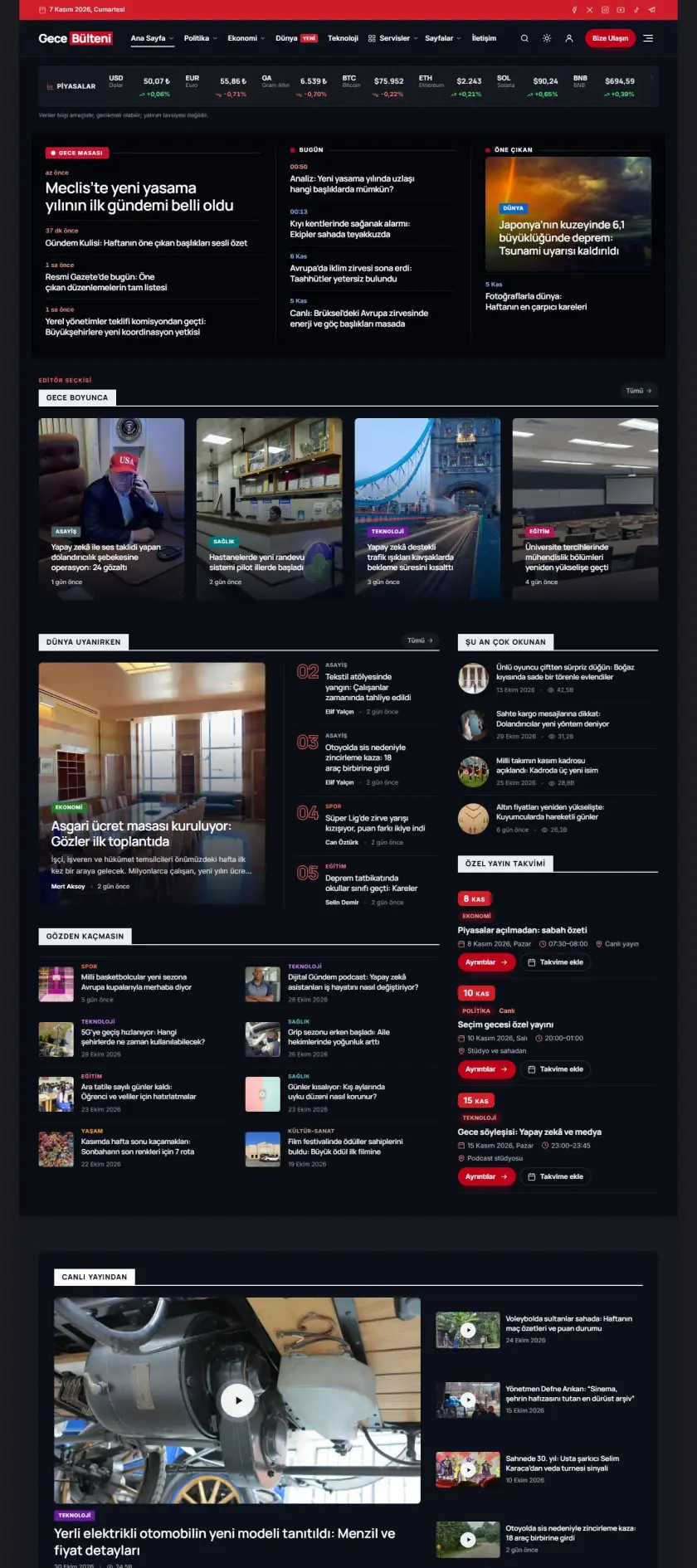
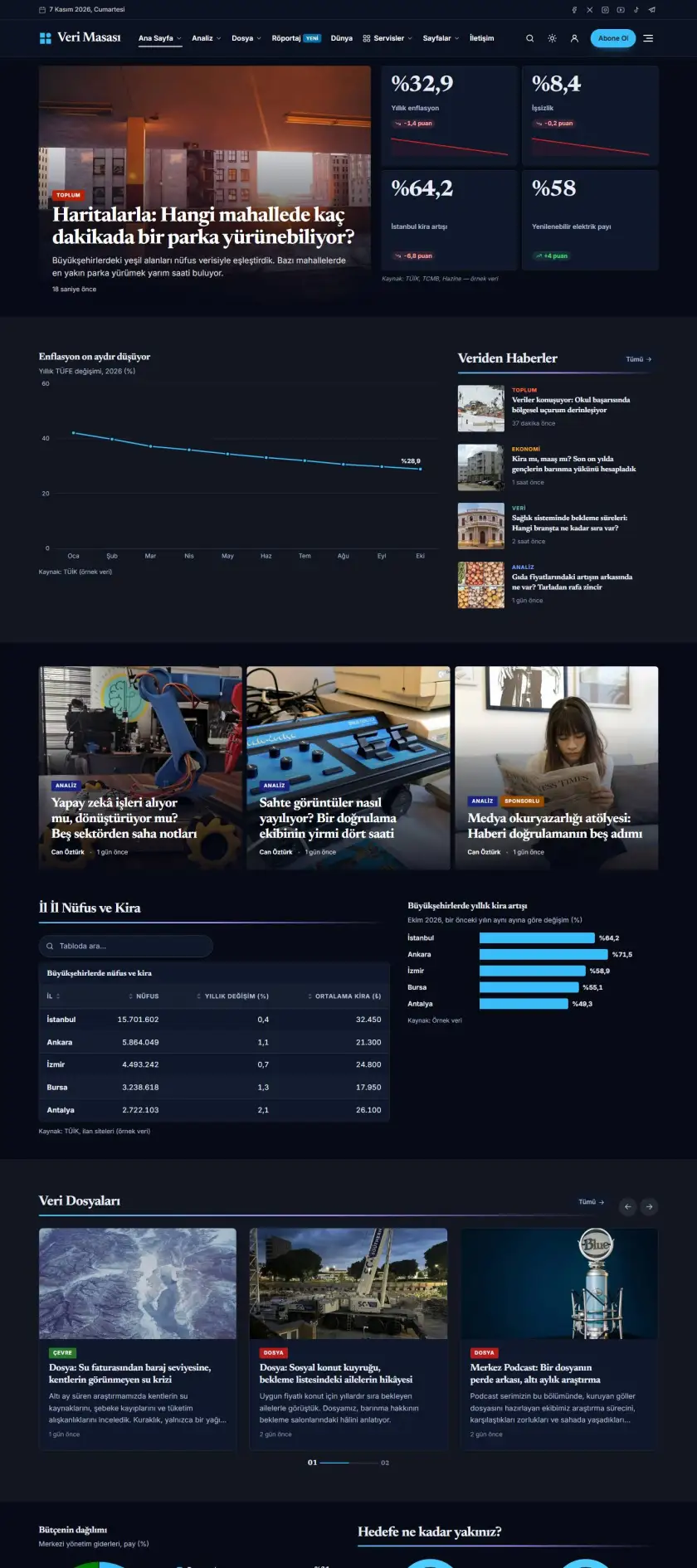
Newsroom Preview demo

Newsroom

Koyu temalı araştırmacı gazetecilik: serif başlıklar, gölge yazılı bölüm başlıkları, numaralı listeler, kırmızı vurgu.

Haber
Canlı önizle
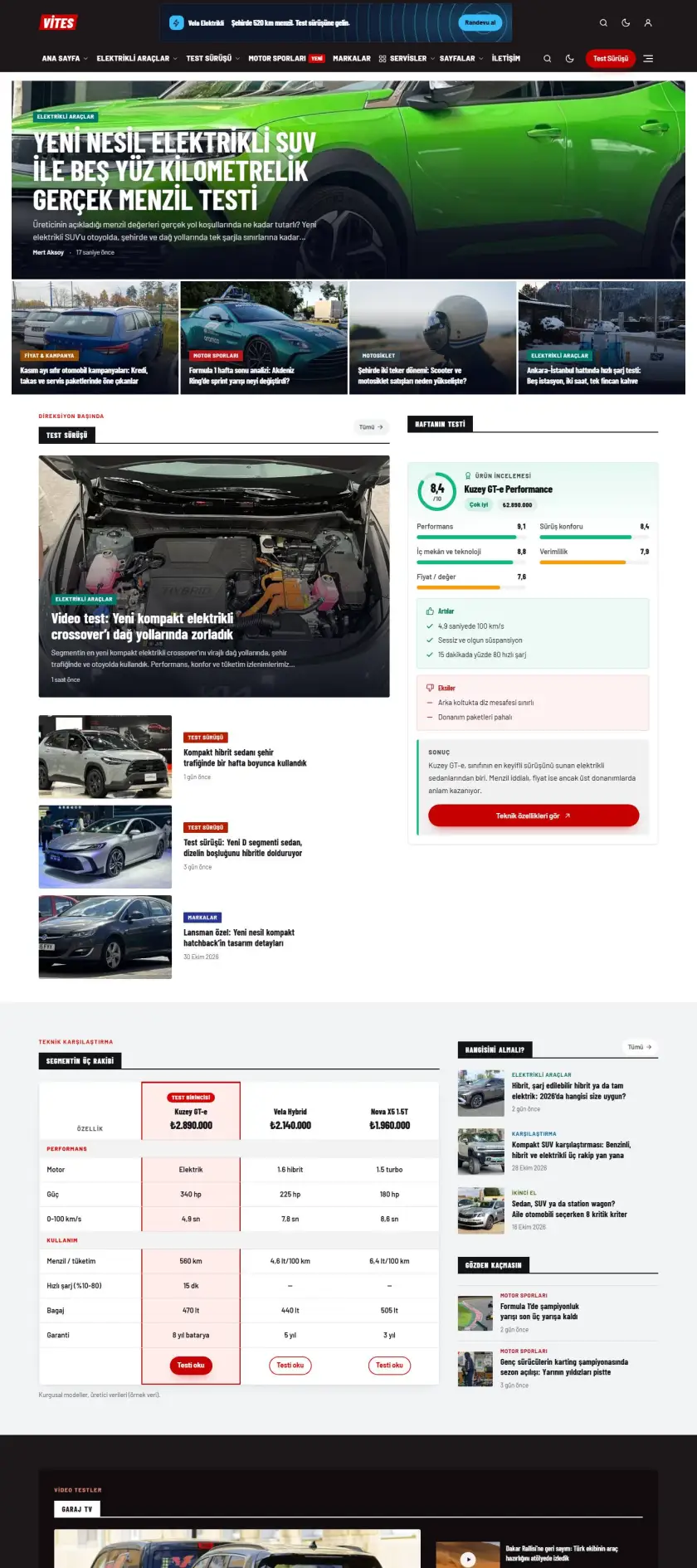
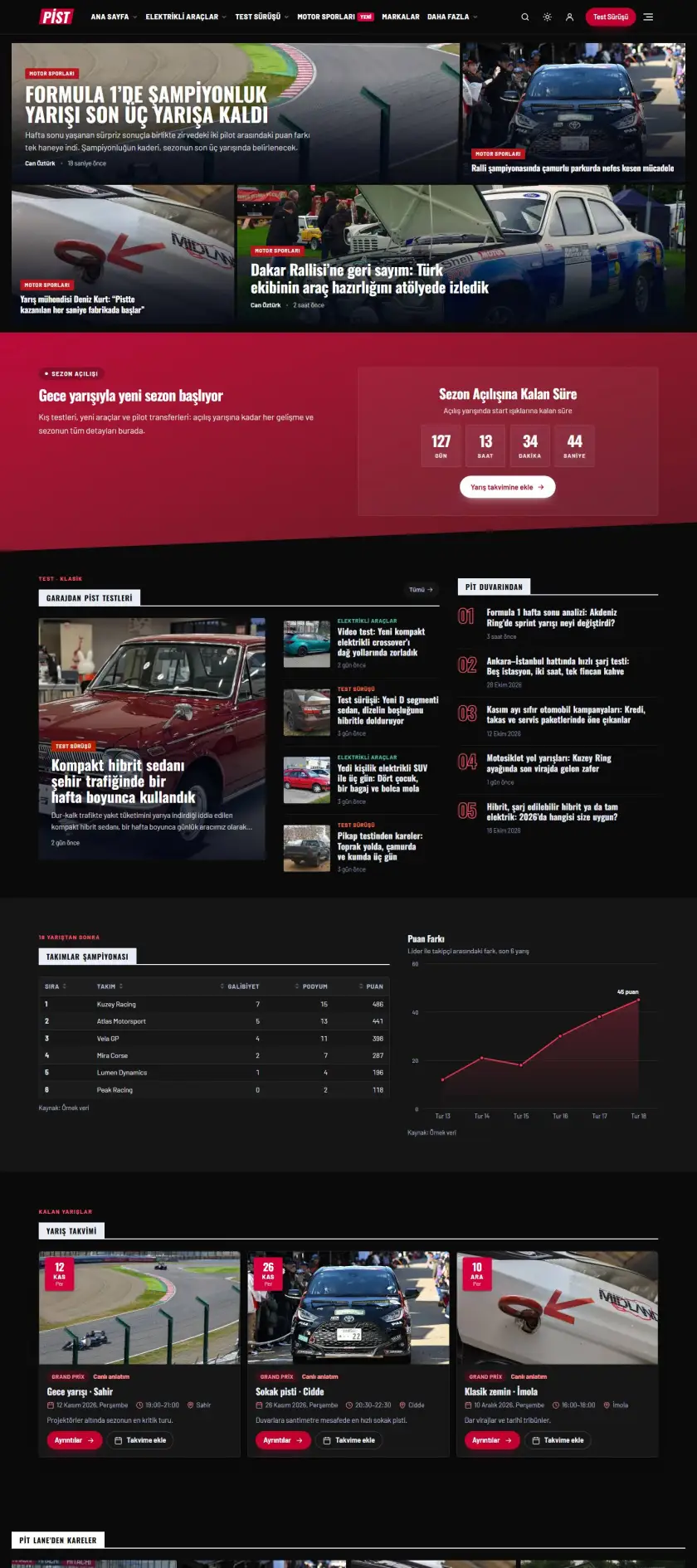
Automotive Preview demo

Automotive

Koyu başlıklı, kırmızı vurgulu otomobil dergisi: marka kutuları, inceleme ızgaraları, karusel vitrinler.

Haber
Canlı önizle

Technical Specifications

Version2.1.6
Last Updated16 November 2026
Release DateNovember 2026
Compatibility
Platform independent
License ModelOriginal License & Live Updates
License OptionsSingle Site, Multi-Site, Developer
File TypesPHP, CSS, JS, JSON, ZIP
DocumentationEnglish & Turkish, online
Support12 months of updates and support included · +12 months with the add-on
CategoryWordPress Themes

Release Notes

v2.1.6 Latest version

Accurate time remaining, less license-server traffic

The time remaining on the demo install screen is calculated from each step's most recent measured speed and your connection's real latency; in our measurements the estimate stayed within ±20% of the actual time. The license heartbeat is no longer sent during install and goes out at most every 5 minutes.

All changes 2
Improved
  • Demo install: the time remaining is calculated from the speed measured in the most recent requests of each step (images, posts, products), plus the measured per-request connection latency. Until the first measurement it shows "calculating time remaining…"; images already uploaded earlier no longer skew the speed.
Fixed
  • The license heartbeat could be sent on every request during demo install and hit the server rate limit (429). It is no longer sent during install, goes out once when it finishes, at most every 5 minutes, and backs off with growing intervals when the server is busy (429/5xx).

Previous versions

v2.1.5The admin panel unlocks with a license, demo install 5× fasterNovember 16, 2026

The Mergen admin panel is now locked while the license is inactive (your site and visitor forms keep working), demo install is about 5× faster because image sub-sizes are generated in the background, and the remaining-time estimate on the install screen is now realistic.

Improved
  • Demo install is about 5× faster (e.g. the Magazine demo with 128 images went from 2.5 minutes to about 30 seconds): larger image sub-sizes are generated in the background after install; meanwhile the site displays fine with full-size images.
Fixed
  • The "time remaining" estimate on the demo install screen could be far too high (e.g. 18 minutes for a 1-minute job); it is now calculated from the measured speed.
Security
  • License: while the license is inactive, Mergen and Mergen Core admin screens (theme options, demos, page builder, Feature Center, security, email, Speed Pro, appointment/quote/support records) are locked; License, System & help and "What's in this version" stay open. The lock is enforced on the server. Your public site, forms, cart and customer panel keep working and your saved settings keep applying. Local development addresses (localhost, .test) stay open, and a temporary outage of the license server does not lock the panel right away.
v2.1.4License verification fix, a cleaner domain search and a handier hosting panelNovember 16, 2026

License responses verify correctly again (the license is re-checked once automatically after updating), the domain search section has a one-line search and a clean price list, the hosting panel can show and copy the password, and buttons that looked empty and notifications that overflowed on phones are fixed.

Improved
  • The domain search header is cleaner and more modern: a one-line search box with a round search button, single-row scrollable extension tabs, and extensions shown as a price list in one card (the old price shows on discounted ones). Fits the screen fully on phones.
  • Hosting panel: the cPanel access password row now has show/hide and copy buttons (when the provider shares the password).
  • Account menu hosting entries now read consistently: My cloud servers, My dedicated servers, My VPN services, My SSL certificates (URLs unchanged).
Fixed
  • License: in the 2.1.3 package the license server's signed responses could not be verified, so activation and re-checks could fail. Fixed; after updating, the stored license is re-verified once automatically, with nothing for you to do.
  • Copy buttons in the hosting panel (username, panel address, name servers, etc.) appeared without icons; the icons are back.
  • Product page: the wishlist and compare buttons looked like empty white circles after tapping on phones; the selected state is now coloured and the icon stays visible.
  • Notifications (e.g. "Removed from wishlist") were squeezed to half the screen on phones and wrapped onto two lines; they are now one line and fit the screen.
  • On English sites the domain search box placeholder stayed in Turkish (markaniz.com); it is now translated.
v2.1.3Fashion store mode, a redesigned account menu and more natural read-aloudNovember 15, 2026

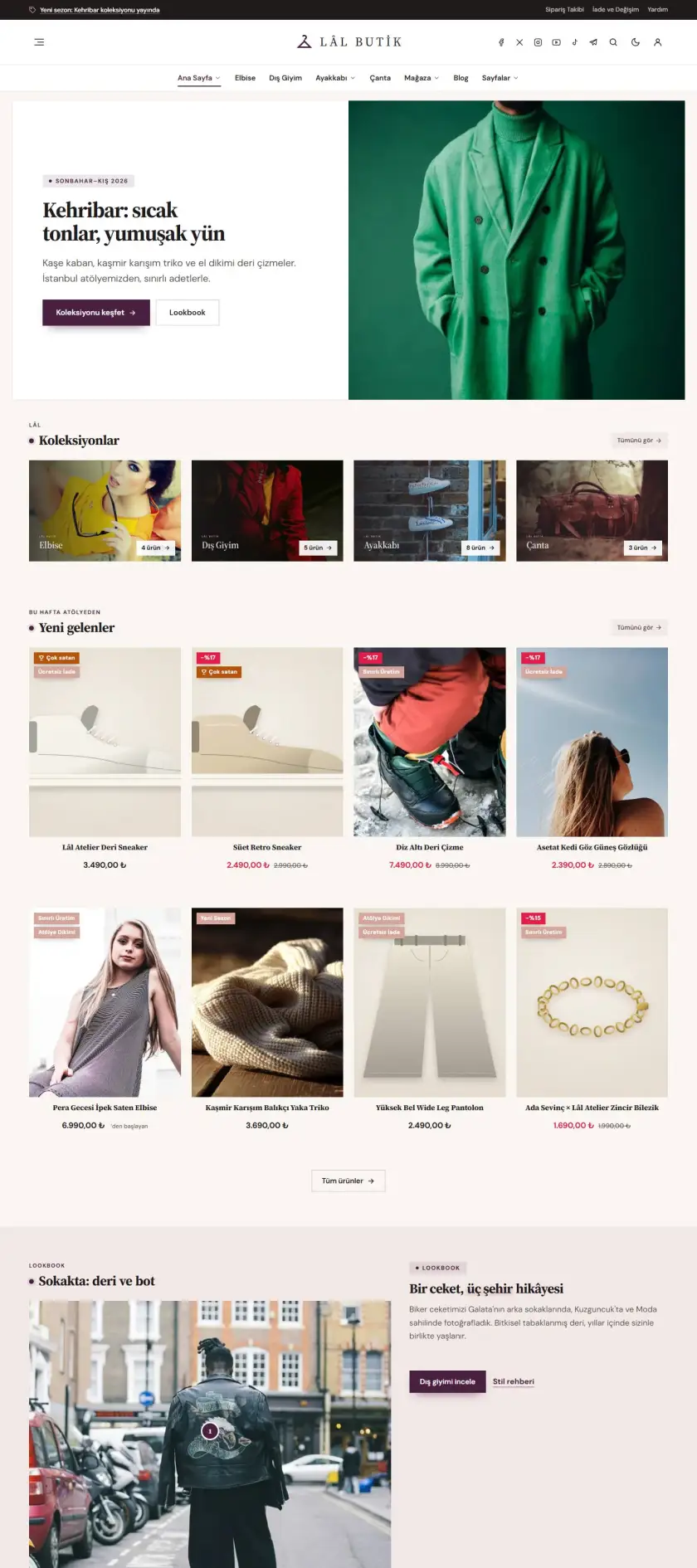
The Lâl Butik demo and fashion store mode (size selection, quick add, Turkish-style checkout), a redesigned account menu, clearer read-aloud, menus and headline sliders that no longer push the page sideways on phones, updated map embeds and smoother Speed Pro license recovery.

Improved
  • License screens: "Remove from this site" and "Move to another domain" are disabled when no domain changes are left; the license keeps working on this site.
  • Speed Pro: "Verify now" is also available while the license is suspended, so it reactivates without re-entering the key.
  • With an English dashboard, documentation and release note links open the English pages.
  • A small note, visible only to administrators, for blocks that show no content with their settings; compression warnings from weather data in the server log are gone.
  • Accessibility (WCAG 2.2 AA): sale prices, deal labels, the Explore tag heading, zodiac symbols and the footer "Cookie preferences" link are easier to read (contrast at least 4.5:1).
  • Cleaner header: in the centred header social icons move to the left (up to 4, smaller and in a secondary colour); the right side keeps only search, dark mode, wishlist, cart and account. In other layouts social icons are set apart with a thin divider.
  • Content tabs: tables inside panels (size or measurement charts) now appear as cards with roomy columns, a distinct header row and aligned numbers. Items starting with a bold label are shown as separate rows.
  • Live product finder: the right column no longer leaves a gap next to a long list; it shows "How it works" steps (editable in block settings) and other best sellers not in the list.
  • Product card button says what it does: "Choose Duration", "Choose Size" and so on for single-option products, "Add to cart" for multi-option products or products with order fields (instead of the generic "Select options").
  • Product card: the platform line is no longer cut off in narrow cards (it wraps if needed; the region stays on the product page), and long label badges no longer slide under the wishlist button. Platform / region / delivery boxes on the product page fill the column.
  • Lâl Butik demo made sale-ready: unboxed editorial hero, light serif section headings, even and generous section spacing, a clean product card (name + price, one neutral badge per card, prices without decimals), portrait collection tiles, a four-card review row and a five-column footer (customer service, contact, payment methods).
  • Fashion store mode (butik preset): a "Quick add" size row on cards, a size guide dialog on the product page, a two-column portrait gallery, delivery and returns lines under the button, a fabric and care strip; the size is no longer preselected.
  • Product options: colour swatches for colour attributes, single-value attributes shown as plain text, the selected value next to the label; option chips now also work in quick view. The sticky bar reads "Select size" or "Add to cart · XS / Black".
  • Checkout form follows the Turkish address order: Province → District → Address → Postcode (optional); labels read "Address" and "Company".
  • Store search: popular product categories and best sellers in the search overlay; on the results page products appear first as product cards (price, cart) with posts below.
  • Empty cart page with a centred icon, heading and a best-seller row; "Goes well with this" suggestions in the cart drawer; no extra toast when the drawer opens. A "Continue as guest" link on the login form when registration is disabled.
  • Fashion store (Lâl Butik): the "Quick add" size chips on product cards now add straight to the cart (in the default colour shown on the card); on phones a persistent "+" button on the card image opens quick view with size selection.
  • Fashion store: the sign-in page speaks shop language (order tracking, saved addresses, wishlist; a best-seller in the visual) and shows the "Continue as guest" link; the "My account" link leads to the same sign-in page. The mobile menu lists account links and product categories instead of blog categories.
  • Fashion store: the hero aligns with the page grid and shows its heading and button on the first screen on phones; light serif headings across all components; product description, specs and reviews at a readable line length; lookbook tile text stays legible on light photos; "View all" sits on the same line as the tabs in tabbed product sections.
  • Fashion store: square images are no longer cropped in the product gallery (the frame follows the image ratio); the fabric and care strip says "Material" for shoes, bags, watches and jewellery and describes the final check instead of sewing; shoes get a "Shoe size guide" link; the paid shipping option is hidden once free shipping applies; search favours title and short-description matches.
  • On builder pages the hidden page heading (invisible H1) uses the SEO title when one is set; the cookie-consent placeholder colours can be changed with the "mergen/consent/placeholder_style" filter.
  • Read aloud: fuller, clearer reading — natural/online voices on the device (Edge Natural, Google) are preferred, with slightly lower speed and pitch. The reading language follows the page language (English sites are now read in English). If there is no voice for the language, or none at all, the player says so.
  • The header account menu is redesigned: a profile-completion ring around the avatar, icon rows, the current section highlighted; on narrow screens the menu spans the screen width.
  • Customer panel: the profile completion bar is brand blue on every demo (no longer purple on purple-accent demos), light blue in dark mode.
Fixed
  • Speed Pro: when the license returns from suspension or expiry, page caching and server rules are set up again right away (previously this could take up to an hour).
  • Category names with "&" now display correctly in live search.
  • The service-card category block no longer overflows narrow columns; when the page title is shown, an extra H1 in blocks is output as H2.
  • Header: the call-to-action button inside a coloured strip on the dark scheme is visible again.
  • Mobile menu: when a submenu also contains the parent page (e.g. Home → Home 01/02/03), each tap only opens or closes the submenu; previously the second tap always went to the first page. Tapping the arrow also just toggles.
  • Service category cards: products without duration options (domains, SSL, email) no longer show a wrong "/mo" next to the starting price; price and button rows line up across cards, and on mobile the icon sits beside the title so cards are shorter.
  • Shop filters: on a shop page with service categories hidden (e.g. software only), the price range and attribute counts follow the listed products; hosting durations that are not in the list are no longer shown.
  • On demos installed in English, category links left with a Turkish slug ("?category_name=…", "/kategori/…") now go to the matching post or product category instead of a 404; without a match the blog or shop opens.
  • Centered section headings: the eyebrow and title share one axis ("How it works"), the domain search badge sits centered above its title, and on narrow screens the side rule no longer drops under a wrapped title. In the hosting hero plan card the price row aligns to the bottom.
  • Hostiva demo: the "12 Months" price of the Randevix, Kurumsal Pro and Shopora licenses now matches the product image (it previously showed nine times as much); lifetime prices were adjusted accordingly.
  • Map blocks, map cards, the branch finder and the footer map now use Google’s current embed address (google.com/maps/embed); the old maps.google.com/maps?output=embed address was redirected on every load.
  • Pressing "Add to cart" without a selection no longer opens a browser alert: the button reads "Select size", the missing option is highlighted and scrolled into view.
  • Cart and checkout: once free shipping is earned the free method is selected by default (paid shipping was added to the total while the bar said "Your shipping is free"); variation details flow on single lines and the shipping row wraps cleanly.
  • The "Appearance" button in the mobile menu footer is no longer cut off; the back-to-top button no longer covers footer links on mobile; larger tap targets for footer and breadcrumb links.
  • Multisite: demo author titles and bios are stored per site (the fashion store blog showed "Diplomacy and Foreign News Editor" left over from the news demo).
  • Fashion store: the rating text no longer runs together on phones ("(3 customer reviews)"); wishlist and compare buttons share a row with "Buy now"; purchase buttons are not dimmed before a selection; no double outline on the selection warning; badges no longer touch the heart button; full-width coupon field in the mobile cart; equal-height select boxes on the checkout form.
  • Fashion store: news tools (listen, save, text size, facts table) are hidden on blog posts; blog category labels use a single accent colour; the map placeholder awaiting cookie consent uses the store colours with square corners; image-less live search results show a document icon; the hidden category cover is no longer downloaded; focus lands on the close button when the mobile menu opens.
  • Product page, small screens: on variable products the sticky cart bar no longer pushes “Buy now” off screen; the selection text is truncated to one line on desktop and hidden on phones. At 320–360 px the device preview tabs, the theme card date line and the demo bar no longer widen the viewport.
  • Breadcrumbs: at 320–360 px a long product name in the last item was squeezed and pushed the page sideways; it now wraps to the next line.
  • Header menu: on first load, items briefly pushed the page sideways until the “More” overflow was measured; overflow is now hidden until then, and the menu re-fits if its container width changes later.
  • Stacked headline slider (fan/deck): side cards pushed the page sideways on phones (the Tekno Neon home page grew to 621 px on a 390 px screen); cards are now clipped at the block edge and the page no longer scrolls sideways.
  • Showcase demos: the “My support tickets” section in the customer panel only appears on selling demos (store or hosting); behaviour on customer sites is unchanged.
  • Customer panel: the initials avatar in the mobile menu is now always a perfect circle (it could previously appear as a flat oval).
v2.1.2Safer accounts and robust hosting connectionsNovember 14, 2026

Email verification for new members, extra security for hosting account linking, a longer grace period when the license server is unreachable, and lighter pages.

  • SecurityYour account stays yours — New members must verify their email before signing in. A hosting account can't be claimed with someone else's email; the administrator approves anything unusual. Your password is asked again before cPanel sign-in and password changes.
  • SecurityStored secrets, strongly encrypted — Your license key, hosting API keys and SMTP password are stored with one strong encryption scheme. Demo sites only allow actions known to be safe.
  • ImprovedKeeps working when the server is unreachable — If the license server can't be reached, premium features keep working for up to 30 days and your pages are never affected. Hosting connection errors are shown with clear messages.
  • ImprovedLighter, with WooCommerce HPOS support — Unused widget definitions are no longer loaded (about 12 MB less memory). Fully compatible with WooCommerce high-performance order storage.
New
  • New "Off" option for the sports data source: no external connection is made.
Improved
  • If the license server cannot be reached, premium features keep working for up to 30 days and the admin shows until when; your pages are never affected.
  • Hosting connections show clear messages for timeouts, SSL and credential errors; the panel no longer waits on an unreachable server.
  • Lighter pages: unused widget definitions are no longer loaded (about 12 MB less memory); live data blocks refresh in the background without making visitors wait.
  • Full compatibility with WooCommerce high-performance order storage (HPOS).
  • The Speed Pro license now follows the same rules as the Mergen license: up to 30 days of grace when the server can't be reached, regular checks even with WP-Cron disabled, license details on the Speed Pro screen (type, expiry, domains used, domain changes left) with "Verify now" and "Move to another domain" buttons, and a clear renewal message when it expires. The "can't be reached" warning now clears by itself once the license server is reachable again.
  • Live search now finds products with their prices in stores; results are grouped into Products, Pages and Posts.
  • Accessibility and SEO: screen-reader names for pagination buttons, a hidden page title (H1) on alternative homepages, the cart button label updates when products are added; emoji icons in the dashboard fixed.
Fixed
  • Speed Pro, multisite: clearing one site's cache no longer deletes other sites' local fonts, minified CSS/JS or page cache; each site uses its own folder and existing fonts are carried over automatically on update. No change for single sites.
  • Demo import: when a demo needing a newer theme version is refused, or you cancel before the import starts, your homepage texts (block titles on English sites) no longer change.
  • Expressions like "25%" or "%50 off" are no longer removed when theme settings are saved or imported.
  • Form builder: forms with a relative consent or redirect address (e.g. "/privacy/") now submit correctly.
  • Form builder: if email sending isn't set up on the site, forms no longer show an error; the submission is saved (Feature Center › Contact › Recent messages), the visitor sees the success message and the administrator gets a dashboard notice.
  • The newsletter block no longer overflows narrow columns; the field and button stack.
  • On English sites, WordPress's default sidebar headings, the comparison table period and the demo poll now appear in English; a double "/" in the comparison table was fixed.
Security
  • New members cannot sign in until they open the link sent to their email (Member Login › Email verification on registration, on by default).
  • Hosting: a WHMCS account links automatically only with a verified email that is also verified in WHMCS; otherwise an administrator approves it (Hosting › Account linking). Your account password is required before cPanel sign-in and password changes.
  • The stored license, hosting API keys and SMTP password use a single encryption scheme (AES-256-GCM); nothing is saved in plain text if encryption is unavailable. The page cache only writes for the site's own domains.
v2.1.1Ready for the world: English, a security center and new email designsNovember 10, 2026

Mergen is now fully English and opens in the right language for each visitor's country. A new security center, four email designs and design fixes across all 60 demos. Two new store demos, hosting management and industry-specific customer panels.

  • NewNew store demos: KeyNova and Hostiva — AI subscriptions and software licenses (KeyNova) and a hosting, domain and server company (Hostiva). Both come with three different homepages and install in one click with Turkish or English content.
  • NewHosting management — Separate customer panel screens for hosting, reseller plans, cloud and dedicated servers, domains, mail, VPN and SSL, with usage rings and live charts. With WHM and WHMCS connected, customers log in to cPanel or WHM in one click and change passwords. Settings: Mergen › Hosting.
  • NewCustomer panels for every industry — The customer panel now adapts to your industry: store, digital licenses, clinic, corporate quotes, news/membership, hosting, hotel, restaurant and education. Clinics get appointments, treatment history and invoices; education sites get courses, progress and certificates.
  • NewCategory rail and dock — A new store header: wide search, info chips and category shortcuts. Shortcuts sit in a Mac-style dock at the bottom or a floating rail on the left; all categories and best sellers open in a side panel.
  • NewNew page builder blocks — Product finder, animated product stage, plan cards with billing periods and a comparison table, domain search, data center map, speed gauges, panel tour, terminal, theme wall and industry tiles.
  • NewEnglish translation and English demos — The theme, dashboard and Mergen Core are fully translated into English. When your site language isn't Turkish, demos install with English content: posts, menus, pages and homepage text.
  • NewLanguage by country — Visitors from Turkey see Turkish, visitors from everywhere else see English. They can switch at any time and their choice is remembered.
  • SecuritySecurity center — A custom login address, login attempt limits, a built-in CAPTCHA or Google reCAPTCHA / Cloudflare Turnstile, and per-country on/off for every protection — all from one screen.
  • NewEmail templates: 4 designs — Four ready designs for every email your site sends. Change the logo, colors and footer from the dashboard and preview before sending.
  • NewEvent detail pages — A dedicated page for every event with date, venue, map, schedule and registration details.
  • ImprovedRedesigned quote calculator — A new step-by-step design with instant pricing, easier on mobile.
  • ImprovedDesign fixes across 60 demos — Spacing, type sizes, cards and mobile layouts were reviewed in every demo.
  • NewCustomer dashboard 2.0 — Grouped menu with notification counters, a profile completion bar, quick actions, searchable orders and a slide-in order detail. License keys are masked: reveal, copy and see the remaining term in one click. New Wallet: order cashback and a welcome bonus, with balance convertible into a personal coupon. Bottom tab bar on mobile.
New
  • Trust badges on account forms and account deletion requests that can be cancelled within 30 days.
  • Drag-and-drop attachments on support tickets and a "team online · first response time" strip.
  • A "Buy now" button and sales count on product pages; a single price updates as the plan changes.
  • Theme cards scroll the full page on hover and open a quick preview with a device switcher.
Improved
  • The demo list and import screen show English or Turkish packages based on the site language.
  • License server messages appear in the dashboard language.
  • The license screen explains domain allowance and active domains more clearly.
  • Customer panel overview columns are balanced so no empty gaps remain.
Fixed
  • The profile page grid now aligns in equal columns.
  • Product cards no longer cut off meta chips; the region is shown on the product page.
  • Small labels in football widgets now use a 12 px minimum.
  • English store demos now install homepage product sections and product categories correctly.
  • No background strip between the last section and the footer when that section has its own background.
  • The visible scrollbar under the review strip was removed.
Security
  • Login attempts are limited per IP; exceeding the limit triggers a timed block and an admin notice.
v2.1.0Multipurpose theme: store, business, customer area and Mergen CoreNovember 7, 2026

Mergen is no longer just a news theme: build business sites, stores and customer areas with the same theme.

  • New58 ready demos — Business, store and personal site demos alongside news and magazine. Install in one click, remove any time.
  • NewHeadline gallery — 127 visual headline options in the page builder: 13 new headline blocks (modern grid, tabbed, video list, magazine cover, live stream, parallax, story…) plus mosaic and slider layouts. Preview and drag them in.
  • NewPro kit blocks — 27 new professional blocks: form builder, animated heading, bento grid, process steps, opening hours, price list, comparison table, filterable portfolio, side panel, announcement bar, event calendar, Lottie and more.
  • NewStore and stocked licenses — WooCommerce-ready store design. License keys, game codes and digital codes are delivered automatically from stock.
  • NewBusiness pages and booking — Services, team, projects, branches, careers; online booking and quote form.
  • NewCustomer area — Visitors manage their profile, security, notifications, orders, licenses and support tickets in one place.
  • NewSupport desk — Customers open tickets from their account; you reply from the dashboard and both sides get email updates.
  • NewEmail and SMTP — Reliable sending through your own SMTP server, branded email template and a send log.
  • NewCookie consent (KVKK / GDPR) — Category-based consent; analytics and ad scripts don't run until the visitor allows them.
  • NewMergen Core plugin — Your bookings, quotes, tickets and license stock live in the plugin, so they stay even if you switch themes.
New
  • "What's new in this version" screen and a one-time notice after updating.
  • Translation templates: languages/mergen.pot (theme) and mergen-core/languages/mergen.pot (plugin). JavaScript strings are translatable too.
  • wpml-config.xml for WPML / Polylang.
  • Ready child theme package: mergen-child.zip. Card and block templates can be overridden in the child theme.
Improved
  • When your support period ends, the Updates screen explains why and links to "Renew your support".
  • Docs, product and support links are managed in one place (mergen/docs_url filter, MERGEN_DOCS_URL constant).
Fixed
  • Job posting schema (JobPosting): employment type is now mapped independently of language; "Remote" listings are marked TELECOMMUTE.
  • If the site language isn't Turkish, Turkey-specific features (prayer times, "Today" bar, latest earthquakes) start disabled, and AI summaries are written in the site language.
v2.0.0First public releaseNovember 2, 2026

A news and magazine theme: ready demos, drag-and-drop page builder, Feature Center, live data modules, dark mode and licensed demo import.

  • NewNews and magazine theme — Ready demos, drag-and-drop page builder, Feature Center, live data modules, dark mode and licensed demo import.

Full changelog

Customer Reviews

No reviews yet · Be the first to write a review

Write a Review

Only customers who purchased get the “Verified” badge.

Frequently Asked Questions

What's the difference between license types?

Single Site: 1 domain, domain changes for a fee ($14.92) · Multi-Site: up to 5 domains, free domain changes: 1 · Developer: up to 15 domains, free domain changes: 1. Development and test domains (localhost, staging…) don't count toward the limit or your domain changes. If you run out, you can buy an extra domain change from your customer panel.

How do I download the product after purchase?

As soon as payment is confirmed, the product becomes downloadable under Customer Panel › My Products. Your license key is shown on the same screen and sent to your email.

Are updates paid?

No. All updates are free for 12 months from the purchase date, and you are notified in your panel when a new version is released. The product keeps working after that; you can extend the support period to receive new versions.

What does support cover?

For 12 months you can open support tickets for installation, configuration and bug fixes. Custom development requests fall under Expert Services.

How does the refund policy work?

Every purchase comes with a 14-day refund guarantee; you can request a refund from Customer Panel › My Orders without giving a reason. Products sold as open-source software distribution are non-refundable and are clearly marked on their page.
You may also like

Similar Products

All Products